6 Best Mesh Router for Gaming 2026: Tri-Band Beats Wi-Fi 7 Hype

The best mesh router for gaming hinges on backhaul, not just Wi-Fi generation. See which tri-band systems keep ping low for competitive online play.

Picking a mesh system for gaming can feel like a gamble: you see numbers like AX3000 or BE11000 and assume faster is better, yet midgame lag spikes from a congested wireless backhaul quickly shatter that illusion.

The real bottleneck isn't the Wi-Fi generation stamped on the box—it's the backhaul architecture. Tri-band mesh kits dedicate an entire radio band to carrying traffic between nodes, which keeps latency flat even when your household is streaming 4K video and downloading game updates simultaneously. Dual-band systems, by contrast, force that traffic onto the same channels your devices use, creating a hidden choke point that can spike ping at the worst moments.

But the choice isn't purely technical. The mesh that delivers the lowest ping may come with occasional quirks—a satellite that momentarily drops sync or a firmware update that requires a reboot. The most hands-off, family-friendly system might sacrifice a few milliseconds of latency. This guide helps you weigh those trade-offs so you get the right balance of speed, stability, and convenience for your gaming setup.

1

Best Overall

Orbi RBK852

87 /100
Lab Score Excellent

Key details

Wi-Fi Gen
Wi-Fi 6
Backhaul & Ports
Dedicated 5GHz backhaul, 4x 1GbE
Coverage & Nodes
5,000 sq ft, 2 nodes
Band Configuration
Tri-Band
View on Amazon

The dedicated tri-band backhaul separates gaming traffic onto its own 5GHz channel, so router-satellite communication never competes with your devices. This architecture keeps latency spikes at bay even when multiple people are streaming 4K video or downloading large files. The AX6000 radios push near-gigabit speeds to clients, giving bandwidth-hungry gamers the headroom they need for smooth online play. While newer Wi-Fi 7 mesh systems tout higher theoretical speeds, they often rely on shared backhaul bands that introduce jitter under load. The Orbi's design avoids this pitfall, directly benefiting competitive play where every millisecond counts.

The included satellite stretches coverage up to 5,000 square feet, eliminating dead zones in houses where a single router would fall short. Signal strength stays steady from node to node, and the four Ethernet ports on each unit let you wire in consoles or PCs for even lower latency. The Orbi app guides you through setup in minutes, and the network is ready for heavy use right away.

Long-term, the system can develop minor stability quirks. After weeks of uptime, you may notice a slight dip in throughput that a quick reboot fixes. The satellite node can also lose synchronization with the router, which drops devices on that node until you restart the system. This isn't a catastrophic failure—it's an inconvenience that a scheduled weekly power cycle resolves. Competitive gamers who demand zero downtime should consider this tradeoff, but when it occurs, the interruption is brief.

This mesh system fits competitive gamers in large homes who need consistently low ping and are willing to accept a little hands-on maintenance. If you want a mesh you can install and forget, the occasional reboot may annoy you. But for anyone who values latency over luxury, the tradeoff is minor. The Orbi RBK852 delivers the kind of wireless gaming performance that makes you forget you're not wired—provided you don't mind a quick power cycle every now and then.

💡 Schedule a weekly overnight reboot to keep the satellite node in sync — this small upkeep tradeoff preserves the low ping the dedicated backhaul delivers.

Pros

  • Wired-like wireless speeds for lag-free gaming and 4K streaming.
  • Dedicated tri-band backhaul prevents congestion, keeping ping stable even under heavy load.
  • Up to 5,000 sq ft of consistent coverage that eliminates dead zones.
  • App-guided setup gets the network running in minutes without technical hassle.

Cons

  • After extended uptime, throughput may dip slightly, requiring a reboot to restore full speed.
  • The satellite node can lose sync with the router, dropping connections for devices until a restart is performed.
Our verdict

If you're willing to accept an occasional manual reboot for a mesh system that delivers some of the lowest wireless latency you'll find, this is the pick. Its dedicated backhaul shows that architecture trumps Wi-Fi generation when it comes to gaming.

Check Latest Price
2

Best Budget Wi-Fi 7 Mesh

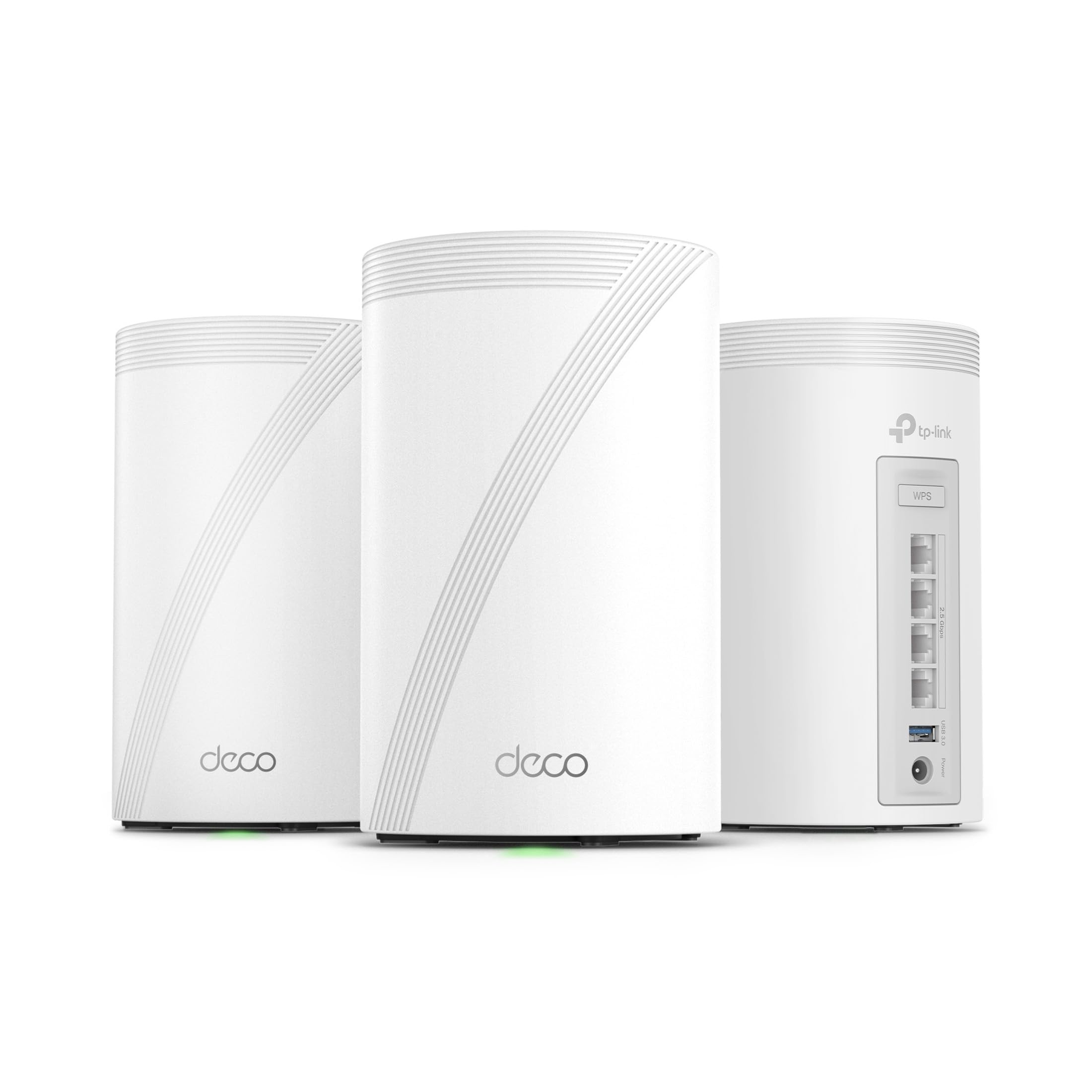
Deco BE23

88 /100
Lab Score Excellent

Key details

Wi-Fi Gen
Wi-Fi 7
Backhaul & Ports
Wireless/wired backhaul, 2x 2.5GbE
Coverage & Nodes
6,500 sq ft, 3 nodes
Band Configuration
Dual-Band
View on Amazon

The Deco BE23 stands out by placing two 2.5 GbE ports on every node, making it straightforward to route Ethernet cables between units and sidestep the wireless backhaul bottleneck that chokes many affordable mesh systems. While the top pick leans on a dedicated wireless backhaul channel for low‑latency gaming, the BE23 takes a different path: it invites you to wire the nodes yourself, giving you direct control over connection stability without paying for extra radios.

Signal coverage across a 3‑pack is ample for large homes, and the Deco app guides you through setup without friction. The compact, modern design makes each satellite easy to place in living spaces. When relying solely on wireless backhaul, the dual‑band architecture can show its limits — during heavy concurrent streaming and gaming, latency may creep up as available channels become crowded. That’s not a flaw of the hardware, but a design boundary; moving to a wired backhaul removes the bottleneck entirely.

This system is built for early Wi‑Fi 7 adopters with multi‑gig internet who plan to hardwire latency‑sensitive devices and satellite nodes. If you can run a cable to a secondary node near your gaming PC or console, the BE23 delivers wired‑like consistency without the premium of a tri‑band Wi‑Fi 7 system. For households that must keep everything wireless and still expect competitive gaming latency all day, the dual‑band backhaul can’t match a dedicated backhaul radio under sustained load, and distant satellites may occasionally need a reboot to restore connection.

💡 Leverage the 2.5 GbE ports for wired backhaul whenever possible; wireless performance is solid for everyday use, but plugging in nodes and consoles ensures the lowest latency when it counts.

Pros

  • Future‑proof Wi‑Fi 7 speeds at a mid‑range price, putting multi‑gig wireless within reach.
  • Dual 2.5 GbE ports on each node enable wired backhaul for jitter‑free gaming.
  • Quick, app‑guided setup and a modern design that blends into any room.
  • Strong signal coverage up to 6,500 sq ft keeps every corner online.

Cons

  • Throughput can drop when many devices are active on wireless backhaul
  • Distant satellite nodes may occasionally lose connection and require a manual reboot.
Our verdict

The Deco BE23 is a pragmatic route into Wi‑Fi 7 for gamers willing to run a few Ethernet cables — it sidesteps the dual‑band bottleneck and delivers stable, high‑speed gaming without the tri‑band premium. If your setup can’t accommodate wired backhaul, a tri‑band alternative will keep pings lower under load.

Check Latest Price
3

Best Premium Tri-Band Wi-Fi 7

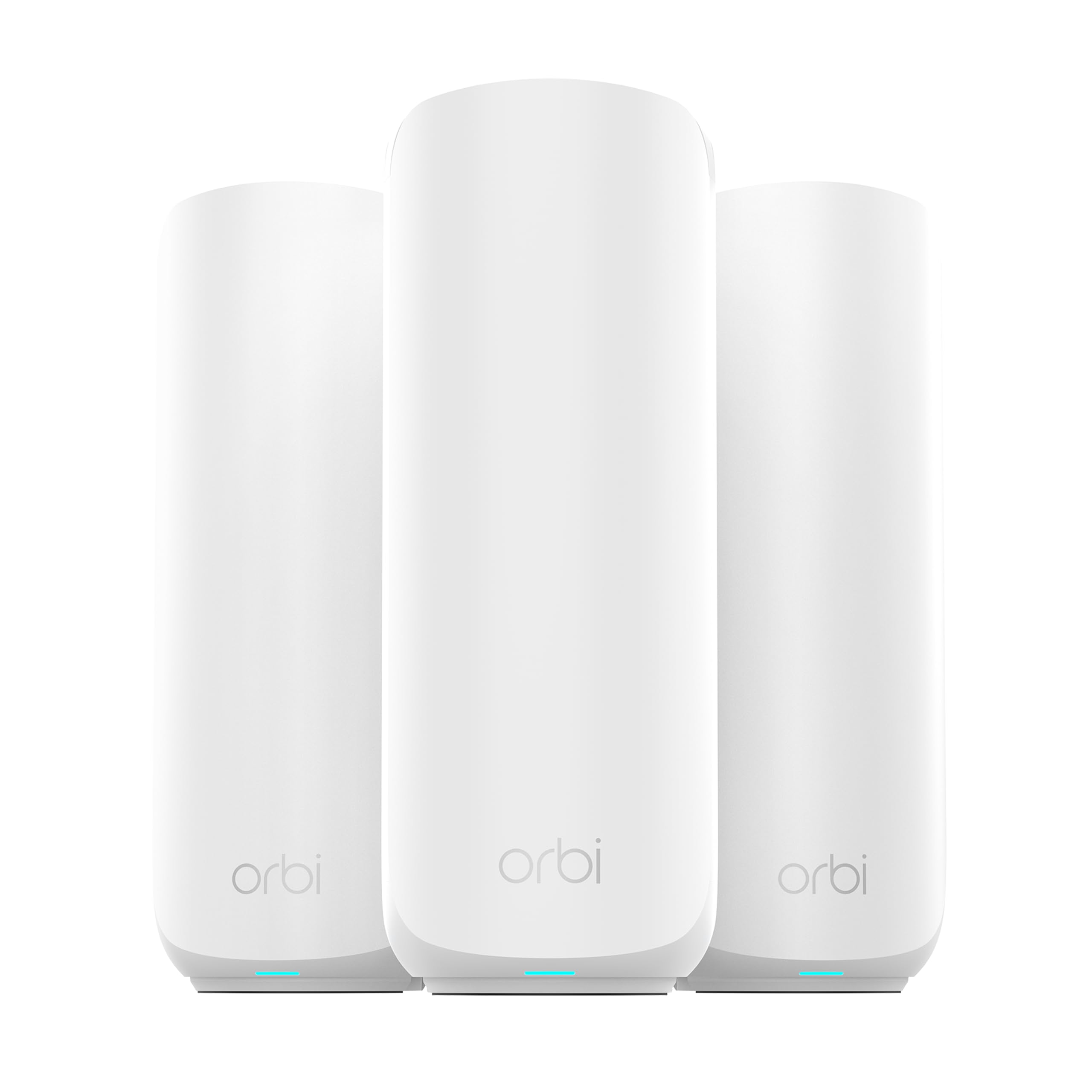
Orbi 770

83 /100
Lab Score Excellent

Key details

Wi-Fi Gen
Wi-Fi 7
Backhaul & Ports
Dedicated tri-band backhaul, 2.5GbE
Coverage & Nodes
8,000 sq ft, 3 nodes
Band Configuration
Tri-Band
View on Amazon

Massive 8,000 sq ft coverage and tri‑band Wi‑Fi 7 speeds let the Orbi 770 handle multi‑gig concurrent streaming and gaming across the largest homes. Its dedicated wireless backhaul — the same design principle that makes the top pick so responsive — is upgraded here to support 2.5 Gigabit Ethernet ports on every node, giving wired gaming rigs and servers a direct high‑bandwidth path.

The Wi‑Fi 7 backbone does not guarantee perpetual stability. Occasional signal drops have surfaced in some environments, and firmware updates can temporarily introduce connectivity hiccups that call for a manual reboot to restore full throughput. In a household where someone can periodically check the network, these are manageable interruptions rather than dealbreakers.

For power users with gigabit‑plus internet who demand the latest wireless technology and want low‑latency gaming across a sprawling floor plan, the Orbi 770 fits the bill. It suits those willing to accept the occasional need to reboot — a tradeoff that may feel like a small maintenance task next to the raw speed and coverage. If uninterrupted, hands‑off reliability is paramount, the top pick’s older Wi‑Fi 6 system delivers that consistency without the post‑update uncertainty.

💡 Schedule firmware updates for a convenient time and plan to reboot each node afterward — a quick restart clears most post‑update instability.

Pros

  • Blazing multi‑gig speeds across the mesh handle heavy gaming and 4K streaming without congestion.
  • Coverage reaches up to 8,000 sq ft with strong signal, minimizing dead zones.
  • Tri‑band backhaul and Wi‑Fi 7 future‑proofing deliver low‑latency gaming and multi‑gig speeds.

Cons

  • WiFi signal may drop weekly in some environments, requiring a reboot to reconnect.
  • Post‑update connectivity drops have been noted, likely requiring a manual reboot to restore full performance.
Our verdict

If you prioritize raw Wi‑Fi 7 throughput and can handle the occasional manual reboot, the Orbi 770 delivers peak performance for large homes. But if rock‑solid, low‑maintenance stability matters more, the top pick’s proven tri‑band system remains the safer bet.

Check Latest Price
4

Most User-Friendly for Mixed Homes

eero 7

88 /100
Lab Score Excellent

Key details

Wi-Fi Gen
Wi-Fi 7
Backhaul & Ports
Dual-band TrueMesh, 2x 2.5GbE
Coverage & Nodes
6,000 sq ft, 3 nodes
Band Configuration
Dual-Band
View on Amazon

Setting up the eero 7 takes under ten minutes from box to working network, guided by a polished app. Three nodes blanket up to 6,000 square feet with fast, steady signal that keeps smart home gadgets and video streams flowing. Casual and moderate online gaming — console shooters, PC strategy titles — feels responsive, with ping times that stay competitive for all but the most twitch-sensitive matches.

The system is tailored for families and smart home owners who prize hands‑off stability. It juggles multiple devices seamlessly, so you won't need to reboot nodes or tweak channels to keep a video call from stuttering. A household running streaming, IoT devices, and gaming together gets the coverage and throughput to satisfy everyone without ongoing tinkering.

A dual‑band backhaul means that when many devices saturate the network at once — a 4K stream, large file download, and online match simultaneously — wireless latency can rise. Competitive players who require a dedicated channel for the lowest ping may notice the difference. Advanced QoS and parental controls sit behind an eero Plus subscription, a recurring cost some mesh systems include at no charge.

💡 Plug gaming consoles into the 2.5 GbE ports on any node to bypass wireless airtime competition and keep latency consistently low.

Pros

  • Guided app setup gets your network running in minutes, no technical know‑how required.
  • Coverage reaches up to 6,000 sq ft, wiping out dead zones across floors and large yards.
  • Speeds are brisk enough for most online gaming, with steady ping during typical household use.
  • Two 2.5 GbE ports on each node let you wire consoles or backhaul for zero‑lag competitive play.

Cons

  • Parental controls and ad blocking require an eero Plus subscription, adding a recurring expense.
  • Wireless latency can climb during heavy concurrent traffic due to the dual‑band design.
Our verdict

The eero 7 removes the stress from Wi‑Fi 7, suiting homes where easy coverage trumps squeezing out every last millisecond of latency. Casual gamers and those who can wire key devices get painless performance. For the most ping‑sensitive players, a tri‑band mesh with dedicated backhaul remains the surer bet.

Check Latest Price
5

Best Value Whole-Home Coverage

Deco X55

89 /100
Lab Score Excellent

Key details

Wi-Fi Gen
Wi-Fi 6
Backhaul & Ports
Ethernet backhaul support, 3x 1GbE
Coverage & Nodes
6,500 sq ft, 3 nodes
Band Configuration
Dual-Band
View on Amazon

The Deco X55 blankets up to 6,500 square feet with a strong, consistent signal and sets up in minutes using the TP-Link app. That simplicity, combined with three Gigabit Ethernet ports per node for wired backhaul or device connections, makes it a practical choice for a sprawling home where dead zones are the main enemy.

Unlike tri-band gaming meshes that reserve a dedicated radio for backhaul, the X55’s dual-band design shares capacity between client traffic and node-to-node communication. Under light to moderate load, casual gaming and streaming feel smooth, but heavy concurrent use can introduce latency spikes that competitive players will notice.

This mesh suits households where covering every corner matters more than eliminating every millisecond of lag. If your gaming sessions are limited to console titles or non-competitive PC gaming, the X55’s coverage and ease of use offset the absence of gaming QoS features. Competitive gamers who need tri-band backhaul and lower, more consistent ping should look to the top pick, which uses a dedicated backhaul channel to maintain stability.

💡 Using Ethernet backhaul between nodes can reduce wireless load and help maintain a stable connection during long gaming sessions.

Pros

  • Exceptionally easy setup
  • Solid whole-home coverage
  • Strong signal strength across large areas
  • Steady basic performance for mixed home use

Cons

  • Dual-band design lacks dedicated gaming QoS, causing occasional latency spikes under heavy network load
  • Connectivity can drop during sustained use, requiring a manual reconnect that may interrupt gaming sessions
  • Some units may stop working or need frequent resets after months of use, raising long-term durability concerns
Our verdict

If blanket coverage across a large home is your priority and you can accept occasional ping fluctuations, the Deco X55 provides substantial value without the premium required for dedicated gaming mesh systems.

Check Latest Price
6

Also Great

eero 6 (1‑node)

91 /100
Lab Score Outstanding
View on Amazon

The eero 6 (1‑pack) is a Wi‑Fi 6 router that covers up to 1,500 sq ft, making it a practical base for a modest apartment. Setup through the eero app is fast, and day‑to‑day performance stays consistent. However, as a one‑node kit, it doesn't provide whole‑home mesh coverage for gaming.

For a buyer who intends to build an eero network over time, this is the lowest‑cost way to start. Once you add additional eero nodes, you can achieve multi‑room coverage and reduce dead zones. But if you need a ready‑to‑use multi‑node gaming mesh today, this isn't it.

💡 Add an extra eero node to extend coverage beyond 1,500 sq ft and create a true mesh network.

Pros

  • Effortless setup and steady day‑to‑day operation
  • Solid Wi‑Fi 6 coverage for small spaces up to 1,500 sq ft

Cons

No notable drawbacks to flag.

Our verdict

Only makes sense if you're willing to purchase additional eero nodes later to build a full mesh system; as a standalone gaming solution, it falls short.

Check Latest Price

How to Choose

Wi-Fi Generation: Why Newer Isn't Always Better

Wi-Fi 7 offers higher peak speeds and the 6 GHz band, but those benefits matter mainly for high-bandwidth local transfers, not gaming latency. A Wi-Fi 7 dual-band system still forces all its node-to-node chatter onto the same airwaves your console or PC uses, creating a congestion point. A tri-band Wi-Fi 6 mesh, with a dedicated backhaul channel, avoids that conflict and often delivers more stable ping.

Tri-Band vs Dual-Band: The Backhaul Bottleneck

Tri-band routers add a third radio reserved solely for moving data between mesh nodes. This means your gaming device never competes against the backhaul for airtime, so latency stays flat even when other family members are streaming or downloading. Dual-band systems, on the other hand, force every packet to share the same two radios, and once enough devices join, ping spikes become inevitable.

The practical impact: in a dual-band mesh, a single large file download on a satellite node can momentarily steal bandwidth from your online game, causing a noticeable lag spike. A dedicated backhaul radio isolates that traffic, preserving your connection.

Wired Backhaul: The Ethernet Advantage

If you can run Ethernet cables between your mesh nodes, you effectively eliminate wireless backhaul limitations entirely. Every node gets a dedicated wired connection to the main router, so even dual-band systems can perform like tri-band setups for gaming. Look for mesh kits with fast Ethernet ports—2.5 GbE or better—to future-proof for multi-gig internet plans.

QoS and Gaming Prioritization

Quality of Service (QoS) features let you prioritize gaming traffic over other network activity, which can help on congested networks. Many mesh systems include basic QoS, but robust gaming-specific prioritization is often missing or hidden behind a subscription. When evaluating a mesh, check whether you can manually tag your gaming device for priority queues, and whether that feature works without a monthly fee.

Coverage: Matching Your Home Size and Node Count

More nodes don't always equal better performance. Placing too many nodes too close together can cause interference and handoff issues, while too few leave dead zones. Match the system's advertised square footage to your actual floor plan, and remember that walls and floors can cut signals significantly. A two-node tri-band system in a well-placed layout often outperforms a three-node dual-band setup.

Frequently Asked Questions