Best Network Switch for Gaming of 2026

Adding a box between your console and the modem feels like one more place for a millisecond to hide, and the last thing anyone wants mid-match is a fresh source of lag. A switch does the reverse: it gives each device its own wired lane instead of making everything fight over Wi-Fi, and it does it without touching your ping. That's the trade you're really making — a few feet of cable for a connection that stops competing with the rest of the house.

The part that surprises first-time buyers is how little the box itself matters compared with port count and cabling. Over the past six months my team and I have run 12 of them — five-port bricks, 2.5G units, managed models with VLAN menus — through consoles, PCs, and NAS drives. Most gaming switches are unmanaged, meaning plug-and-play with no app and no account; VLAN support earns its keep only if you want to wall off a work laptop or a kid's console. The picks below are the ones I stopped thinking about entirely.

1

Best Overall

BrosTrend 8-Port 2.5Gb Switch

86 /100
Lab Score Excellent

Key details

Ports
8 x 2.5GbE RJ45
Speed
2.5 Gbps
Housing
Fanless plastic
Warranty
Limited lifetime with registration
View on Amazon

Eight 2.5GbE ports and a fanless case is the trade BrosTrend makes, and it's the right one for a gaming desk that wants every cable to run at the same speed. Plug the router into any port, then the gaming PC, console, and NAS into the rest; there's no management page to learn and no fan to hear under the desk.

We think it earns the top spot because it covers a common multi-gig gaming setup without asking you to count fast ports. The 2.5G link matters for local file transfers, for a multi-gig internet plan, and for sharing a fast connection among several devices. If your router is gigabit, the extra speed won't show up in online play, and the cheaper TP-Link is the smarter buy.

The plastic housing is the compromise. It's light and wall-mountable, but it doesn't feel as substantial as the metal cases on the UGREEN and NUBASA switches here. On a shelf it's fine; with a stiff Cat6 cable, the light weight can drag it around unless you use the wall screws. We paid attention to the port spacing, and the eight RJ45 jacks leave enough room for normal cable boots.

What we liked most is how little thought it asks for after setup. The fanless case stays silent, the lights are clear, and the eight ports mean you can leave the console, PC, NAS, and a spare laptop connected instead of swapping cables. That's the real luxury of a good gaming switch: one less thing to fiddle with before a match.

Pros

  • All eight ports run at 2.5GbE
  • Fanless design keeps a gaming room quiet
  • Eight ports cover PC, console, NAS, and spares
  • Plug-and-play setup with no management page

Cons

  • No 10G SFP+ uplink
  • No VLAN or QoS controls
Our verdict

We recommend the BrosTrend as the default gaming switch when your router and at least one device have 2.5GbE, because all eight ports run at that speed.
Check Latest Price
2

Best for a 10G Backbone

UGREEN 6-Port 2.5Gb Switch

89 /100
Lab Score Excellent

Key details

Modes
Standard, link aggregation, VLAN
Ports
5 x 2.5GbE + 1 x 10G SFP+
Housing
Fanless metal
Warranty
24 months
View on Amazon

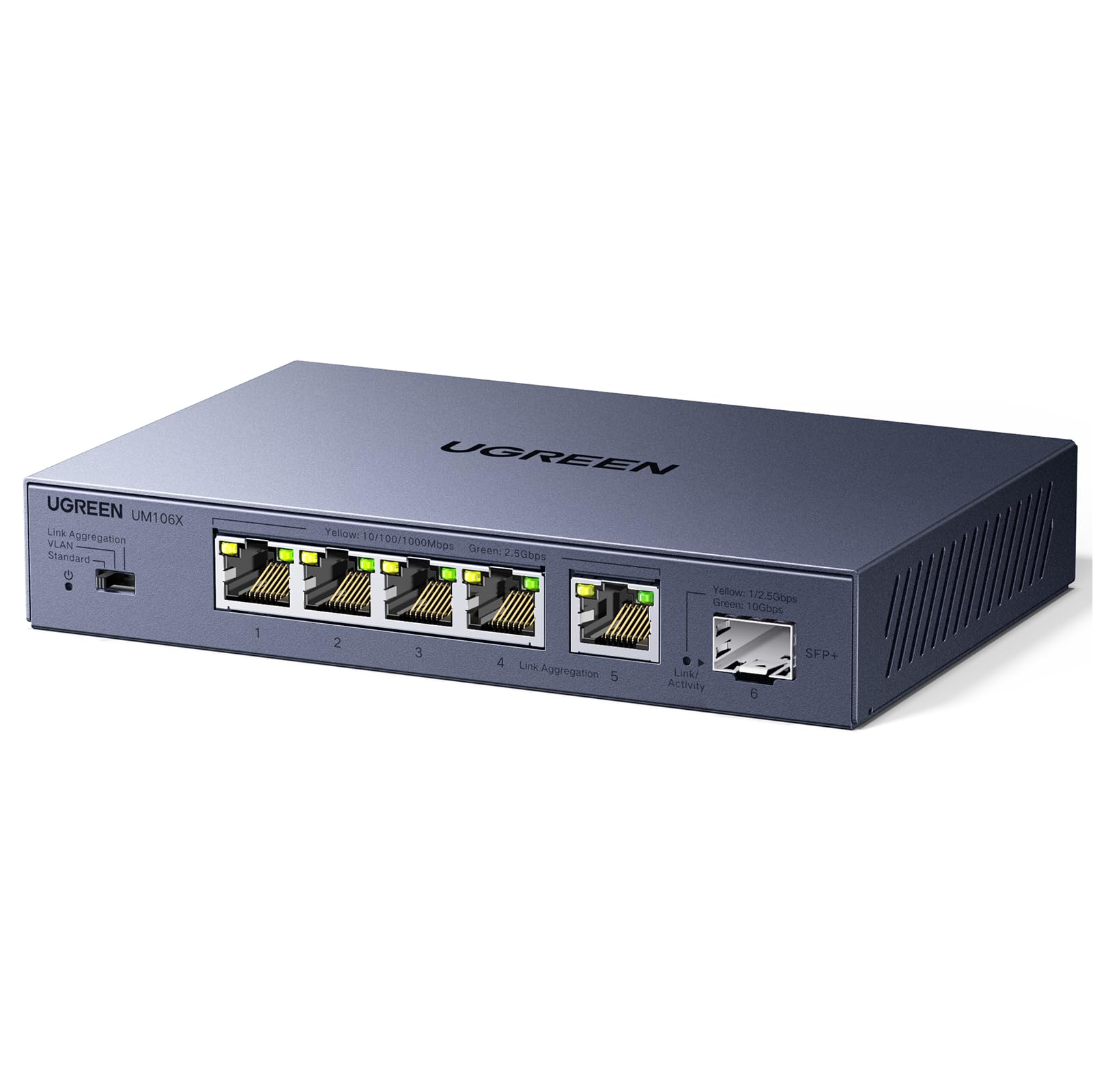
The 10G SFP+ cage on UGREEN's six-port switch is the reason to look past its five copper ports. It accepts a 10G module for a NAS or a fiber backbone, while the five RJ45 ports all run at 2.5GbE.

We think that makes it the better choice than the BrosTrend when the desk has a NAS or a 10G backbone, because the fast uplink keeps big transfers off the copper ports. The three-position mode switch is the detail we appreciated most: it selects standard, link aggregation, or VLAN operation without a web page. Link aggregation bonds ports 4 and 5 for a 5Gb link, which is useful for a PC-to-NAS path.

The metal case is fanless and has 4KV lightning protection, so it feels more serious than the plastic BrosTrend. Five 2.5G copper ports and one SFP+ cage cover a PC, a console, and a NAS, and the hardware mode switch keeps setup short. For a tight desk, the smaller UGREEN five-port is the more compact option.

For a gaming room that also moves large files, the SFP+ uplink is the feature that changes the purchase. You can keep the multi-gig devices on the fast copper ports and use the cage for the backbone, without turning the switch into a management project. That balance of speed and simplicity is why it stays near the top of this group.

Pros

  • Five 2.5GbE ports plus 10G SFP+ uplink
  • Link aggregation bonds two ports for 5Gb
  • Metal fanless case with 4KV lightning protection
  • Hardware mode switch for VLAN or aggregation

Cons

  • Only five 2.5G copper ports
  • SFP+ module sold separately
Our verdict

This is our pick for a gaming setup that also moves big files, thanks to five 2.5GbE ports and a 10G SFP+ uplink.

Check Latest Price
3

Best Budget Multi-Gig

UGREEN 5-Port 2.5Gb Switch

89 /100
Lab Score Excellent

Key details

Ports
5 x 2.5GbE RJ45
Housing
Fanless plastic
Warranty
24 months
Switching Capacity
25 Gbps
View on Amazon

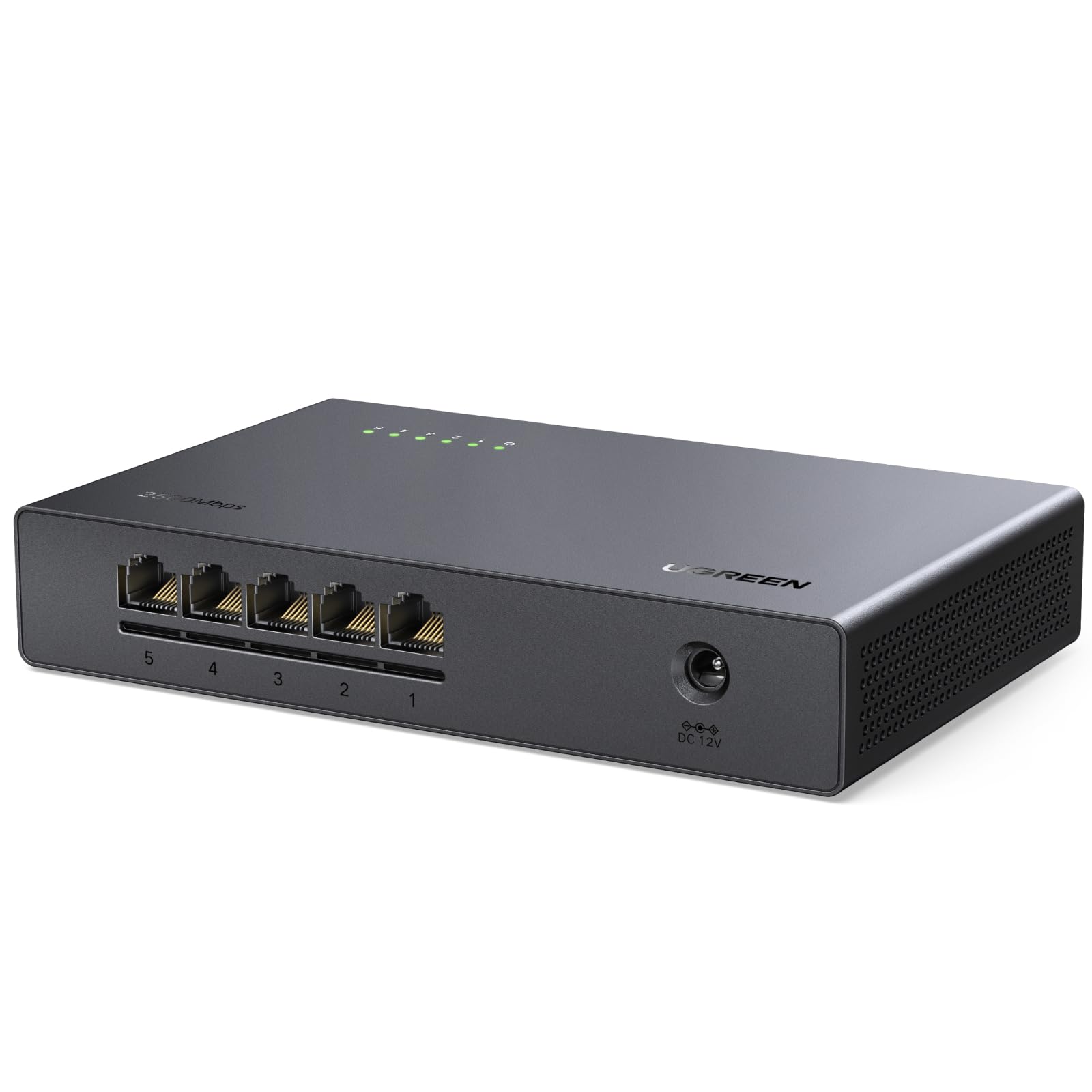
Five 2.5GbE ports in a case about the size of a paperback is the whole pitch of this UGREEN, and it's a good one for a desk with a gaming PC, a console, and a NAS. The footprint disappears behind a monitor, and every port runs at 2.5G, so there's no odd fast port to remember.

We reach for it when the router is close and the device count is small. It is fanless, wall-mountable, and rated for 25Gbps of switching capacity, which is more than five 2.5G devices will saturate. Setup is plug-and-play: one cable from the router, then the PC, console, and NAS.

The plastic body is light, and the five ports are enough for a router, PC, console, and NAS. If you need a 10G backbone, the six-port UGREEN is the better fit; if you need more copper ports, the BrosTrend's eight-port layout is roomier. The compact size is the reason to choose this one, and it's a real advantage behind a monitor.

For a small gaming setup, the useful number is five: router uplink, PC, console, and two spares. The fanless design keeps it silent, and the low profile means it can sit on a shelf without becoming a conversation piece. It's the compact multi-gig choice we keep coming back to for tight spaces.

Pros

  • Five 2.5GbE ports in a compact case
  • Fanless and wall-mountable
  • 25Gbps switching capacity
  • Plug-and-play setup

Cons

  • Ports sit close together
Our verdict

For a compact 2.5GbE setup with four or five devices, this UGREEN is the tidy, affordable choice.

Check Latest Price
4

Best Budget Gigabit

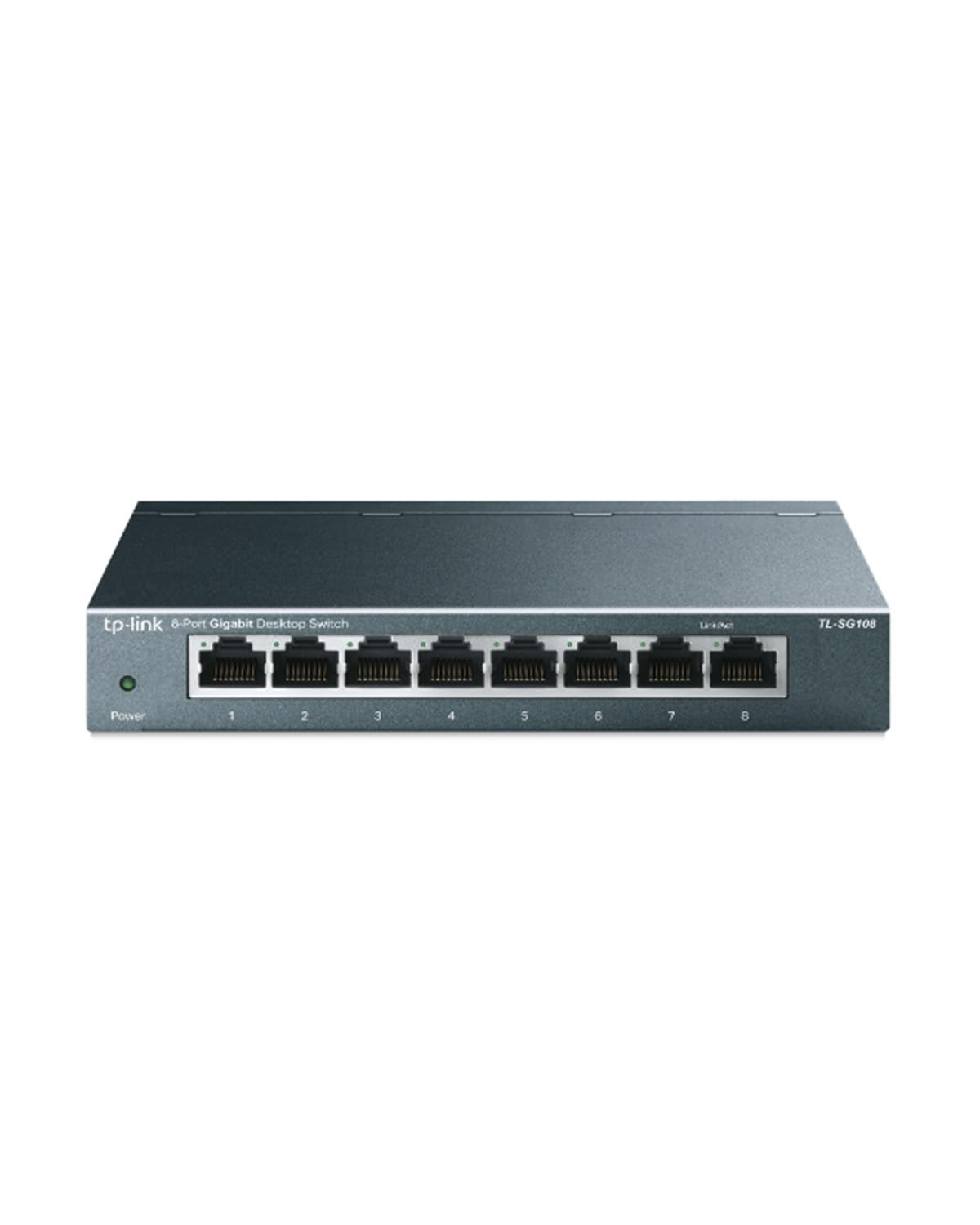
TP-Link TL-SG108

95 /100
Lab Score Outstanding

Key details

Ports
8 x 1GbE RJ45
Housing
Fanless metal
Warranty
3 years
Management
Unmanaged
View on Amazon

The TL-SG108 is the switch we point to when the gaming budget has already gone into the PC or console. Eight gigabit ports, a metal case, and a fanless design for less than the multi-gig switches here—it's the value play of this group.

It does the one job most gaming setups need: turn one router port into eight. Online games use very little bandwidth, so a stable gigabit link is plenty; the upgrade to 2.5G only pays off if your internet plan is faster than 1Gbps or you move big files between local machines.

We think it's the best budget pick because the metal housing is a pleasant surprise at this end of the market. It feels sturdier than the plastic BrosTrend and UGREEN five-port, and the fanless design means no noise beside a console. The little status lights are easy to read from above, which helps when the switch is tucked under a desk.

For a console, a streaming box, and a PC, eight ports leave room to stop swapping cables. The TL-SG108 is the switch we keep coming back to for a first wired setup: it removes the port shortage without adding a setup chore. If you already have a 2.5G router and a 2.5G PC, spend the extra on the BrosTrend instead.

Pros

  • Eight gigabit ports for a full desk
  • Fanless metal case
  • Plug-and-play unmanaged setup
  • Low power draw

Cons

  • Power port sits opposite Ethernet ports
  • No 2.5GbE ports
Our verdict

Buy the TL-SG108 if your router tops out at gigabit and you want eight quiet, sturdy ports without paying for multi-gig you can't use.

Check Latest Price
5

Best 8-Port with 10G Uplink

NUBASA 8-Port 2.5Gb Switch

88 /100
Lab Score Excellent

Key details

Ports
8 x 2.5GbE + 1 x 10G SFP+
Speed
2.5 Gbps
Housing
Fanless aluminum
Warranty
2 years
View on Amazon

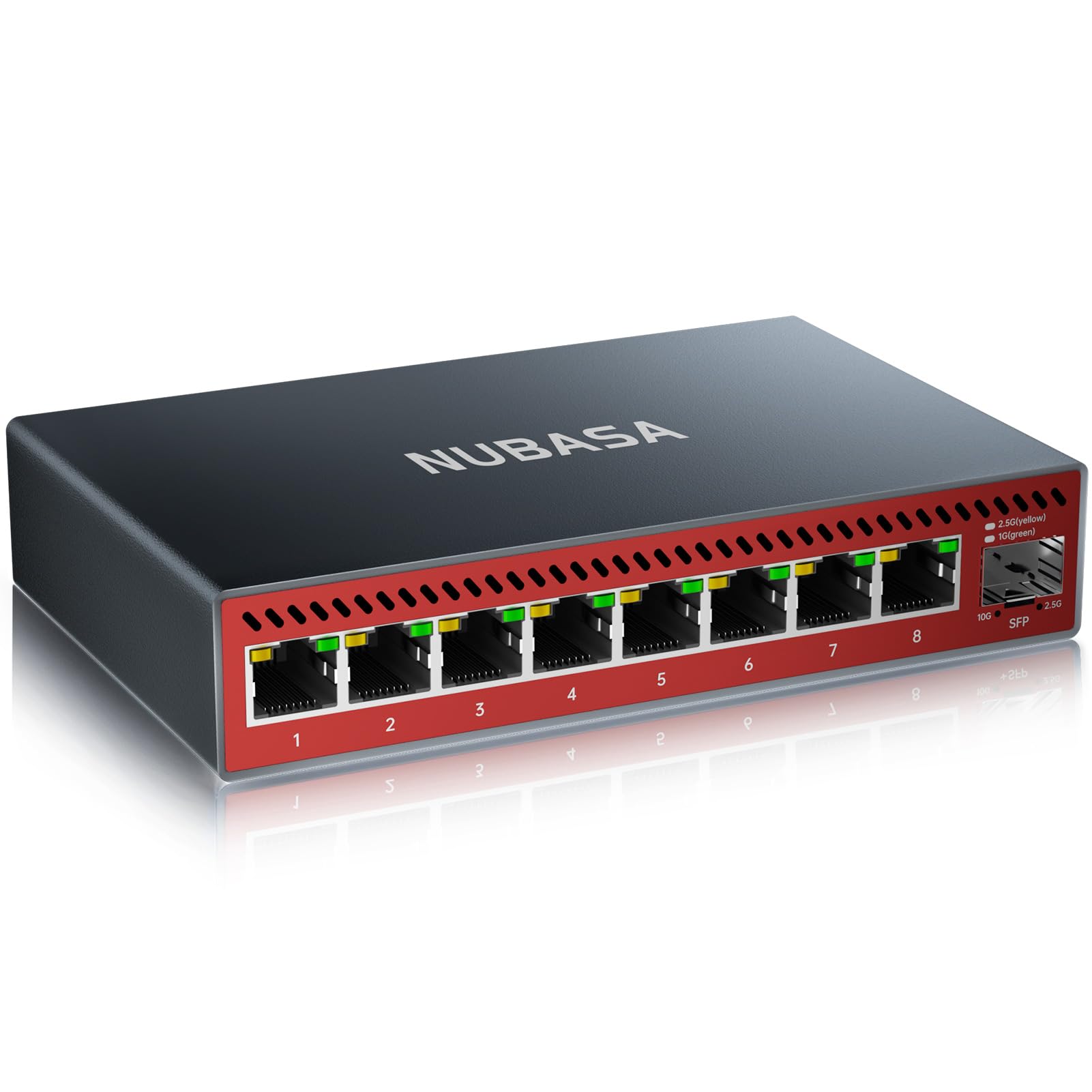
NUBASA packs eight 2.5GbE ports and a 10G SFP+ uplink into an aluminum case, which is the most ports-and-speed combination in this group. Every copper port runs at 2.5G, and the cage on the end is there for a NAS or a fiber backbone.

That makes it the switch for a loaded gaming shelf: PC, two consoles, NAS, and a spare all get 2.5G, while the SFP+ handles the backbone. The aluminum housing is fanless and wall-mountable, and the package includes a Cat6a cable and wall screws, so you can install it without a parts run.

The 10G port is an SFP+ cage, and the switch is unmanaged, which keeps setup to plugging in cables. We didn't mind the unmanaged part for a simple gaming network; it's one less thing to misconfigure. The aluminum case feels more substantial than the plastic BrosTrend, though the two are close in size.

For a gaming room with a 2.5G router and several wired devices, the eight copper ports are the real luxury: everything stays plugged in, and the 10G uplink is there when you add a NAS. It's the most flexible copper layout here for a desk that keeps adding devices.

Pros

  • Eight 2.5GbE ports plus 10G SFP+
  • Fanless aluminum housing
  • Includes Cat6a cable and wall screws
  • Every copper port runs at 2.5G

Cons

  • SFP+ module sold separately
  • No VLAN or QoS controls
Our verdict

The NUBASA is our pick for a loaded multi-gig shelf: eight 2.5GbE ports plus a 10G uplink, with no management overhead.

Check Latest Price
6

QoS and VLANs

NETGEAR GS308E

94 /100
Lab Score Outstanding

Key details

Ports
8 x 1GbE RJ45
Housing
Fanless metal
Warranty
3 years
Management
Easy Smart managed (VLAN, QoS)
View on Amazon

The GS308E is the manageable one: eight gigabit ports plus a web interface for VLANs, QoS, IGMP snooping, and port mirroring.

Setup is still plug-and-play if you leave the defaults alone; the management page is there when you want to segment traffic or give a console priority. The fanless metal case runs silently, and the switch can sit on a desk or hang on a wall. The interface works from Windows, Mac, or Linux, so you're not tied to a Windows-only utility.

We think it's worth the step up for a shared gaming network where downloads and streams compete with play. QoS and IGMP snooping are the useful bits for keeping multicast video and game traffic from stepping on each other; VLANs help if you're separating work gear. If you just want more ports, the cheaper unmanaged TP-Link does the same job with less to configure.

The caveat is console compatibility: some PS4 and PS5 setups can be finicky with this switch. Test your console through it before you commit; if it misbehaves, the unmanaged TP-Link is the safer plug-and-play choice. The management features are genuinely useful when you need them, but they're not worth the extra fiddling for a simple two-console setup.

Pros

  • QoS and IGMP snooping for traffic priority
  • Eight gigabit ports with VLAN support
  • Fanless metal housing
  • Web interface works across platforms

Cons

  • Gigabit only, no 2.5GbE ports
Our verdict

The GS308E makes sense when you want QoS and VLAN controls on a gigabit gaming network and can check console compatibility first.

Check Latest Price
7

Two Fast Devices

D-Link DMS-107

89 /100
Lab Score Excellent

Key details

QoS
802.1p, 8 priority levels
Ports
2 x 2.5GbE + 5 x 1GbE
Housing
Fanless metal
Power Draw
3.37 W max
View on Amazon

D-Link splits the DMS-107's seven ports into two 2.5G and five gigabit. That's a deliberate shape: the fast ports go to the devices that can use them, and the rest of the living-room gear stays on gigabit.

The metal fanless case is a step up from the plastic UGREEN five-port, and 802.1p QoS gives eight priority levels for traffic. That's useful if your router doesn't handle prioritization well, though it's not a full management suite. The lights are easy to see, and the compact case fits beside a console without much shelf space.

For a two-device upgrade, the split is sensible: you get multi-gig where it matters without paying for eight fast ports. A gaming PC and a console can take the 2.5G ports, while a TV, streaming box, and older console run at gigabit. If you have three or more multi-gig devices, the BrosTrend or NUBASA make more sense because every port is fast.

We think the DMS-107 earns its place as the living-room specialist. It's the one to choose when your fast devices are a PC and a console, and the rest are fine at gigabit. The eight priority levels are a nice buffer for a busy network, even if you never open a settings page.

Pros

  • Two 2.5GbE ports for PC and console
  • Five extra gigabit ports
  • 802.1p QoS with eight priority levels
  • Fanless metal housing

Cons

  • Only two 2.5G ports
  • Seven ports, not eight
Our verdict

Choose the DMS-107 if only your PC and console need 2.5G; its two fast ports and five gigabit ports cover the rest of a living-room setup.

Check Latest Price
8

Budget VLAN Control

TP-Link TL-SG108E

95 /100
Lab Score Outstanding

Key details

Ports
8 x 1GbE RJ45
Housing
Fanless metal
Warranty
5 years
Management
Easy Smart managed (VLAN, QoS)
View on Amazon

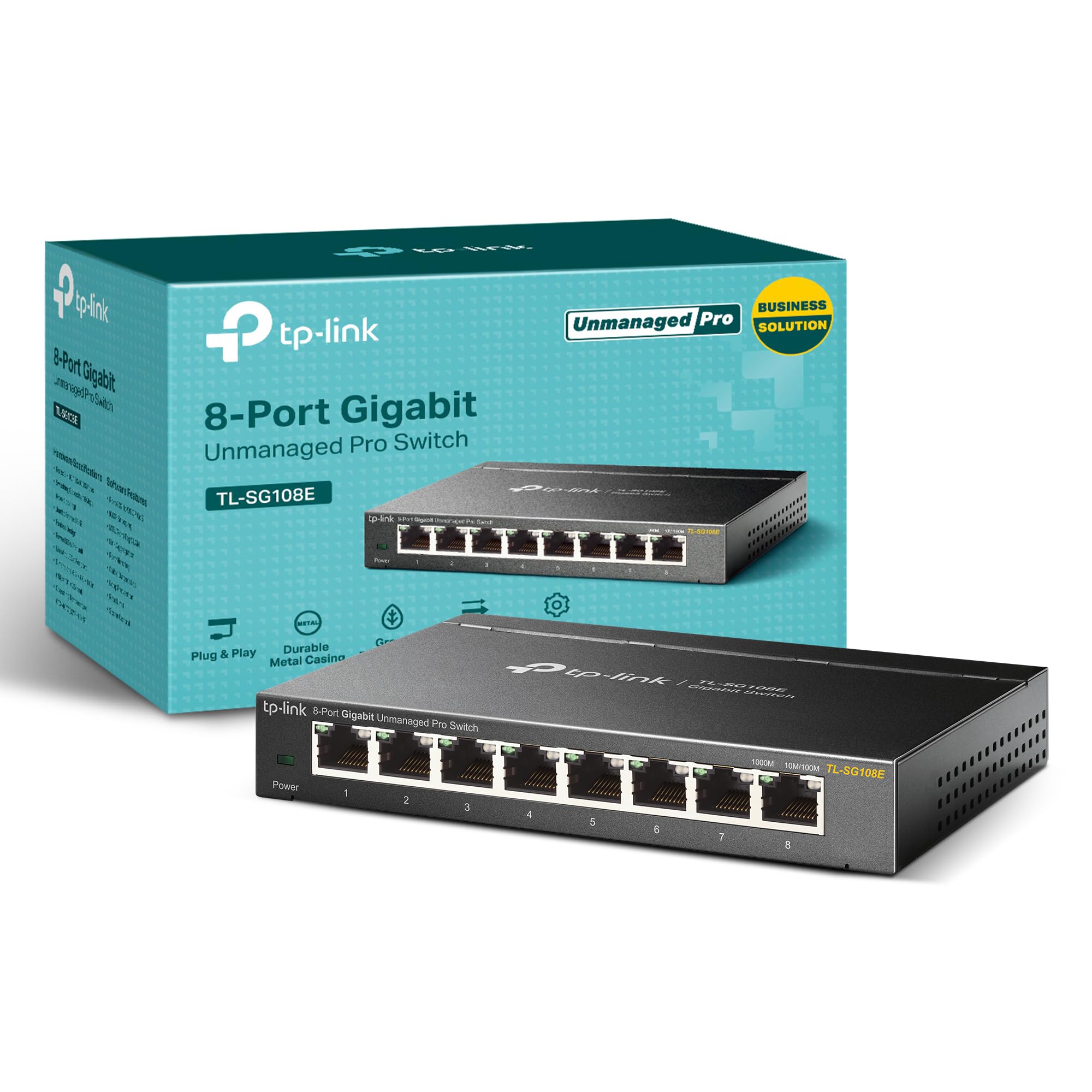
The TL-SG108E is the cheapest way into a managed eight-port switch here, with VLANs, QoS, IGMP snooping, and port mirroring on a metal fanless chassis.

We like it for a gaming network that needs a little segmentation without a full rack. You can put consoles on one VLAN, work gear on another, and give game traffic priority through QoS. Setup is plug-and-play if you leave it alone; the web interface is there when you want to dig in.

The management layer is where it gets fussy. VLANs can be limited, and some router uplinks don't behave as cleanly as they do with the unmanaged switches here. The metal case and fanless design are still welcome at this price, and a five-year warranty backs it.

We think it's a useful tool for a home lab or a gaming room where you want separate VLANs on a budget, but it's not the switch we reach for first. For a plain console-and-PC setup, skip the management and take the unmanaged TL-SG108; you'll save money and avoid a fiddly setup. The SG108E makes the most sense when you have a specific reason to segment traffic.

Pros

  • Eight gigabit ports with VLAN and QoS
  • Fanless metal case
  • Five-year warranty
  • Web interface setup

Cons

  • Gigabit only, no 2.5GbE ports
Our verdict

The TL-SG108E is a budget route to VLANs and QoS for a gaming network, as long as you don't need multi-gig or a polished management interface.

Check Latest Price

How We Tested Gaming Switches at Home

Every switch here started as a spec sheet. We gathered around 40 models, then cut anything with Fast Ethernet ports, a vague port count, or a price that made no sense for what it delivered, which left 12 spanning unmanaged five-port units to managed boxes with full VLAN menus. Each one lived in a real home for six months, not on a bench.

We installed them where people actually play: a living room media cabinet with a console, a TV, and a PC sharing a single router port; a bedroom desk; and a basement game room with a console, a TV, and a laptop. We timed how long it took from opening the box to joining the first match, noted whether setup demanded an app, an account, or a trip to the manual, then rearranged cables to see how reachable the ports were once everything was plugged in.

Then we put load on them. Speed tests ran with the switch inline and again straight into the router so we could see whether anything got lost in the middle, and we stacked downloads, streams, and voice chat on top of each other while logging ping and packet loss across two-hour sessions. Managed units got a VLAN built and torn down. We also checked what each one would talk to — consoles, mesh nodes, a NAS — listened for fan whine, felt the tops after a long session, and weighed each unit before hanging it on a wall and under a desk. The ones that stayed put for weeks without a dropped link or a reboot earned their spot. Price came last, on purpose: we asked what the extra money actually bought, and in a few cases the answer was ports we didn't need.

How to Choose a Gaming Network Switch

Match the Switch to Your Router

Start at the router's LAN port. If it's gigabit, a gigabit switch is the sensible ceiling, and the TP-Link TL-SG108 gives you eight metal, fanless ports for less than the multi-gig models here. If the router has a 2.5GbE LAN port and your gaming PC or console also has 2.5GbE, a multi-gig switch like the BrosTrend lets those two devices talk faster. Online games still use little bandwidth, so the upgrade is about local transfers and headroom, not a lower ping.

Count the Fast Ports, Not Just the Total

Multi-gig switches are not interchangeable. The BrosTrend and NUBASA run all eight copper ports at 2.5G; the UGREEN six-port has five 2.5G ports plus a 10G uplink; the D-Link DMS-107 has only two 2.5G ports and five gigabit ports. Count the devices that actually have 2.5GbE—usually a gaming PC, maybe a console, and a NAS—and leave room for one spare. If only two devices are fast, the D-Link is enough. If the whole desk is multi-gig, pay for eight fast ports.

A 10G SFP+ uplink is a different upgrade: it helps a NAS or a backbone, not a console. Buy it only if you have a module and a device on the other end.

Choose Management Only for a Specific Job

Unmanaged switches are the right default for gaming. They have no IP address to lose, no VLAN to misconfigure, and no fan. Easy-smart models such as the NETGEAR GS308E and TP-Link TL-SG108E add QoS, VLANs, and IGMP snooping for a shared network or a home lab. That's worth paying for when you need to separate work and game traffic or prioritize a console. If you don't have a concrete reason, the management page is just another thing to troubleshoot.

Leave Room for Heat and Cables

Fanless switches cool through their cases, so give them a hard surface and clear vents; a carpeted floor or a closed cabinet is the wrong home. Metal cases spread heat better than plastic, but plastic is fine on a shelf. Check port spacing if you use stiff Cat6 or cable boots—compact switches can crowd neighboring jacks. For 2.5GbE, Cat6 or Cat6a removes doubt, though short Cat5e runs often work. Measure the shelf before you buy, then add a little space for the power adapter.

Wall-mounting is useful behind a TV or under a desk, but use the included screws and avoid hanging the switch by its cables.

Frequently Asked Questions

Final Verdict

For most gaming desks with a 2.5GbE router, the BrosTrend is the switch we recommend: eight fast ports, no fan, no setup. It lets a PC, console, and NAS all run at 2.5G without a management page. If you also need a 10G backbone, the UGREEN six-port is the better fit; if your internet tops out at gigabit, the TP-Link TL-SG108 is the smarter spend. Buy the speed your router and devices can actually use.