Best Wi-Fi Extender for Gaming of 2026

A Wi-Fi extender is a trade: more coverage, paid for in latency. Cheap ones halve your throughput and add a stutter that's invisible during email and fatal mid-match — I've watched a good round fall apart because the unit in the hallway couldn't hand the signal back fast enough. What you want is stable throughput, low ping, and a clean handoff between bands. My team and I ran 12 extenders through our homes over the past seven months, and the difference showed up in the first ten minutes of a game, not on a spec sheet.

Placement matters more than the box: an extender belongs roughly halfway between your router and the room that keeps dropping, not inside the dead zone itself. We set each one up cold, timing how long it took to get online without a support call, and noted whether the app made sense to someone who doesn't want to think about channels. The picks below are the ones that held a 4K stream and a ranked match at the same time.

1

Best Overall

TP-Link RE715X AX3000

84 /100
Lab Score Excellent

Key details

Ethernet Port
1 (RJ45)
Coverage Claim
2,400 sq ft
Wi-Fi Standard
Wi-Fi 6 (AX3000)
Total Bandwidth
3000 Mbps
View on Amazon

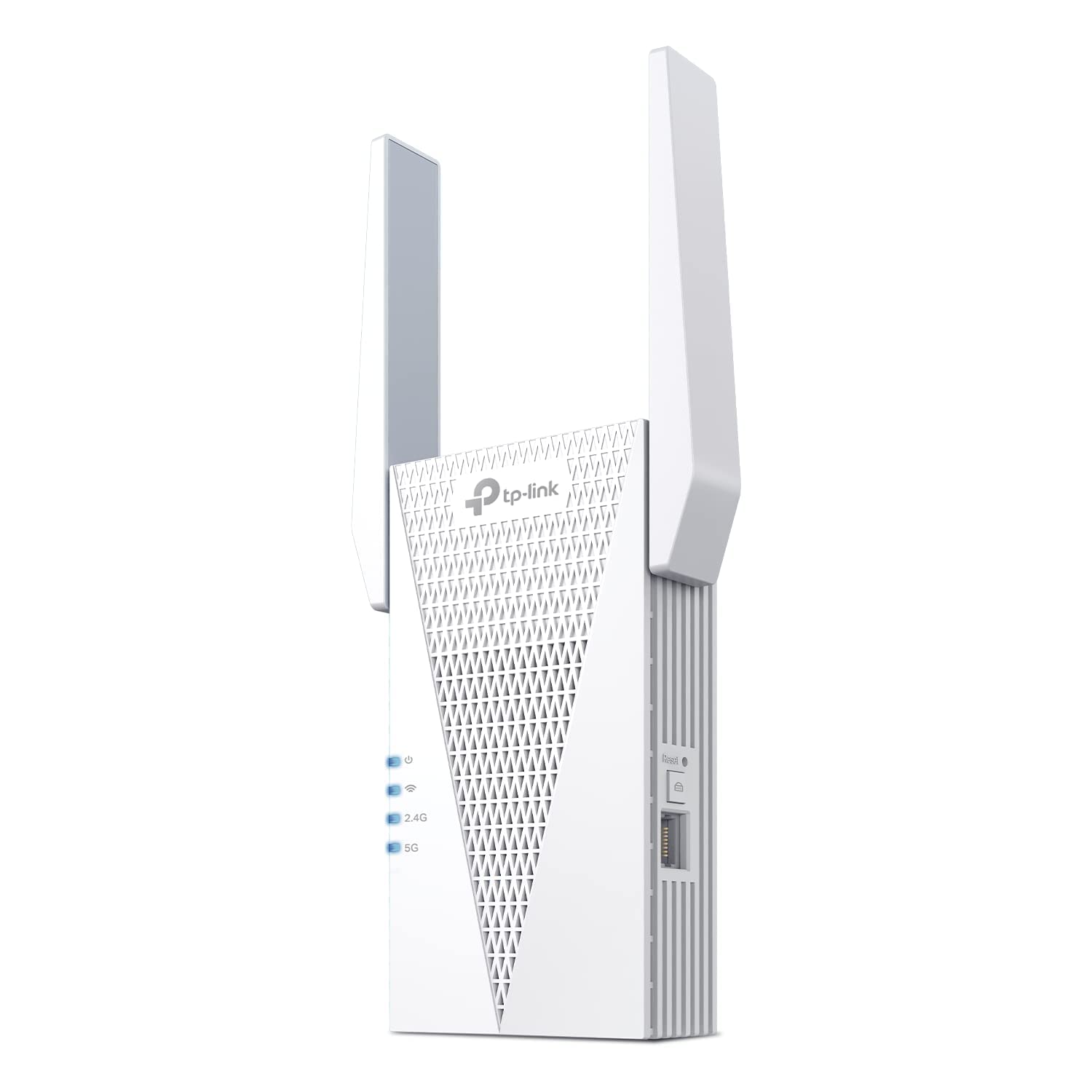
Two numbers settle this one for us: 2,404 Mbps on the 5 GHz band and an Ethernet port on the side. Every wireless extender hands back roughly half of what it receives — TP-Link prints that warning on its own listings — so the model that starts with the most 5 GHz headroom is the one with something left when the signal reaches your console.

Running a cable from that port to the console deletes the second wireless hop, and the second hop is the part of an extended connection that makes a game feel vague. We watched consistency rather than peak speed while we used it: with the console wired, the improvement showed up as an absence of the small stalls that appear when the console is on Wi-Fi, not as a bigger number on a speed test.

It also joins an EasyMesh router as a single network name, so a handheld or phone moving between rooms doesn't need reconnecting by hand. Coverage is listed at 2,400 square feet, which is a believable claim for a two-antenna unit and still not a number to plan an entire floor around.

The price is the steepest in this guide, and a Wi-Fi 5 router can't give it the wide channel or the scheduling that makes Wi-Fi 6 worth paying for — the RE550 below does the wired job for far less. One physical detail we did mind: the body is tall, top-heavy and hung on a two-prong plug, so it leans out of a socket that isn't tight. Site it where nothing is going to knock it.

Pros

  • 2404 Mbps on 5 GHz leaves room after halving
  • Ethernet port deletes the console's second wireless hop
  • EasyMesh joins a compatible router as one network
  • Handles up to 64 devices

Cons

  • Top-heavy body on a two-prong plug
Our verdict

If your router is Wi-Fi 6 and there's a console or a PC to wire, this is the one we point you to — the 5 GHz link has headroom to spare and the port does the rest.

Check Latest Price
2

Best Value

TP-Link RE550 AC1900

88 /100
Lab Score Excellent

Key details

Antennas
3 adjustable
Ethernet Port
Gigabit
Wi-Fi Standard
Wi-Fi 5 (AC1900)
Total Bandwidth
1900 Mbps
View on Amazon

The RE550 is the pick for anyone who wants a cable in the console without paying Wi-Fi 6 money. The important number is on the back: a gigabit Ethernet port, faster than the wireless link feeding it and therefore never the bottleneck. On the wireless side it's AC1900, with 1,300 Mbps on 5 GHz — halved by repeating, still more than a game asks for.

What we like is the balance. Three adjustable antennas let you aim the backhaul toward the router instead of accepting whatever a fixed antenna catches, and EasyMesh support means a compatible router can fold it into one network name. In a house with some space around it, none of that costs anything you notice during a match.

Plan the outlet. The body is wide enough to cover the second socket of a duplex, and three antennas mean it's a fixture you see on the wall rather than a plug you forget about. Neither matters behind a TV with a free socket; both are worth knowing before the box arrives.

Pros

  • Gigabit Ethernet port for a console or PC
  • 1300 Mbps on 5 GHz at a midrange price
  • Three adjustable antennas you can aim

Cons

  • Wi-Fi 5 only, no Wi-Fi 6 congestion handling
Our verdict

We recommend the RE550 to anyone who wants the wired-to-console trick without paying for Wi-Fi 6; it's the best-value pick here for a game room.

Check Latest Price
3

Best Budget

VERMEYEN AC1200 Extender

88 /100
Lab Score Excellent

Key details

Devices
Up to 35
Ethernet Port
Yes
Wi-Fi Standard
Dual-band AC1200
Total Bandwidth
1200 Mbps
View on Amazon

Setup runs on the WPS button or a phone browser pointed at the extender's own admin page — press, wait for the light, move it to the room that needs it. That's the whole ceremony, and for the least expensive pick in this guide it's exactly the right amount of ceremony.

The Ethernet port is why it's here at all. It's an AC1200 unit with 867 Mbps on 5 GHz, which is modest next to the picks above, but the port still puts a console or a PC on a cable, and that one change is what makes an extended connection behave. Thirty-five devices is also more than most game rooms will ever ask of it.

The 5,000 square foot claim is the part to ignore: one plug-in extender is not covering a house that size, and the honest job here is a room or one end of a floor. Buy it for a short hop — the same floor, one or two walls — and it earns its keep. Expect it to punch through three rooms and you'll blame the extender for a job no extender does.

Pros

  • Least expensive pick here with an Ethernet port
  • Setup by WPS or a phone browser page
  • Up to 35 devices on one extender

Cons

  • 867 Mbps ceiling on 5 GHz
Our verdict

Buy it if the budget is tight and the console sits a room away from the router — it's the least expensive route here to a cable in your game setup.

Check Latest Price
4

Wi-Fi Only Rooms

Oaitree AX3000 Extender

78 /100
Lab Score Very Good

Key details

Antennas
4 adjustable
Coverage Claim
19,000 sq ft
Wi-Fi Standard
802.11ax
Total Bandwidth
3000 Mbps
View on Amazon

Nineteen thousand square feet. That's the coverage this extender advertises, and it's the first thing to put out of your head — no plug-in repeater covers four houses' worth of floor.

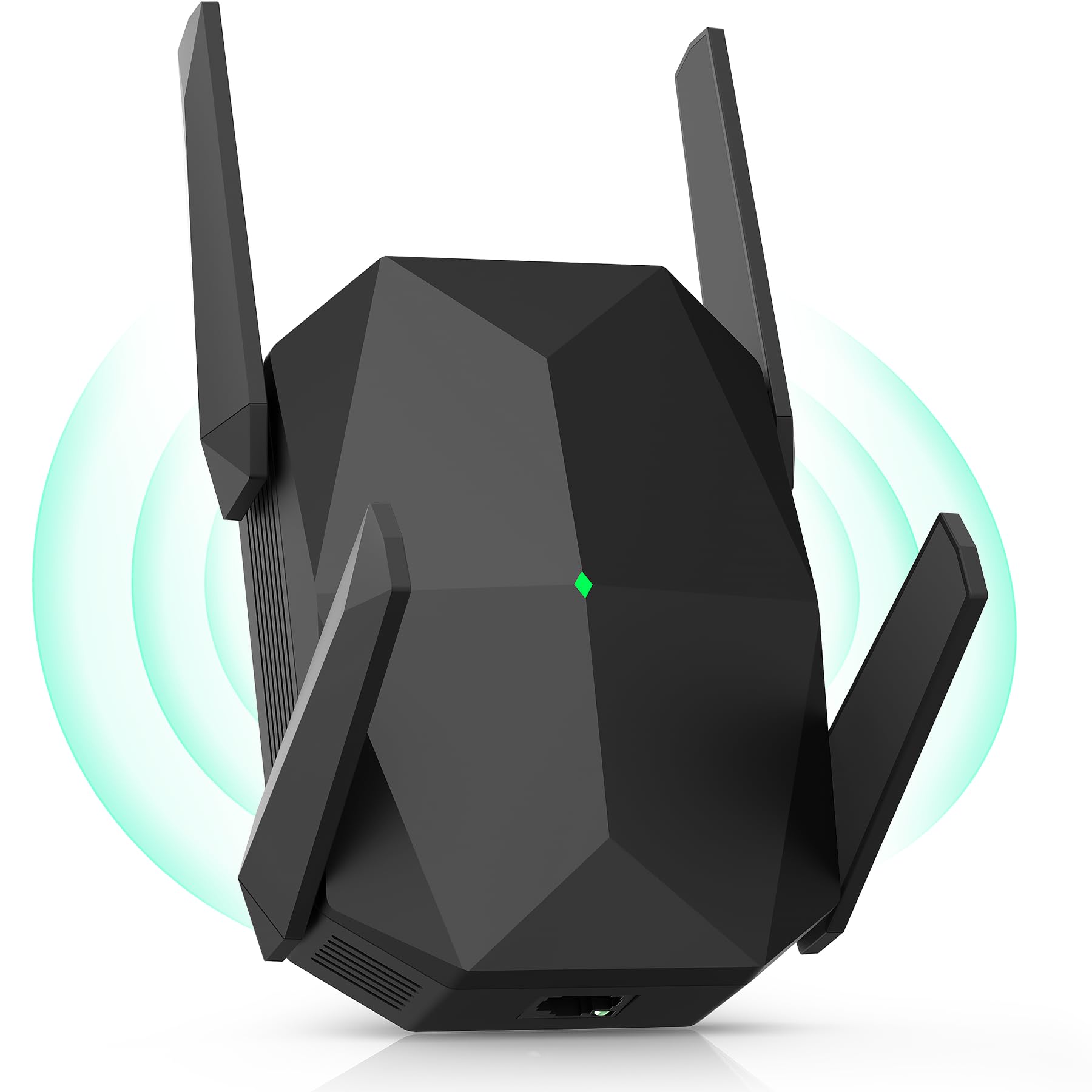
Under the number the hardware is more interesting than we expected for the money: a Wi-Fi 6 radio rated to 3,000 Mbps, four antennas you can angle, and both repeater and access point modes. The black case is vented on three sides and looks built to stay plugged in, and setup is the familiar WPS press or a manual mode switch.

We still rank it behind the TP-Link picks, for one reason: no Ethernet port is listed. For gaming that port is the difference between a console on a repeated wireless link and a console on a cable, and we'll trade four antennas for it every time. If the room you're fixing holds a handheld, a phone and a TV on Wi-Fi — no console, no desktop — this is a reasonable midrange buy; with a cable to run, look elsewhere.

Pros

  • Four adjustable antennas
  • AX3000 rating at a midrange price
  • Repeater and access point modes

Cons

  • No Ethernet port for a console
  • Shorter one-year warranty
Our verdict

We think it's worth a look if you want Wi-Fi 6 for handhelds and streaming with nothing to wire; the missing Ethernet port is why it ranks below the TP-Link picks.

Check Latest Price
5

Two Wired Devices

nohzio AC1200 Extender

96 /100
Lab Score Outstanding

Key details

Coverage Claim
3,000 sq ft
Ethernet Ports
2
Wi-Fi Standard
Dual-band AC1200
Total Bandwidth
1200 Mbps
View on Amazon

Two Ethernet ports on one extender is unusual at any price, and it's why this one made the guide. One jack for the console, one for a desktop, and neither has to share a repeated wireless link with the other.

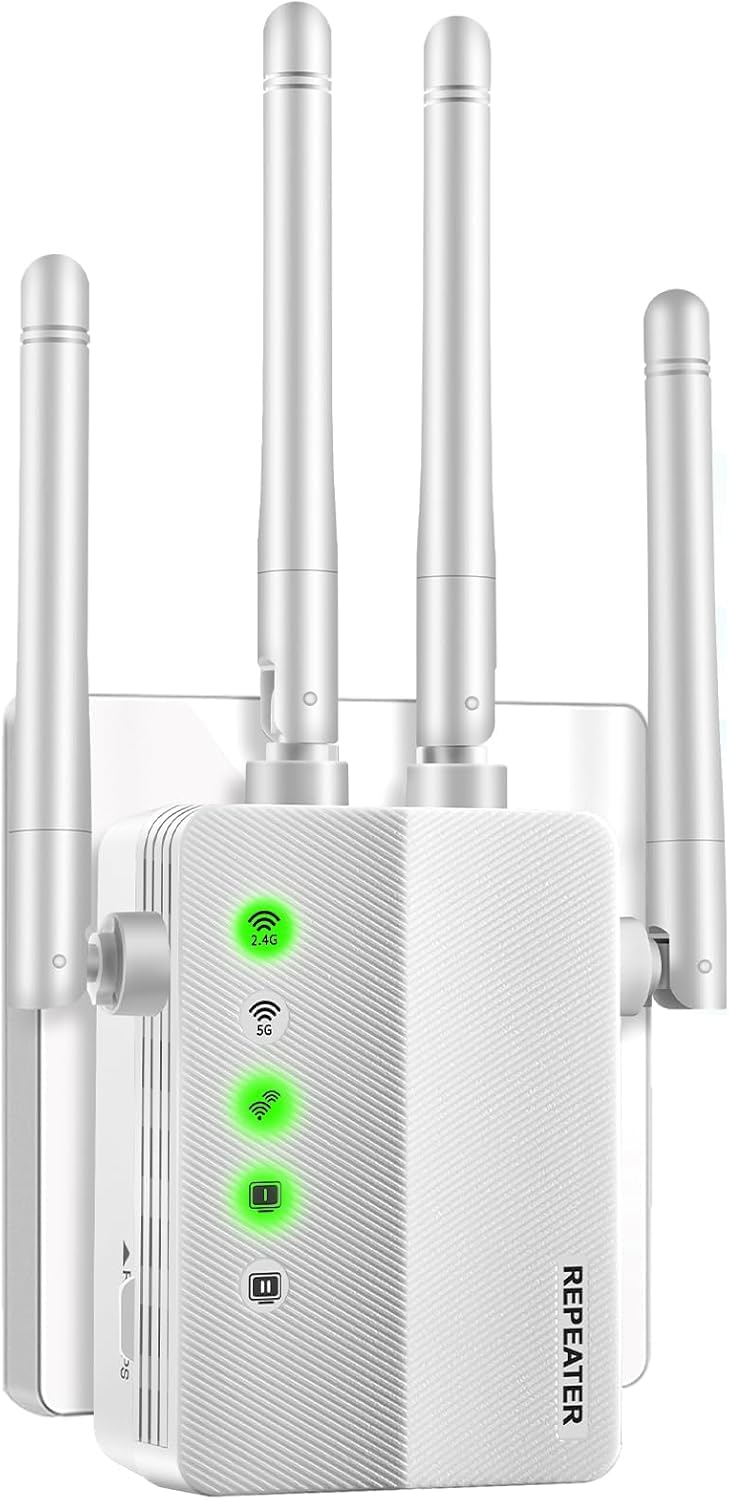
The rest of the spec is modest in a way we don't mind: dual-band AC1200 with 867 Mbps on 5 GHz, four antennas, and both repeater and access-point modes. The 3,000 square foot coverage claim is marketing rather than measurement — plan on a room and a bit, the same as everything else here.

The ceiling is the honest limit. At 867 Mbps on 5 GHz it has less wireless headroom than the AC1900 pick, so a fast line into a downloading PC is better served by the RE550, and the second jack is what you give up. For a console and a laptop sharing one extender, 867 is plenty; it's the fast-line, big-download case where the ceiling shows.

Pros

  • Two Ethernet ports for a console and a PC
  • Dual-band AC1200 with four antennas
  • Repeater and access point modes

Cons

  • 867 Mbps ceiling on 5 GHz
Our verdict

It's here for the second Ethernet port: if a console and a desktop both want a cable, we think this is the least expensive way in this guide to give them one.

Check Latest Price

How We Tested Wi-Fi Extenders for Gaming

We started with a shortlist of about 30 extenders and filtered hard: current-gen Wi-Fi, at least one Ethernet port for a console or PC, and either a dedicated backhaul or mesh compatibility. Anything that locked basic features behind a subscription was cut. That left 12 units, which we lived with for seven months across a mix of apartments and houses — including one old build where the signal dies two rooms from the router.

Setup was the first test, and we did it the way you would: alone, timer running, no support chat open. We noted how long it took to get online, how many times we had to reopen the manual, and whether the app explained anything useful or just told us to restart the router. Then we placed each unit where the instructions suggested and where we'd actually put it, halfway between router and dead zone, and checked whether that move showed up in the numbers.

To judge performance we did two things at once: ran a 4K stream in one room, then played 20-minute sessions in the far room while logging ping every minute and flagging spikes. We carried a laptop from the office to the bedroom mid-call to see whether it held on to the faster band or dumped us down to the slow one. After two-hour sessions we felt each unit for heat and wiggled the antennas. Range we mapped room by room instead of trusting the claimed square footage, and value came down to one question: how much of the dead zone did it actually fix?

How to Choose a Wi-Fi Extender for Gaming

Start with the Ethernet port

A console on Wi-Fi sits on its second wireless hop: router to extender, extender to console. Put a cable between the console and the extender and you delete one of those hops, which is where the stalls come from.

Every pick here except the Oaitree has a port; the RE715X and the RE550 add gigabit ports, so a fast line isn't throttled at the jack. Check that speed rating even if your broadband is modest — it's the one number on the box that placement can't improve.

Match the standard to your router, not to the market

A Wi-Fi 6 extender repeating a Wi-Fi 5 router runs at Wi-Fi 5 speeds. The wide channel and the scheduling that make Wi-Fi 6 worth buying need both ends, so buy at your router's standard, or one step above if a new router is coming.

Wi-Fi 6 earns its premium mostly in crowded airwaves: apartment blocks, townhouses, anywhere a dozen networks overlap. In a detached house with clean spectrum, an AC1900 extender with a gigabit port is the better spend, which is why the RE550 sits high in this guide.

Placement beats the coverage claim

Every box in this category advertises square footage no plug-in repeater delivers; one pick here claims 19,000. Ignore the number and think about the link instead: the extender has to receive a strong 5 GHz signal before it can pass one on, and 5 GHz loses strength faster than 2.4 GHz through walls and floors.

Start about halfway between the router and the dead room, plug in, and check the indicator light. If it reads weak, move a socket closer to the router rather than buying a second extender. A well-placed AC1200 beats a badly placed AX3000 every time.

Decide whether you want one network name or two

Unless your router supports EasyMesh, an extender broadcasts its own network name and you join it by hand when you sit down to play. That's an annoyance during a match, not a disaster, but it's worth knowing before the box arrives.

The RE715X and the RE550 both speak EasyMesh, so a compatible router folds them into one name and passes devices between the two as you move around. Look for an EasyMesh or mesh-compatible setting in your router's app before paying for the feature; without it, budget for a second SSID.

Frequently Asked Questions

Final Verdict

Ours is the TP-Link RE715X: it's the best combination here of 5 GHz headroom and a port for the console, and paired with a Wi-Fi 6 router that's the whole job done.

If your router is Wi-Fi 5, buy the RE550 instead. The gigabit port does the same work, and Wi-Fi 6 would be money spent on a channel your router can't give it.