10 Best Nintendo Switch Controllers of 2026: Hall Effect Picks That Stay Drift-Free

Which Switch controller actually lasts? From official Pro to budget Hall Effect, find the one that fits your hands, games, and budget without stick drift headaches.

Analog stick drift can turn a precise Mario Kart drift into a gamble after just a few months. The root cause is the potentiometer-based design in most controllers, including Nintendo's own Joy-Cons and Pro Controller. A permanent fix exists — Hall Effect joysticks use magnets instead of physical contacts — but not every budget controller uses them, and those that do sometimes cut corners elsewhere.

Battery life claims often shrink by 30-50% when RGB lights are on, and 'Switch 2 compatible' labels rarely mean full C-button or wake-up support. The controller market is crowded with trade-offs: price vs. durability, features vs. reliability, official vs. third-party.

This guide breaks down what each controller actually delivers — from the Pro Controller's 40-hour stamina to budget Hall Effect models that finally end the drift cycle — so you can pick the one that matches how and where you play.

1

Best Overall

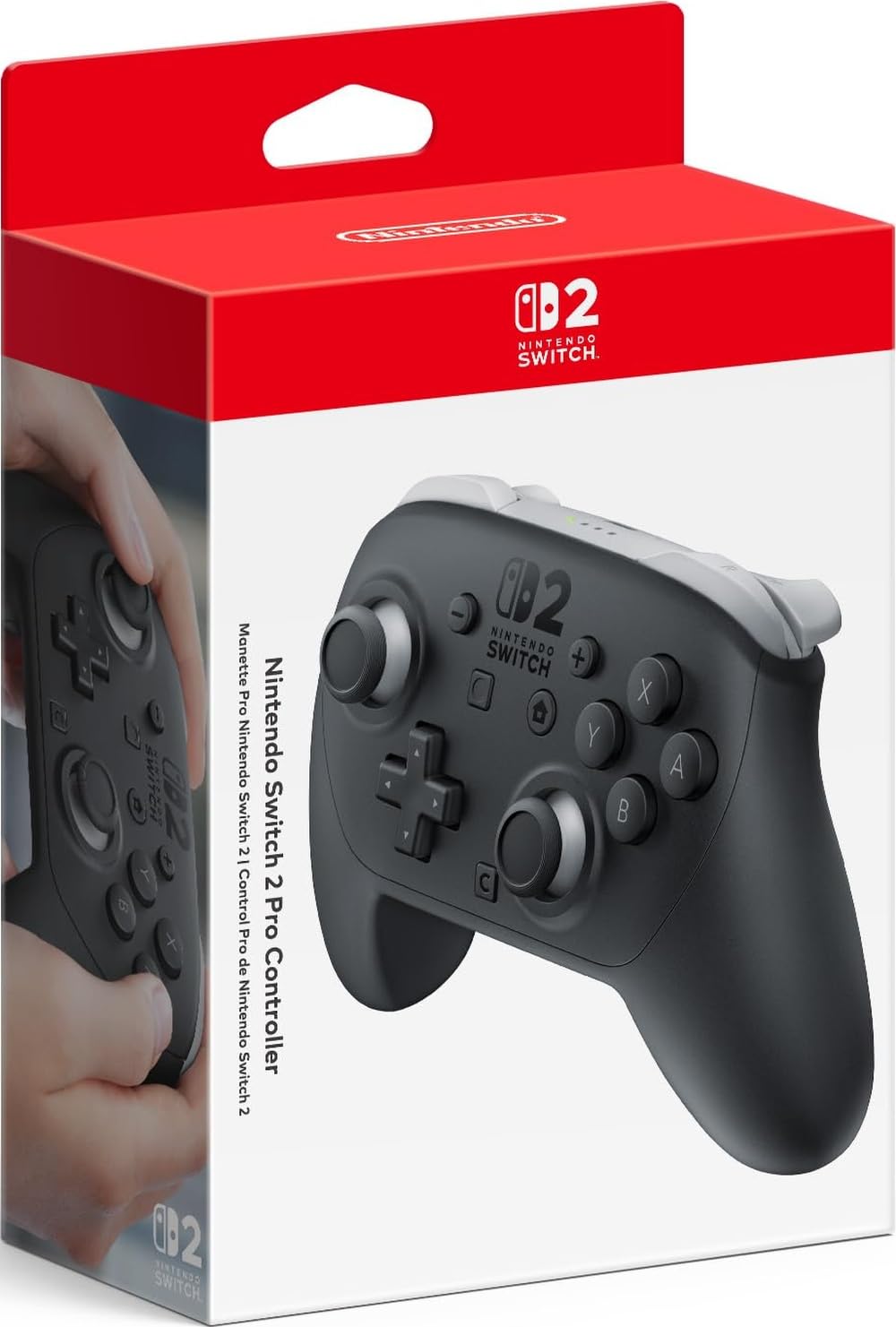
Switch Pro Controller

95 /100
Lab Score Outstanding

Key details

Ergonomics
Superb grip, textured
Battery Life
~40 hrs rechargeable
Connectivity
Bluetooth, USB-C
Extra Features
HD Rumble, NFC, motion
View on Amazon

The Pro Controller’s 40-hour battery life means you can play through a weekend without hunting for a charger. The textured grips and balanced weight keep hands from cramping even during long sessions in Breath of the Wild or Elden Ring. Motion controls and HD Rumble work identically to the Joy-Con, so gyro-aiming in Splatoon feels natural, and NFC for Amiibo is built in. USB-C charging tops up quickly when you finally do plug in.

Build quality is consistent across units — the analog sticks have a smooth, damped feel, face buttons are tactile, and the overall chassis creaks less than most third-party alternatives. Battery life holds up close to the advertised 40 hours in real-world use, even with HD Rumble enabled. The controller is recognized instantly by PC when connected via USB-C, and Bluetooth pairing to the Switch takes seconds.

This is the controller to buy if you spend most of your time in action-adventure, open-world, or competitive shooters like Splatoon and Super Smash Bros. — comfort and battery matter most there. The D-pad, however, lacks a pivot point, which can cause accidental diagonal inputs in fighting games like Street Fighter or platformers that demand precise cardinal directions. For those genres, a controller with a proper pivot-based D-pad is a better fit. Similarly, occasional stick drift has been noted after very heavy use, though it’s not a universal experience.

💡 For fighting games or pixel-perfect platformers, the D-pad’s diagonal sensitivity may be noticeable — a controller with a pivot-based D-pad is worth considering for those specific genres.

Pros

  • Comfortable grip and weight for hours of play without hand fatigue.
  • Battery lasts roughly 40 hours per charge; quick USB-C recharging.
  • Solid build quality and premium feel across materials and button feedback.
  • Works wirelessly with Switch and wired with PC, with full feature support on both.

Cons

  • In fighting games, the D-pad’s lack of a pivot point can register unintended diagonal presses.
  • After extended use, some units may develop analog stick drift that affects aiming precision.
Our verdict

If you play action games for hours and want one controller that handles Switch and PC without compromises, this is the baseline every other option measures against.

Check Latest Price
2

Best for Multiplayer & Handheld

Nintendo Joy-Con (L/R)

96 /100
Lab Score Outstanding

Key details

Ergonomics
Small, detachable
Battery Life
~20 hrs per pair
Connectivity
Bluetooth, IR, NFC
Extra Features
HD Rumble, IR camera
View on Amazon

The Joy-Con’s defining feature is its detachable design, allowing each half to serve as a standalone controller or attach to the console for portable play. The neon color options add visual personality and make them easy to identify during chaotic multiplayer rounds. This modularity makes it essential for tabletop gaming and impromptu two-player sessions, unlike a fixed one-piece gamepad.

Core functions — motion controls, HD Rumble, IR camera — work reliably for the vast majority of owners. Comfort during extended sessions is limited by the small form factor; this controller is not intended for marathon gaming. Over time, the analog sticks may develop drift, reducing accuracy in titles that demand precise input. That vulnerability is part of the tradeoff for compact modularity.

This controller fits households that need separate controls for multiplayer games like Mario Kart or for collectors who want official Nintendo accessories. It also suits those who frequently play in handheld or tabletop mode. If your primary use is long docked sessions with a traditional grip, the Pro Controller is a more appropriate choice.

💡 If drift appears, recalibrate the sticks in System Settings; this can sometimes restore accuracy.

Pros

  • Vibrant neon colors that add personality and are easy to spot during multiplayer sessions.
  • Core functionality works reliably out of the box for most users.
  • Detachable design allows each Joy-Con to act as a separate controller for two-player games.

Cons

  • In games requiring precise stick control, analog stick drift can become an issue over time
  • At this premium price point, expect comparable features from third-party controllers for significantly less.
Our verdict

Ideal for families and handheld players who value modularity over ergonomics — stick drift is a real but manageable tradeoff.

Check Latest Price
3

Best Budget Anti-Drift

Diswoe Hall Effect Controller

89 /100
Lab Score Excellent

Key details

Ergonomics
Comfortable, grip
Battery Life
8-12 hrs
Connectivity
Bluetooth, 10m
Extra Features
Turbo, vibration, programmable
View on Amazon

Hall Effect joysticks make this the go-to option if you are tired of drifting analog sticks on official controllers. The joystick mechanism uses magnets rather than physical contact, so wear-based drift simply does not happen. At a budget-friendly price, this controller packs programmable buttons, turbo, motion controls, and adjustable vibration – features usually reserved for more expensive models. The ergonomic shape fits comfortably for multi-hour sessions, and the 600mAh battery delivers a full day of casual play between charges.

This controller targets Switch owners who prioritize joystick longevity over premium feel and who are willing to accept some uncertainty in unit quality. The plastic shell lacks the refined texture of the Switch Pro Controller, and the buttons have a lighter, less tactile response. More importantly, individual units can develop joystick or button inconsistencies after several weeks of use, and wireless pairing may occasionally require re-syncing. If you need a controller that feels premium from day one without any setup quirk, the top pick remains the better fit.

For PC use, the controller works wired without additional software, making it a decent secondary option for Steam games that support Switch-style layouts. The one-key wake-up function is limited to the original Switch and Switch 2 (per user feedback), so OLED and Lite owners will need to wake the console manually. Turbo and programmable back buttons add genuine convenience for games that require repeated inputs, though the back buttons are not remappable on the fly.

💡 If the controller disconnects, pressing the sync button on top usually restores the connection without losing game progress.

Pros

  • Hall Effect joysticks eliminate drift permanently
  • Excellent value with feature set at a low price
  • Comfortable ergonomics for extended play sessions

Cons

  • Connectivity can be finicky, sometimes needing re-pairing
  • Unit-to-unit quality control may result in joystick or button issues after weeks
Our verdict

If your main concern is avoiding stick drift and you are comfortable with some variability in build quality, the Diswoe delivers the core fix at a fraction of the cost of premium controllers.

Check Latest Price
4

Best RGB Lighting

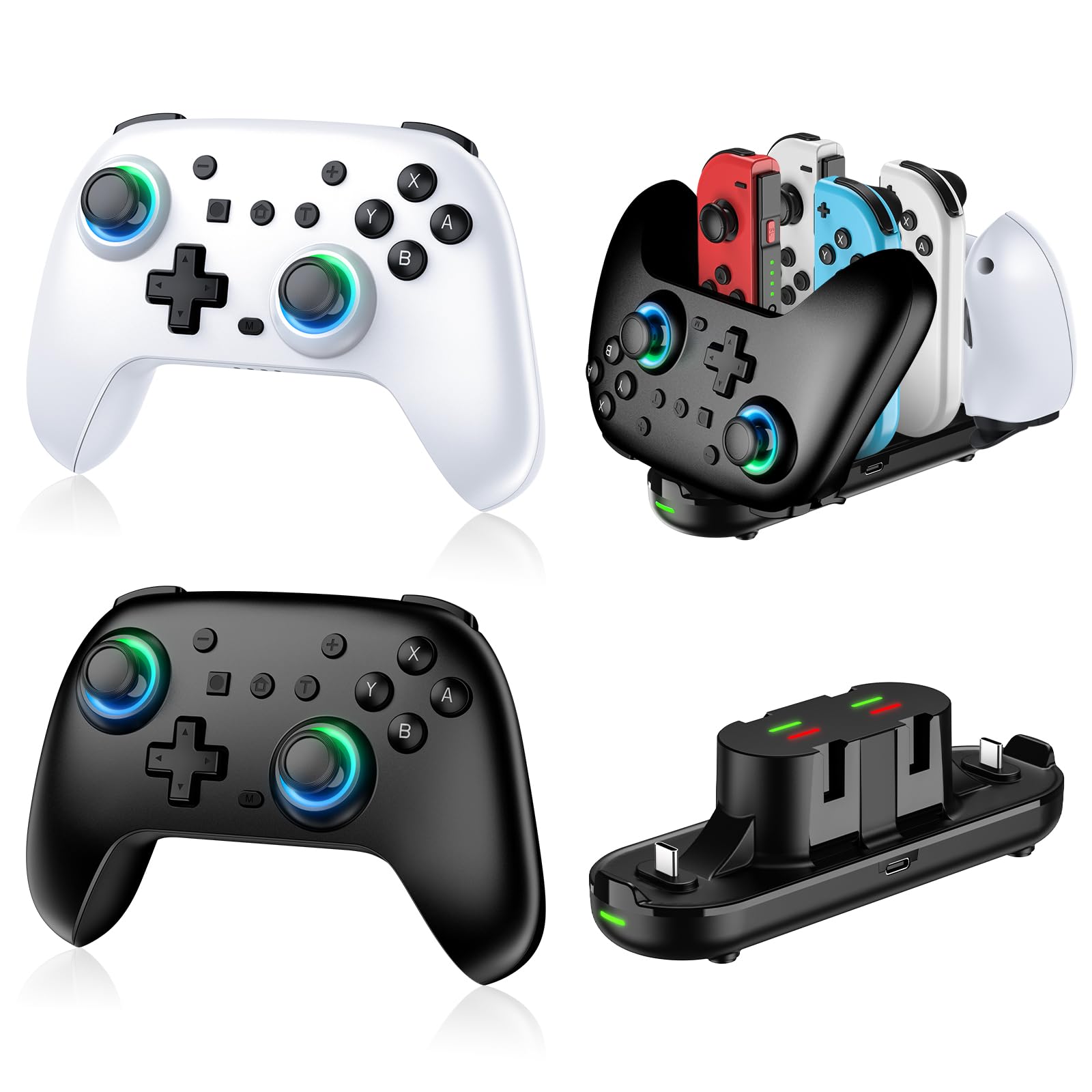
PDP Afterglow Wave RGB

90 /100
Lab Score Outstanding

Key details

Ergonomics
Comfortable, grip
Battery Life
~20 hrs (12-15 with lights)
Connectivity
Bluetooth, 30ft
Extra Features
8 RGB zones, app control, back buttons
View on Amazon

The PDP Afterglow Wave delivers eight independently customizable RGB zones via a companion app — a level of lighting control rarely seen near this price point. Unlike the basic single-color glow of the translucent alternative, the Wave lets you personalize each zone for a unique look, and the official Nintendo license ensures full wireless compatibility with Switch, Lite, OLED, and Switch 2 (minus the C button).

This controller suits players who prioritize aesthetics and want a comfortable, feature-packed wireless gamepad for casual gaming. Battery life with the LEDs on runs closer to 12-15 hours in practice than the advertised 20, and the two back buttons can be triggered accidentally during intense play — tradeoffs worth noting for those who play long sessions or require precise input.

The ergonomic grips and textured handles make extended play comfortable, while motion controls, programmable back buttons, and a 30-foot wireless range cover the essentials. For the price, the feature set is competitive, though occasional button responsiveness inconsistencies have been reported in some units.

💡 Reduce LED brightness or disable lighting to get closer to the advertised battery life.

Pros

  • Customizable 8-zone RGB lighting controlled via app for unique looks.
  • Comfortable ergonomic design with textured grips for long sessions.
  • Sold feature set at a budget-friendly price includes back buttons and motion controls.

Cons

  • Back buttons can be pressed accidentally during intense gameplay.
  • Battery life with LEDs on is shorter than the 20-hour claim, closer to 12-15 hours.
Our verdict

A stylish controller that delivers on RGB and comfort, but battery and button quirks make it a better fit for casual play than marathon sessions.

Check Latest Price
5

Best Value 2-Pack with Hall Effect

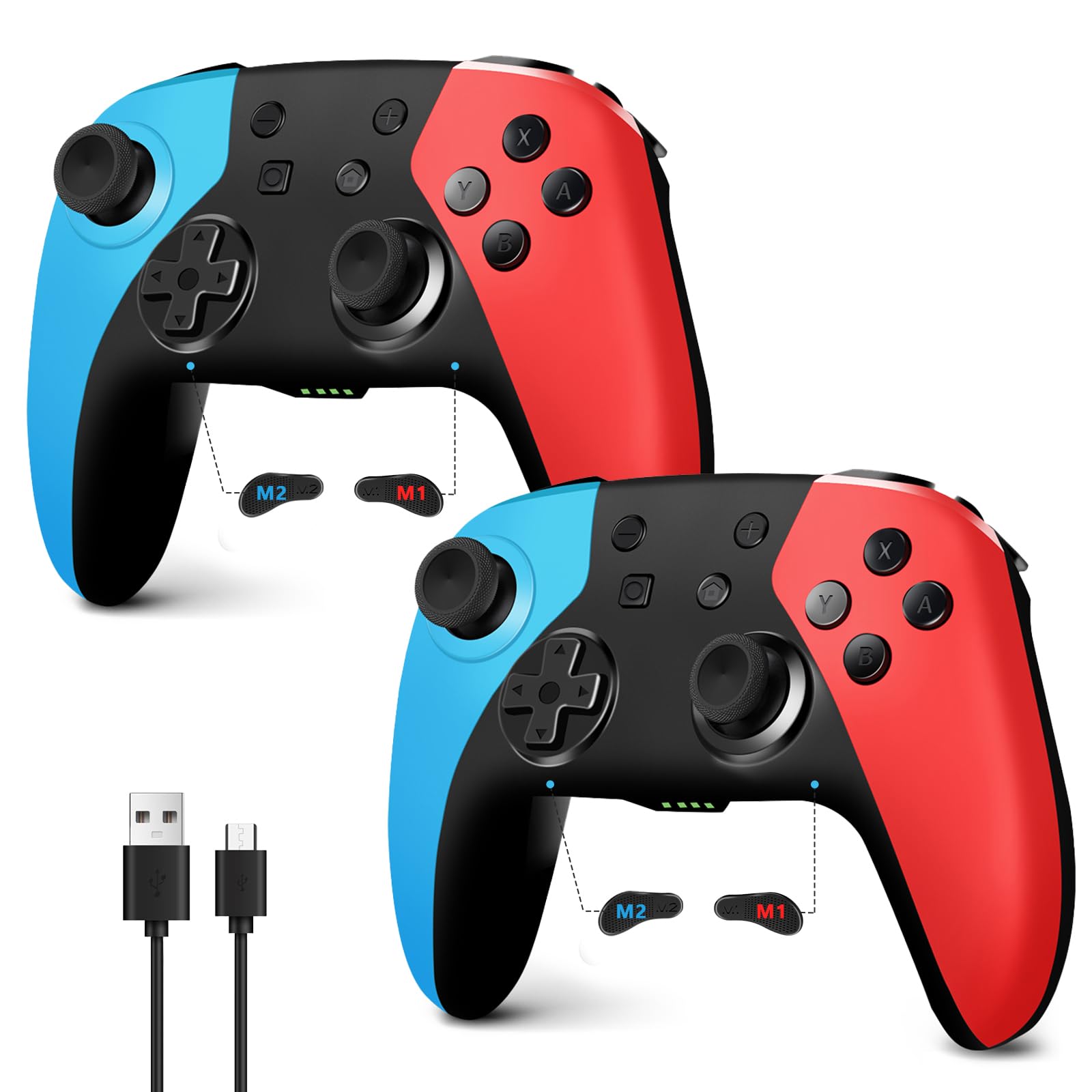
AceGamer 2-Pack Wireless

88 /100
Lab Score Excellent

Key details

Ergonomics
Standard, grip
Battery Life
~12 hrs each
Connectivity
Bluetooth
Extra Features
Turbo, vibration, programmable
View on Amazon

This two-pack delivers Hall Effect joysticks – the only permanent fix for stick drift – at a price that undercuts buying a single official Pro Controller. Responsive buttons and smooth joysticks make gameplay feel solid for the cost, and the roughly 12-hour battery per controller handles typical family sessions without frequent recharges.

Compared to the cheapest two-pack options without Hall Effect, the AceGamer adds programmable back buttons, turbo, and dual vibration. That extra value comes with a caveat: build quality can vary, and some units may become unresponsive after weeks of use.

This pack suits budget-minded households that want drift protection for two players without spending on a premium controller. If a single controller needs to last years without hiccups, the tradeoff in consistency may not be acceptable.

💡 If you experience occasional disconnects, try re-pairing the controller via the SYNC button.

Pros

  • Two Hall Effect controllers for the price of a single premium option
  • Responsive buttons and smooth joysticks for the price
  • Battery life supports extended play sessions

Cons

  • In households with daily use, some units may become unresponsive after weeks
  • In setups farther from the console, occasional disconnects can occur
Our verdict

For households that need two drift-proof controllers on a budget, this pack delivers the core features. Just know that long-term consistency is a lottery.

Check Latest Price
6

Best Ultra-Budget 2-Pack

Lyyes Switch Controller 2-Pk

91 /100
Lab Score Outstanding

Key details

Ergonomics
Standard, comfortable
Battery Life
8-10 hrs each
Connectivity
Bluetooth
Extra Features
Turbo, motion, 2-pack
View on Amazon

The Lyyes two-pack gives you a pair of wireless controllers with comfortable ergonomics and straightforward Bluetooth pairing for under twenty-seven dollars. For families or groups who need multiple gamepads without spending on a second Pro Controller, this is the cheapest way to get everyone playing at once.

This set suits casual multiplayer sessions, like Mario Kart or party games, where a controller is used occasionally and can be swapped out. For that purpose the price makes it easy to stock a drawer with spares. But some units can develop stick drift or stop working after weeks of use, so it is not a pick for regular solo play or for someone who needs a controller to last through heavy daily use.

At this price point the real-world behavior varies unit to unit. Many buyers get perfectly functional controllers that feel like a forty-dollar gamepad. Others receive one that drifts or goes silent sooner than expected. Treat these as a secondary set for when friends come over, not as a primary controller you depend on every day.

💡 Use these as backups for group play rather than your main controller.

Pros

  • Two controllers for a budget-friendly price
  • Comfortable shape and good build feel for the cost
  • Simple Bluetooth connection to Switch and PC

Cons

  • Stick drift can appear in some units over time
  • A portion of controllers may stop working after a few weeks of use
Our verdict

A no-brainer for crowded living rooms and cost-conscious households, but not a controller to rely on for daily driving.

Check Latest Price
7

Budget RGB

PDP Afterglow Wireless RGB

91 /100
Lab Score Outstanding

Key details

Ergonomics
Standard
Battery Life
~40 hrs claimed
Connectivity
Bluetooth, 30ft
Extra Features
RGB, back buttons, motion
View on Amazon

The Afterglow Wireless RGB brings back the clear-plastic look with vivid lighting at a low price, making it a fun option for casual play where aesthetics take priority. However, connectivity can drop intermittently and stick drift may appear sooner than on alternatives, which limits its appeal for daily heavy use. The Wave controller offers more RGB customization and better reliability for a similar cost, leaving this PDP as a backup or secondary controller.

💡 If the controller becomes unresponsive, a full power cycle (hold sync button for 10 seconds) often restores function.

Pros

  • Eye-catching translucent shell with colorful RGB lighting stands out on any desk.
  • Officially licensed at a budget-friendly price, with motion controls and programmable back buttons.

Cons

  • Wireless connectivity can drop intermittently; some units become unresponsive after weeks of use.
  • Stick drift may develop sooner than on other controllers, requiring a replacement in some cases.
Our verdict

Best for occasional players who value the retro look and are comfortable with the possibility of early wear — not a controller for competitive or marathon sessions.

Check Latest Price
8

Cheapest Hall Effect

MYSTILUCK Wireless Pro

90 /100
Lab Score Outstanding

Key details

Ergonomics
Standard
Battery Life
~4-5 hrs
Connectivity
Bluetooth
Extra Features
RGB, turbo, vibration
View on Amazon

The MYSTILUCK Wireless Pro delivers Hall Effect joysticks, RGB lighting, and gyro at an entry-level price. Comfortable ergonomics and customizable lighting make it a fun option for casual play. However, real-world battery life runs around 4-5 hours, shorter than the 7-hour claim, and some units may have joystick or button defects out of the box. This controller suits budget buyers who prioritize drift-free sticks for short sessions and are willing to accept basic build quality. Spending a little more gets you longer battery and more consistent build.

💡 Charge between sessions — the battery suits short play periods best.

Pros

  • Hall Effect joysticks eliminate drift at a price under $20
  • RGB lighting with multiple modes adds visual flair
  • Comfortable ergonomics for its price bracket

Cons

  • Battery life can be around 4-5 hours in real use, less than advertised
  • Some units may have joystick or button defects out of the box
Our verdict

Ideal for budget-conscious players who want drift protection and don't need all-day battery or flawless QC.

Check Latest Price
9

AA Battery Fans

PowerA Wireless Jet Black

90 /100
Lab Score Outstanding

Key details

Ergonomics
Good, no grip texture
Battery Life
AA (up to 40 hrs)
Connectivity
Bluetooth
Extra Features
Back buttons, no rumble/NFC
View on Amazon

The PowerA Wireless Controller keeps things simple: AA batteries deliver up to 40 hours of play without charging, and the official license ensures compatibility with all Switch models, including Switch 2. The textured grips and responsive sticks make long sessions comfortable. However, it lacks HD Rumble and Amiibo NFC – features standard on the Pro Controller. And the need for AA batteries (not included) adds ongoing cost, making this a fit if you prefer simplicity and don't require those extras.

Pros

  • Up to 40 hours of gameplay on a single set of AA batteries
  • Comfortable ergonomics with responsive sticks for extended play.
  • Officially licensed for full compatibility with all Switch consoles.

Cons

  • No HD Rumble or Amiibo NFC
  • Requires AA batteries (not included)
Our verdict

Ideal for Switch gamers who want an officially licensed controller with long battery life and prefer AA batteries over rechargeable – a practical mid-range pick.

Check Latest Price
10

Best Value RGB

VOYEE Switch Controller RGB

91 /100
Lab Score Outstanding

Key details

Ergonomics
Standard
Battery Life
10-15 hrs
Connectivity
Bluetooth, one-key
Extra Features
RGB, turbo, programmable
View on Amazon

The VOYEE Switch Controller packs RGB lightning bolt lighting, programmable back buttons, and turbo functionality at an entry-level price. Battery life reaches 10-15 hours and the build feels sturdier than its price tag suggests, making it a strong value for casual play on Switch, Lite, or OLED.

However, it lacks Switch 2 wake-up support, so it is limited to the original Switch family. Trigger response can feel spongy in some cases, which keeps it from competing with more precise RGB options like the PDP Wave.

Pros

  • Strong value with RGB, programmable back buttons, and turbo at a budget price
  • RGB lightning bolt lighting adds visual personality to gameplay
  • Battery lasts 10-15 hours and build feels sturdier than expected

Cons

  • No Switch 2 wake-up support; compatibility stops at Switch 1
  • Trigger buttons (ZR/ZL) can feel spongy during gameplay
Our verdict

A capable secondary controller for Switch 1 gamers on a tight budget who want RGB and programmable buttons, but not for primary use or those needing Switch 2 support.

Check Latest Price

How to Choose

Ergonomics and Grip Comfort

A controller that doesn't fit your hands causes fatigue within an hour. The Nintendo Switch Pro Controller sets the standard with a full-size, textured grip that reduces cramping. Budget controllers often mimic this shape but use cheaper plastic and lack contouring, which can become uncomfortable during long sessions.

If you primarily play in handheld mode, a one-piece Joy-Con replacement like the Gammeefy provides a wider, Xbox-like grip that stabilizes the console. For tabletop or docked play, a traditional gamepad offers better weight distribution and thumbstick access.

Stick Durability

Stick drift occurs when the physical contacts in a potentiometer-based joystick wear down or collect debris, causing phantom inputs. Hall Effect joysticks use magnetic sensors instead of contacts, so they never develop drift. The trade-off: Hall Effect sticks can feel slightly different in tension and are not yet standard in official Nintendo controllers.

Budget controllers that include Hall Effect, like the Diswoe and AceGamer, fix drift but may sacrifice build quality elsewhere. If you play fighting games or precision platformers, the long-term reliability of Hall Effect matters more than the initial price difference.

Battery Life and Charging

Battery life varies widely — the Pro Controller delivers around 40 hours on a charge, while budget RGB models can drop to 4-5 hours with lights on. Controllers that include RGB lighting often advertise optimistic runtimes; expect roughly half the claimed battery when using lighting effects.

Some controllers, like the PowerA Jet Black, use AA batteries. This means no charging cables but also ongoing battery costs. Rechargeable built-in batteries are more convenient, but note that lithium-ion cells degrade over time — many budget controllers stop holding a charge after several months.

Wireless Connectivity and Latency

Bluetooth 5.0 offers lower latency and better range than older Bluetooth versions, but not all controllers clearly state their protocol. Third-party controllers sometimes require manual re-pairing after the console sleeps — a common complaint for ELISWEEN and other budget options. This can be annoying during quick play sessions.

Wired USB-C connection is available on many controllers and guarantees zero wireless interference. For competitive play, a wired mode is preferable if the controller supports it. Latency differences between official and third-party wireless are generally imperceptible in casual games but may matter in fighting games.

Extra Features

Programmable back buttons, RGB lighting, motion controls, and NFC for Amiibo are now common even on budget controllers. Back buttons let you map jump or shield to your grip fingers, but on cheap models they can be too easy to press accidentally. RGB lighting adds visual flair but drains battery quickly — the PDP Afterglow Wave offers the deepest customization via an app.

Motion controls (gyroscope) are useful for aiming in Splatoon or Breath of the Wild. Most third-party controllers include basic gyro, but accuracy varies. NFC for Amiibo scanning is exclusive to official Nintendo controllers and a few licensed ones like PowerA. If you collect Amiibo, the Pro Controller or Joy-Con are the only reliable choices.

Frequently Asked Questions