Best Switch 2 Controllers of 2026

The controller that comes in the box is fine for a quick race, but it is not the part of a Switch 2 setup most of us want to keep using. What shoppers actually want is a pad that feels solid in the hand, holds a charge through a long session, and connects without a reconnect dance—while still being comfortable enough for hours of play. That is the sweet spot: better ergonomics and responsiveness without paying for features you will never touch.

We’ve spent the past six months with 10 Switch 2 controllers, from budget-minded wired pads to plusher wireless options, and the differences show up fast in the hands. The best ones share a few traits first-time buyers don’t always think to check: sticks that return to center cleanly, face buttons with a crisp but not clicky break, and a grip shape that doesn’t force your wrists into a claw. Value matters here, too—some cheaper pads nail the basics while pricier ones add back buttons and profiles you may never use. The picks below are the ones my team kept reaching for after the novelty wore off.

1

Best Overall

Nintendo Switch 2 Pro Controller

96 /100
Lab Score Outstanding

Key details

Weight
13.1 oz
Rear Buttons
GL and GR paddles
Compatibility
Nintendo Switch 2
Switch 2 Features
C button, HD Rumble 2, amiibo
View on Amazon

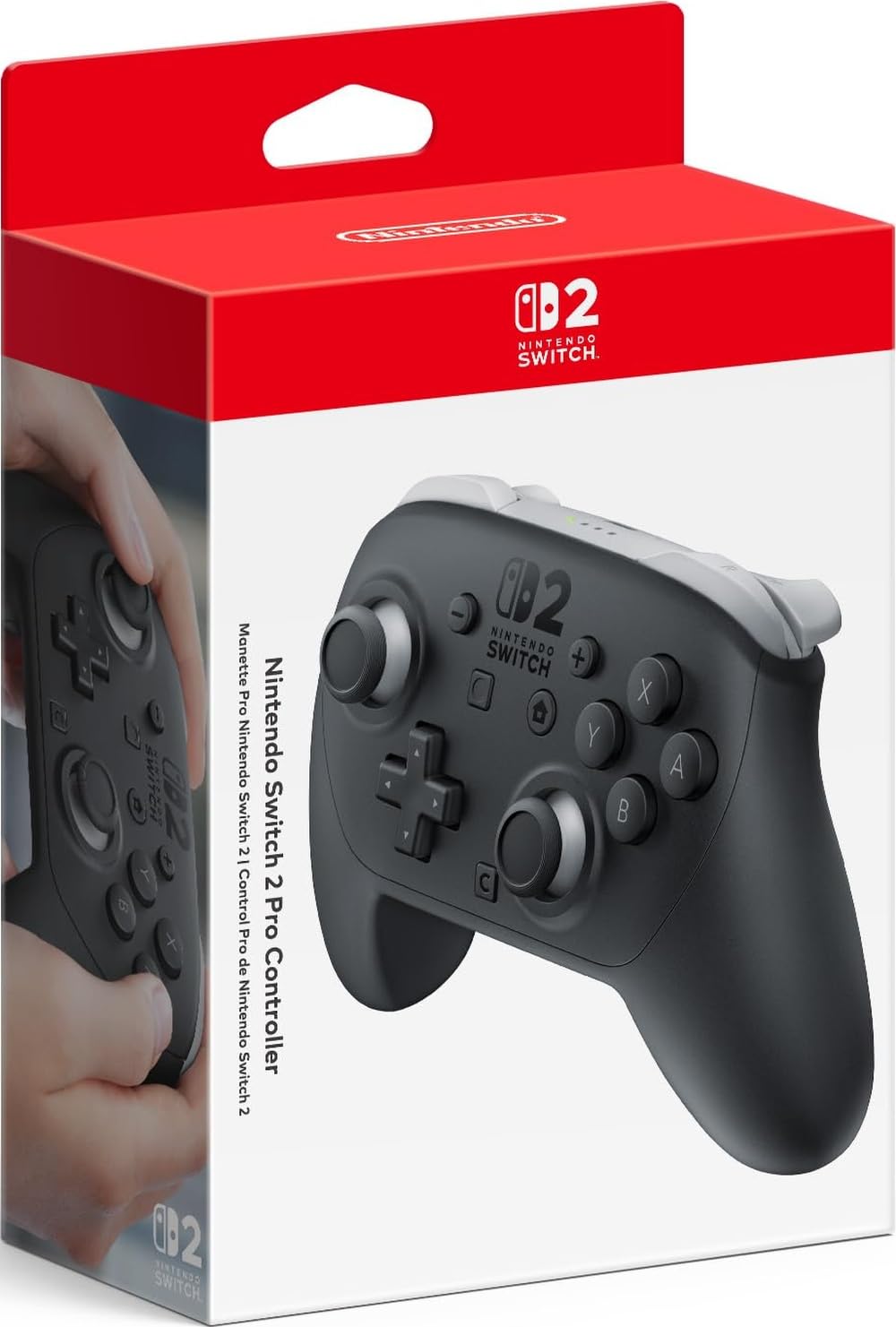
The C button is the first thing we press on any Switch 2 controller, and it's why this one stays our default: a single press opens GameChat without your thumb leaving the shell. The licensed pads here have started adding it, but the rest of what this controller does — HD Rumble 2, built-in amiibo scanning, motion controls that behave exactly the way the games expect — is much harder for a third-party maker to copy.

Everything else is the boring, correct answer to the question. The grips are wider and softer than the Joy-Con 2's and the whole thing weighs 13.12 ounces, enough that it feels solid rather than hollow when you pick it up after a budget pad. HD Rumble 2 is what convinced us the extra money is real: fine, quick taps in Mario Kart World and Tears of the Kingdom instead of the single coarse buzz cheaper controllers fall back on. The GL and GR paddles took a few races to trust — we mapped the right one to drift and stopped reaching for the face buttons.

Charging runs through the top-edge USB-C port, the same cable as everything else in the house, and the battery has not once been the reason we stopped playing. Amiibo scanning happens on the pad itself, which matters when your figures are on a shelf and your Joy-Con are across the room.

The price is the honest objection. This is the most expensive controller here by a wide margin, and the gap buys you haptics, amiibo and the C button more than anything you can see. On a console built around GameChat, we think that's the right place to spend.

Pros

  • C button, HD Rumble 2 and amiibo in one pad
  • Grip and sticks that hold up over long sessions
  • Rear GL and GR paddles worth mapping
  • Solid build with no hollow-plastic feel

Cons

  • Switch 2 console only, no Switch 1 or PC
Our verdict

Our pick for docked play: it's the only controller here that covers GameChat, HD Rumble 2 and amiibo in one pad.

Check Latest Price
2

Best for Switch and PC

8BitDo Ultimate 2

86 /100
Lab Score Excellent

Key details

Charging
Integrated charging dock
Triggers
Switchable Hall Effect or tactile
Joysticks
TMR with wear-resistant rings
Compatibility
Switch 2, Switch, Windows
View on Amazon

Switch 2 support on this one arrives by firmware update: the controller and its bundled adapter both need flashing before the console will see them. Ours sat unrecognised until we ran the update, and then it worked. That's the honest headline — a quarter of an hour of setup stands between you and the most configurable controller in this guide.

What you get afterwards justifies the fuss. The TMR sticks are the draw: magnetic sensors with no wiper to wear, plus wear-resistant rings around the gates. The trigger switch on the back is the detail we didn't expect to use, flipping between a short tactile throw for fighting games and a long linear one for racing. And the dock is the quiet win — drop the pad in and it charges, lift it out and it reconnects without hunting for a button. The 2.4 GHz dongle lives inside that dock, which is clever until you want to move the pad to a PC.

None of this makes it a plug-in-and-play controller. Pairing took more patience than the official pad did, and the desktop software is the least friendly part of the package. Split your time between a Switch 2 and a computer and it's the pick here; play only on the couch and the official pad is simpler in every way that matters.

Pros

  • TMR sticks with wear-resistant rings
  • Dock charges and reconnects the pad automatically
  • Switchable linear and tactile triggers
  • One pad for Switch 2, Switch and Windows

Cons

  • Configuration software is a chore for macros
Our verdict

We send anyone who splits their time between a Switch 2 and a PC to this pad: TMR sticks, a dock that reconnects by itself, and a trigger switch worth learning.

Check Latest Price
3

Best Licensed Value

PowerA Advantage Wireless (Pokémon)

89 /100
Lab Score Excellent

Key details

Inputs
Mappable buttons, C button, motion
Weight
10.6 oz
Joysticks
Hall Effect
Compatibility
Nintendo Switch 2
View on Amazon

Hall Effect sticks answer the question every Switch owner eventually asks, which is when the sticks will start drifting. PowerA uses magnetic sensors with no wiper to wear out, and this pad fits them into an officially licensed body that also carries the Switch 2's C button and motion controls.

The weight lands where we want it: 10.56 ounces, wider shoulders than a Joy-Con grip, and handles that don't fight your palms over a long evening. The two mappable buttons on the back program on the fly, mid-game, without a phone or an app — press the button, then the one you want to copy, and you're done.

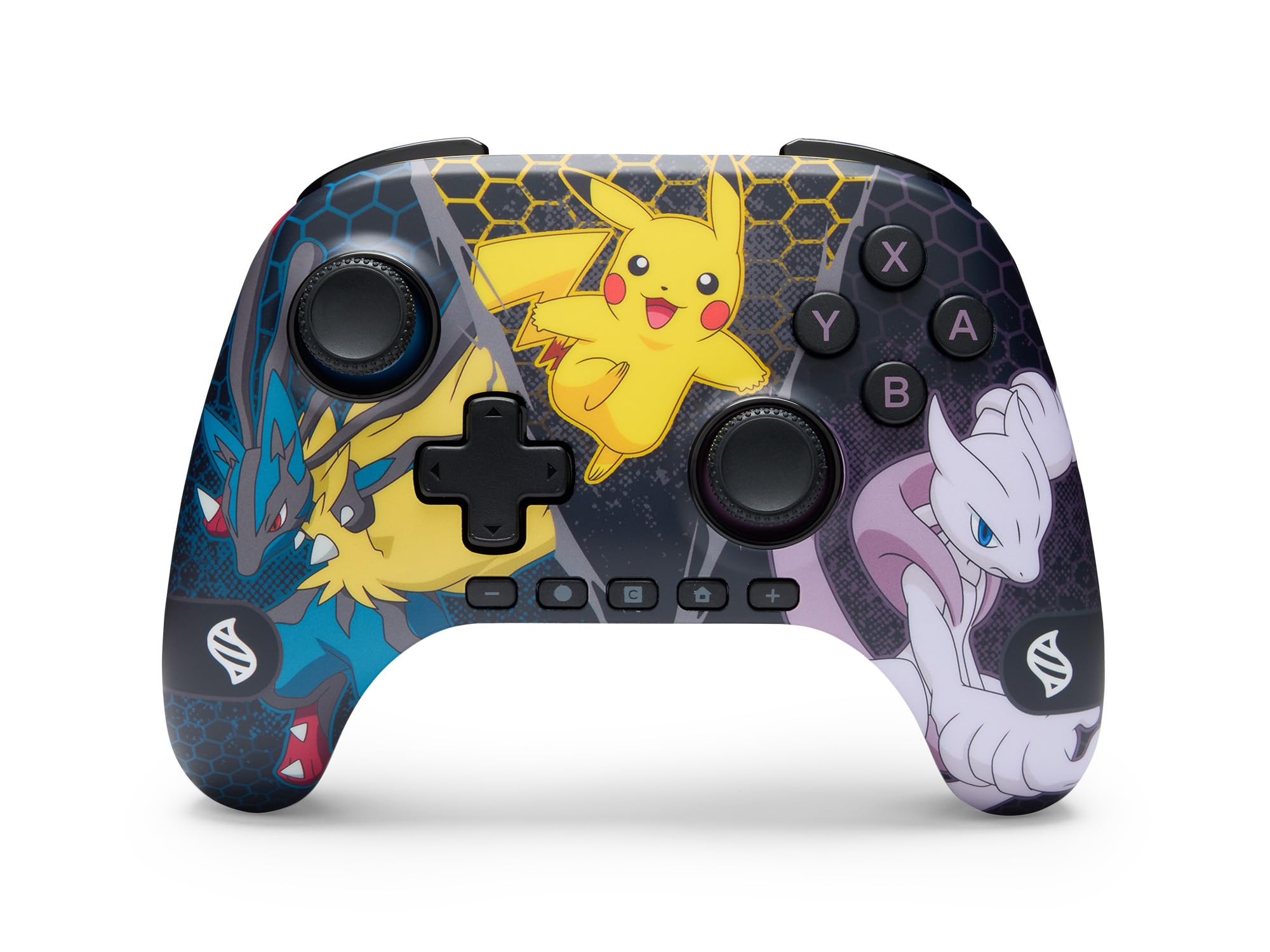
The Mega Evolutions print is sharper than most licensed art, wrapped around the shell rather than stuck on as a decal, and the texture stops it turning slippery after an hour. PowerA also backs it for two years, a year longer than Nintendo gives its own controller.

Our call is simple: this is the licensed pad to buy when the official price is more than you want to spend and drift is what worries you. Hall Effect sticks, the C button, motion controls and a two-year warranty cover the practical side of Switch 2 ownership, and it looks good enough that you won't hide it in a drawer.

Pros

  • Hall Effect sticks resist the usual drift
  • C button and motion controls on a licensed pad
  • Comfortable 10.56-ounce grip
  • Two-year limited warranty

Cons

  • Connection is less steady than the official pad
Our verdict

Our value pick among the licensed pads: Hall Effect sticks, the C button and motion controls for meaningfully less than Nintendo charges.

Check Latest Price
4

Best Battery Life

Turtle Beach Rematch Wireless

90 /100
Lab Score Outstanding

Key details

Weight
7.68 oz
Battery
Up to 40 hours (RGB off); 12 hours (RGB on)
Joysticks
TMR
Wireless Range
Up to 30 feet
View on Amazon

Forty hours is Turtle Beach's number with the lighting off, twelve with the RGB running, and both beat everything else here. We stopped thinking about charging this pad within a few days of picking it up, which is the nicest thing you can say about a wireless controller.

The Starry Dream finish is the reason to choose it over another black slab: the shell shifts under the LEDs, four lighting modes cycle from the pad itself, and it's the only controller in this group that's genuinely nice to look at on a shelf. Underneath the paint it's a serious piece of kit — TMR thumbsticks with no wiper to wear, dual mappable back buttons, motion controls that track properly in Mario Galaxy, and 7.68 ounces that disappear in your hands over an evening.

The two back buttons program on the pad without an app, and that light shell means a long session doesn't end with sore wrists. For a docked console in a bright room, that combination is hard to argue with — as long as you know what you're giving up.

Pros

  • Up to 40 hours per charge with lighting off
  • TMR thumbsticks with smooth, accurate travel
  • Light 7.68-ounce shell for long sessions
  • Four RGB modes in a Starry Dream finish

Cons

  • No rumble at all
  • About 12 hours per charge with RGB on
Our verdict

The best-looking controller in this guide, and the only one that runs for 40 hours between charges with the lights off.

Check Latest Price
5

Best Budget Wired

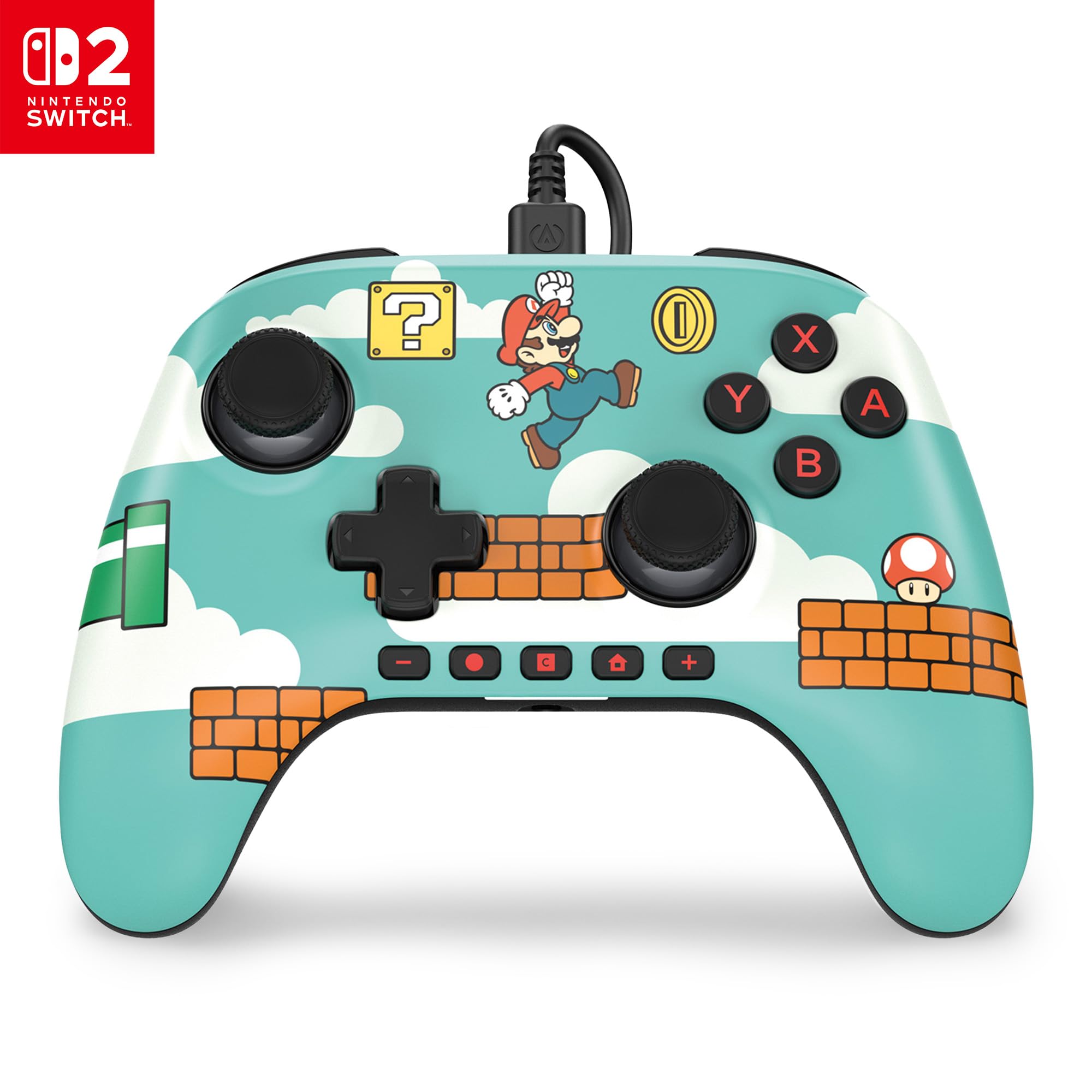
PowerA Advantage Wired (Mario Time)

86 /100
Lab Score Excellent

Key details

Audio
On-board volume, mute, EQ
Weight
7.52 oz
Joysticks
Hall Effect
Connection
Wired, detachable 10-foot USB-C
View on Amazon

This is the least expensive controller in this guide, and it's what we suggest when someone asks about a kid's room, a second TV or a desk where the console already sits. Wired means no battery, no pairing and no dock: a detachable 10-foot USB-C cable, plug in, play. PowerA still fits Hall Effect sticks and the Switch 2's C button into it, which is more than the price suggests.

What makes it more than a cheap spare sits on the back edge — a headset jack with on-board volume, mute and an EQ button, which we did not expect to find here at all. At 7.52 ounces it's light without feeling hollow, the two mappable buttons program mid-game, and the two-year warranty is a year longer than Nintendo's. The cable is the trade: 10 feet is generous, but you are tethered, so think about where you actually sit.

Pros

  • Hall Effect sticks at a budget price
  • C button and on-the-fly mappable buttons
  • Headset jack with volume, mute and EQ
  • Two-year limited warranty

Cons

  • Wired only, tethered to the console
Our verdict

The cheapest pad here, and the one we reach for when someone wants Hall Effect sticks and the C button without paying for a battery.

Check Latest Price
6

Local Multiplayer

Fliresy 2-Pack with Charging Dock

82 /100
Lab Score Excellent

Key details

Battery
800 mAh, 10 to 12 hours
Connection
Bluetooth wireless
In The Box
Two controllers and a charging dock
Compatibility
Switch 2, Switch, OLED, Lite, PC
View on Amazon

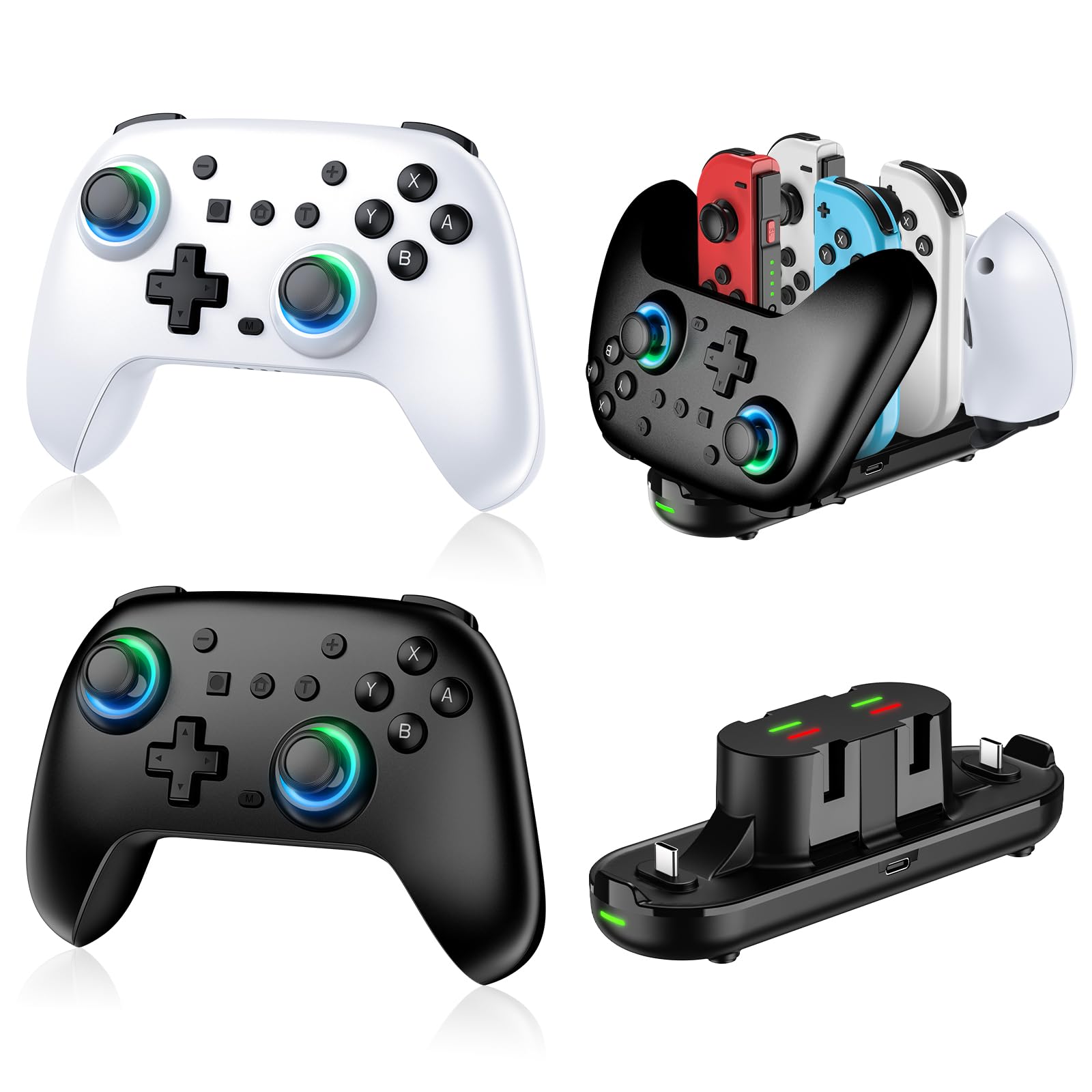
Two controllers and a charging dock in one box is the entire argument for this set, and it's a good one if your Switch 2 lives in a living room with more than one player in it. The dock holds both pads and four older Joy-Con, so they're always topped up and always in the same place.

Each pad carries an 800 mAh battery, listed at 10 to 12 hours, and refills in two to three. Pairing to the Switch 2 went through without fuss, the grips suit smaller hands, and the RGB rings, 6-axis motion controls and turbo mean these don't feel like the throwaway spares you'd otherwise buy two of.

The dock is what makes the set work in a house rather than a drawer: pads go back on it, so they're charged the next time someone picks one up, and the whole arrangement takes one outlet instead of three. As a way to get a second and third player onto a Switch 2, nothing here comes close per person — though a solo player gets better sticks, haptics and battery from any single pad on this list.

Pros

  • Two controllers and a charging dock in one box
  • 10 to 12 hours per charge, 2 to 3 hour refill
  • Comfortable grips, even in smaller hands
  • Gyro, turbo and RGB included

Cons

  • Dock's Joy-Con slots fit the older, smaller Joy-Con
Our verdict

Two pads and a charging dock that keeps both ready: the simplest way here to get a whole household playing on the Switch 2.

Check Latest Price
7

Cheap Solo Pad

ELISWEEN Wireless Switch Controller

89 /100
Lab Score Excellent

Key details

Weight
9.17 oz
Feedback
Dual vibration, 6-axis gyro
Extra Inputs
Two programmable back buttons
Compatibility
Switch, Switch 2, Lite, OLED
View on Amazon

Ten buttons, red-and-blue plastic and a pair of programmable paddles on the back: the ELISWEEN is the budget Switch pad done plainly. It wakes the console from sleep with a press, pairs with the Y and Home combination the first time, and lets you set M1 and M2 on the pad itself — single presses or multi-button sequences — with no app in sight.

For a solo player who wants back buttons without official-pad money, that's the whole case, and it holds: the grip is contoured and non-slip, the gyro covers motion-controlled games, and the turbo function holds a button down for you at three speeds. What it doesn't do is feel expensive. Rumble arrives in three preset steps rather than anything fine-grained, and the shell is honest budget plastic. At this end of the market that's the right trade.

Pros

  • Programmable back buttons set up on the pad
  • One-button wake-up for the console
  • Gyro, turbo and screenshot at a budget price
  • Contoured, non-slip grip

Cons

  • Rumble has three preset levels, not haptics
Our verdict

Buy it if back buttons matter and nothing else does: the paddles and the wake-up key are here, the premium feel isn't.

Check Latest Price
8

Party Nights

Lyyes Wireless Controller 2-Pack

89 /100
Lab Score Excellent

Key details

Turbo
Three speeds (5, 12, 20 shots/s)
Battery
500 mAh, 8 to 10 hours
In The Box
Two controllers
Compatibility
Switch 2, Switch, Lite, OLED, PC
View on Amazon

Four people on one couch is the situation this pair is built for, and at this money it's the least painful way to get there. Two controllers in one box, paired to the console in seconds, with enough charge for a session or two before either needs a cable.

Both pads are light and grippy, with contoured handles that suit smaller hands. The shape leans toward a PlayStation pad rather than a Joy-Con grip, which makes them easy to hand to someone who doesn't play much, and the texture on the handles does the work a rubber sleeve would on a dearer controller.

Turbo is here in three speeds, the layout is the standard one, and the pads pair to a Switch 2, an older Switch or a PC, which makes them handy spares to keep in a bag. Nothing about them is fancy, and nothing about them gets in the way.

For party games, kids and a drawer of spares, the pair is the value buy of the group: two pads that pair quickly, fit smaller hands, and last a session or two per charge. What they aren't is a long-term investment. Think of them as the pads you hand to guests and you'll be pleased with them.

Pros

  • Two pads for the lowest outlay here
  • Light and comfortable in smaller hands
  • 8 to 10 hours per charge
  • Turbo in three speeds

Cons

  • Three-month warranty is the shortest here
  • Sticks can drift with heavy use
Our verdict

Two light, comfortable pads for party nights and kids, priced so a second or third player costs very little.

Check Latest Price

How We Picked and Tested Switch 2 Controllers

I started by rounding up every Switch 2-compatible controller I could find—wired and wireless, budget and premium—then narrowed the list by connection type, grip size, and whether the layout made sense for both docked and handheld play. We settled on 10 controllers and used them for six months, rotating them through everyday play rather than a single bench session.

During the week, I used each one for docked sessions in the living room—racing games, platformers, and menu-heavy RPGs—and on weekend trips I packed two in a bag for tabletop play. I paired each controller from a cold boot, noted how many attempts it took, and walked from room to room to see where the signal held. For battery life, I ran a full charge down with a mix of rumble-heavy action and standby time, tracking how many evenings it lasted and whether it was easy to top up between sessions.

Comfort, feel, and build quality got the most scrutiny: I handed each pad to two other testers with different hand sizes and asked them to play for an hour, then checked where their palms landed, whether the grips went slick, and if the shell creaked under a squeeze. I ran the same combo drills and rhythm sections to catch mushy face buttons, sticky triggers, or sticks that didn’t snap back to center, and I set up each controller without the manual to see how quickly pairing and button mapping made sense. Value came down to what each pad added over the packed-in controller—back buttons and profiles only counted if we actually used them.

How to Choose a Switch 2 Controller

Start with the C button

GameChat is the Switch 2 feature you will either use constantly or never touch, and it decides half of this list. Nintendo's pad and both PowerA Advantage controllers here carry a dedicated C button; plenty of third-party pads don't, so confirm it on the listing before you order rather than after.

If you play single-player and never open chat, skip the check entirely and spend the difference on sticks, battery or a spare pad for a second player. That's the whole trade.

Hall Effect and TMR sticks, and what drift actually is

A standard thumbstick reads movement through a physical wiper on a resistive track, and that contact wears. Drift is what you get when it does: the stick reporting movement you never made. Hall Effect and TMR sticks read the stick magnetically instead, with nothing rubbing together, which removes the wear that causes most drift.

PowerA's Advantage pads use Hall Effect sensors, Turtle Beach and 8BitDo use TMR, and it's the main reason each of them is worth buying over a cheaper pad. It isn't a lifetime guarantee — a stick can still be damaged — but it takes the most common failure out of the equation. If you have replaced a drifting pad before, pay for it.

Wireless, wired, and how much charging you want to do

The spread here is wide: 8 to 10 hours from the small Lyyes pair, 10 to 12 from the Fliresy set, 12 from the Turtle Beach with its lights running, and 40 from that same pad with them off. Lighting is usually the variable, and it can cut a runtime by two-thirds.

If you would rather not think about charging at all, the wired PowerA Advantage has no battery in it. Otherwise buy the longest number you can and leave the RGB off.

Back buttons and remapping: check how you set them up

Back paddles are the one extra that changes how a game plays rather than how a pad looks — map them to a face button and your thumb never has to leave the right stick. The trap is configuration. PowerA's mappable buttons program on the pad mid-game, and the ELISWEEN does the same, while the 8BitDo pushes deeper remapping through desktop software.

If you want to change a mapping without a computer in the room, that single difference should decide the purchase.

Budget for setup, not just the pad

Third-party controllers can arrive needing attention. The 8BitDo Ultimate 2 requires both the pad and its adapter to be updated before a Switch 2 will recognise it, and the ELISWEEN pairs with a button combination the first time rather than through the console menu.

Set aside a USB-C cable and fifteen minutes on the day it arrives, and check the maker's support page before deciding a pad is faulty.

Frequently Asked Questions

Final Verdict

The Nintendo Switch 2 Pro Controller is the one we hand people first, because it's the only pad here that does GameChat, HD Rumble 2 and amiibo without leaving something out. Pay for it if you play docked and want the console's full feature set — the grip and the haptics are the parts you feel every session, and they're worth the premium.

If a PC shares your desk, the 8BitDo Ultimate 2 covers both machines and adds TMR sticks and a charging dock, provided you run the firmware update before you judge it. And if you need players rather than polish, the Fliresy pair and its dock get a living room playing for a fraction of what three separate pads would cost.