12 Best PC Gaming Controller of 2026: Drift-Free Hall Effect Picks

Find the PC gaming controllers with hall-effect sticks that actually resist drift, so you don't waste money on unreliable hardware.

Hall-effect joysticks have become the defining promise of modern PC controllers, marketed as a cure for stick drift. But the real-world experience varies: some hall-effect controllers hold up for years, while others can still develop issues from mechanical wear or poor QC. The key isn't just the stick type — it's how the entire controller is built around it.

This guide separates controllers that live up to the hall-effect hype from those that don't. Factors like polling rate, wireless stability, extra buttons, and battery life — the specs that actually affect your gaming experience — are what matter. The best controller for you is the one that matches your priorities without compromising on durability.

For most PC gamers, the sweet spot lies in the middle: a controller with hall-effect sticks, a charging dock, and solid wireless performance without chasing extreme latency numbers. That balance delivers the reliability you need over years of use.

1

Best Overall PC Gaming Controller

8BitDo Ultimate 2

91 /100
Lab Score Outstanding

Key details

Stick Type
TMR
Connectivity
2.4G, BT, USB-C
Polling Rate
1000Hz
Extra Buttons
2 back + 2 bumpers
View on Amazon

TMR sticks resist the drift that plagues traditional potentiometers, and the 1000Hz polling rate over 2.4G or wired keeps input lag low for most PC gaming. The included charging dock eliminates cable clutter and ensures the controller is ready between sessions. Motion controls and an RGB ring around the stick bases add polish, though neither is essential for core gameplay. This combination of features is unusual at this price.

The controller's textured grips and balanced weight make it comfortable for several-hour sessions. The trigger locks let you toggle between full analog travel and a shorter digital tap — handy when switching from racing to shooters. Two back paddles and two extra bumpers are placed where fingers naturally rest, giving you additional inputs without stretching.

Wireless reliability is generally solid, but some users may encounter occasional dropouts when using Bluetooth or if the 2.4G dongle is behind a metal case. The controller falls back to wired USB-C mode without issue, which also charges the battery. For most, this is not a deal-breaker, but those in RF-heavy environments may prefer a wired connection.

The 8BitDo Ultimate Software provides full remapping of all buttons, including the extra paddles and bumpers, as well as trigger dead zones and stick sensitivity. This allows you to tweak the controller to your preference without needing hardware mods. The software is straightforward and works on Windows.

This controller is built for PC and Steam gamers who want hall-effect-style durability without a premium price. It also works on Android and Apple devices. It does not support Xbox or PlayStation consoles, and there is no headphone jack — so you will need a separate audio setup for game chat. If 8K polling is critical for competitive play, consider the wired esports-focused alternative. For everyone else, this covers the important bases.

💡 If you experience occasional dropouts, connect the 2.4G dongle to a USB port closer to the controller or use USB-C wired mode.

Pros

  • Build quality and ergonomics that stay comfortable during long sessions.
  • Value that includes a charging dock and TMR sticks at a mid-range price.
  • Customizable triggers and 1000Hz polling give you control over response.
  • Two back paddles and two extra bumpers for additional inputs.

Cons

  • Not compatible with Xbox or PlayStation consoles
  • Wireless connection can drop in some environments, particularly on Bluetooth.
  • A minority of units may stop functioning after limited use.
Our verdict

For PC gamers who want a wireless controller with drift-resistant sticks, solid polling, and a dock without overspending, this is the most well-rounded choice at this price.

Check Latest Price
2

Best for Competitive PC Gaming

GameSir G7 Pro 8K

88 /100
Lab Score Excellent

Key details

Stick Type
TMR Gen-2
Connectivity
2.4G, Wired
Polling Rate
8000Hz
Extra Buttons
4 remappable
View on Amazon

The GameSir G7 Pro 8K’s 8000Hz polling rate and TMR Gen-2 sticks translate into near-instantaneous response and smooth tracking — a noticeable advantage in fast-paced shooters where milliseconds matter. Unlike many controllers at this price, it offers a dedicated 2.4G wireless connection with no Bluetooth lag, and the included charging dock keeps it ready for long sessions.

This controller is built for PC gamers who treat latency as the top priority and already have a dedicated gaming setup. It works on Switch and mobile via USB or 2.4G, but lacks Xbox support and Bluetooth — so casual cross-platform use is limited. The bigger tradeoff is unit variance: some units may develop trigger or stick issues within days, meaning buyers should purchase from a retailer with a hassle-free return policy.

💡 null

Pros

  • 8000Hz polling provides near-instant response for competitive FPS titles
  • Solid build quality with a premium feel that competes with pricier alternatives
  • PC app and gyro support make button mapping and sensitivity tweaks straightforward
  • Included charging dock eliminates cable clutter during breaks

Cons

  • Trigger or stick issues may appear within days in some units
  • No Xbox or Bluetooth
Our verdict

If you play competitive FPS on PC and want the lowest latency available under $100, the G7 Pro 8K delivers — just factor in the possibility of early defects and the lack of console support.

Check Latest Price
3

Best for Xbox & PC Crossover

GameSir G7 Pro ZZZ

89 /100
Lab Score Excellent

Key details

Stick Type
TMR
Connectivity
2.4G, BT (Android)
Polling Rate
1000Hz
Extra Buttons
4 remappable
View on Amazon

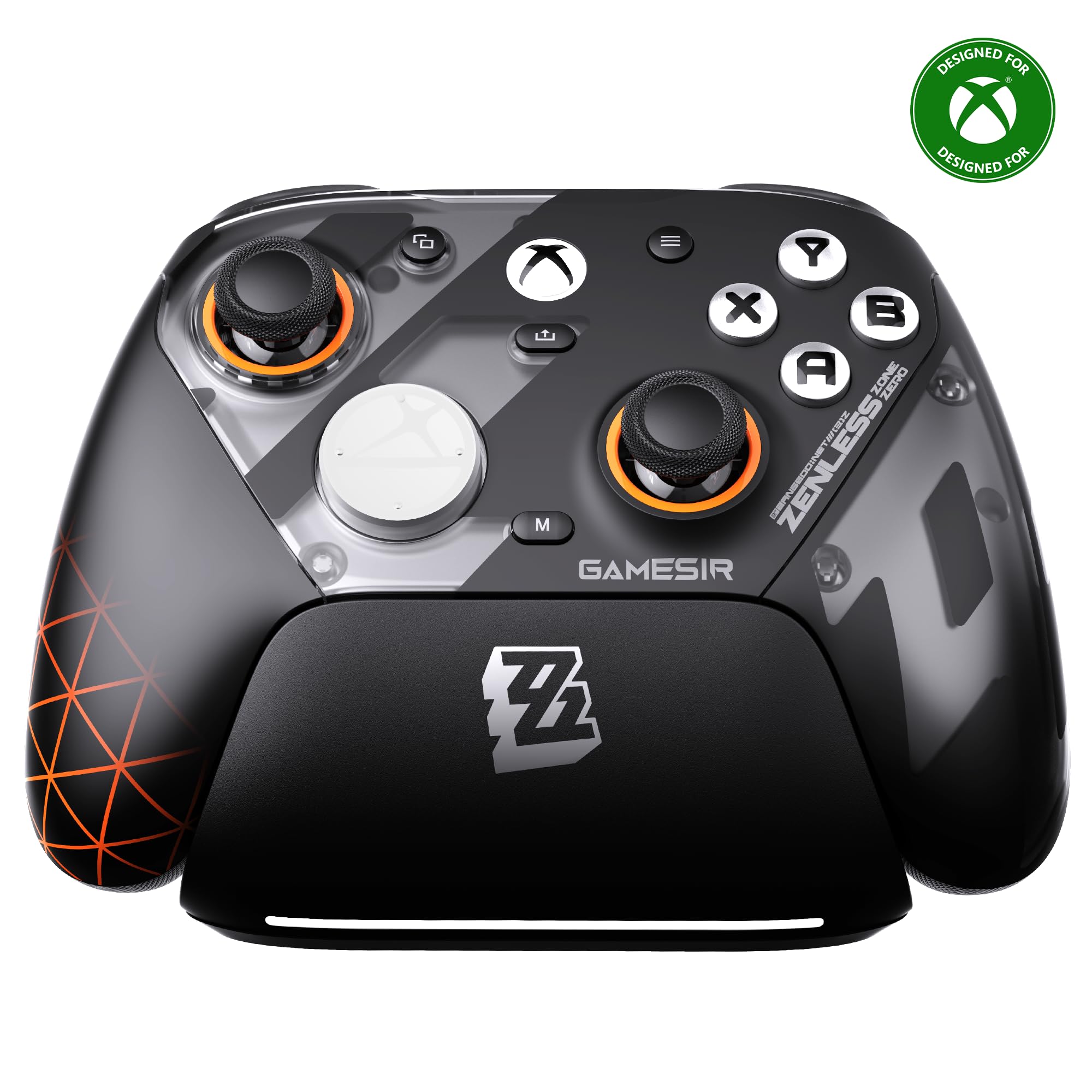
The GameSir G7 Pro ZZZ stands out with its Zenless Zone Zero aesthetic and officially licensed Xbox wireless — a rare combination for third-party controllers. While the top pick offers a track record of consistent performance and a no-nonsense feature set, this unit provides a unique visual flair and proper Xbox licensing. Note that wireless support is limited to PC via a 2.4G dongle; on Xbox, a wired connection is required.

This controller suits PC gamers who want a premium-feeling, licensed controller with a distinctive design, and are willing to accept some tradeoffs in long-term consistency for a more personalized look. Some units may develop trigger or stick issues after extended use, so it's best for buyers who prioritize aesthetics and initial feel over maximum long-term durability.

The TMR sticks and mouse-click triggers deliver low-latency, responsive gameplay on PC without the cable clutter of a wired connection. The included charging dock and swappable faceplates add to the value, making it a well-rounded package for its price. For a PC-focused buyer, the wireless performance is solid, and the 1000Hz polling rate keeps input lag minimal.

💡 Test the triggers and sticks shortly after unboxing — any issues can be handled under warranty to ensure long-term satisfaction.

Pros

  • Premium build quality that rivals first-party Xbox controllers
  • Responsive TMR sticks and mouse-click triggers for low-latency gaming
  • High value with included charging dock and customizable faceplates

Cons

  • Some units may develop trigger or stick issues after months of use
Our verdict

For PC gamers who want a stylish, licensed Xbox controller with wireless freedom and good responsiveness, the GameSir G7 Pro ZZZ delivers — just keep an eye on long-term durability.

Check Latest Price
4

Best for Immersive Single-Player Gaming

DualSense Cosmic Red

95 /100
Lab Score Outstanding

Key details

Stick Type
Standard
Connectivity
BT, USB-C
Polling Rate
250Hz BT / 1K wired
Extra Buttons
None
View on Amazon

The DualSense Cosmic Red brings PS5-style haptic feedback and adaptive triggers to PC, supported natively through Steam Input. No other controller in this price range offers that level of tactile detail for supported titles. The connection is simple via Bluetooth or USB-C, and in wired mode the polling rate reaches 1000Hz for responsive play. The adaptive triggers offer variable resistance that adjusts to in-game actions, adding a new layer of feedback. The build quality feels substantial with a glossy Cosmic Red finish that stands out.

This controller is best for PC gamers who play single-player games and value immersion over competitive edge. The haptics and triggers enhance narrative-driven experiences, making each action feel more grounded. However, the standard potentiometer sticks may develop drift after months of use, battery life at 12-15 hours lags behind many competitors, and the button layout lacks extra paddles or remappable buttons — features that competitive players typically expect. If you own a PS5 and want a matching controller for PC, this color variant is a natural fit.

💡 The controller charges via USB-C and lasts 12-15 hours; for longer sessions, keep a cable handy to play while charging.

Pros

  • Haptic feedback and adaptive triggers provide immersive vibration and tension in supported PC games.
  • Build quality feels premium with a stylish Cosmic Red finish and comfortable grip.
  • Works seamlessly with Steam Input on PC via Bluetooth or USB-C, no additional software needed.

Cons

  • Stick drift may appear after months of use due to standard potentiometer sticks.
  • Battery life of 12-15 hours is shorter than many competitors, requiring more frequent charging.
  • No extra programmable buttons or paddles for competitive or custom inputs.
Our verdict

For PC gamers focused on single-player immersion, the DualSense offers a unique experience with haptics and triggers that standard controllers lack.

Check Latest Price
5

Best Budget Wired Controller

GameSir G7 SE

89 /100
Lab Score Excellent

Key details

Stick Type
Hall Effect
Connectivity
Wired USB
Polling Rate
1000Hz
Extra Buttons
2 back
View on Amazon

Hall-effect sticks and triggers eliminate drift entirely — a feature usually reserved for controllers twice the price. The G7 SE delivers that anti-drift reliability at a budget-friendly wired price, making it a natural alternative to the top pick for PC and Xbox gamers who don't need wireless freedom. The 1000Hz polling rate (overclockable) keeps input lag low enough for all but the most latency-sensitive competitive play, and the textured grips hold up well during long sessions.

This controller suits budget-conscious players who prioritize zero drift and don't mind being tethered. The wired-only design means no battery worries, but the cable can be a tripping hazard if not managed — and some units have shipped with early firmware or button failures that require a replacement. The two back buttons are present but sit slightly lower than ideal, which can lead to accidental presses during intense moments.

Build quality feels solid for the price point, with a grippy texture that reduces fatigue over hours of play. The hall-effect triggers provide smooth analog response, and the 3.5mm audio jack keeps headset connections straightforward. For PC gamers on a tight budget who want drift immunity, the G7 SE delivers the core feature set without frills.

💡 The included cable is 3 meters — route it behind your desk to keep it out of the way.

Pros

  • Hall-effect sticks and triggers eliminate drift at a budget price
  • Solid build with comfortable textured grip for extended sessions
  • Zero drift reported even after months of use

Cons

  • Back button placement can lead to accidental presses during fast gameplay
  • Wired-only design limits flexibility and the cable may become a tripping hazard
  • Some units may experience early failure such as bricking or button malfunctions
Our verdict

If drift immunity is your top priority and you're comfortable with a wired connection, the G7 SE offers the best value on hall-effect reliability — just check unit quality on arrival.

Check Latest Price
6

Best Budget Competitive Controller

Razer Wolverine V3 TE

82 /100
Lab Score Excellent

Key details

Stick Type
TMR
Connectivity
Wired
Polling Rate
8000Hz
Extra Buttons
6 remappable
View on Amazon

At under $50 on sale, the Razer Wolverine V3 Tournament Edition brings 8000Hz polling and TMR thumbsticks to a price point where those features are rare. Its six remappable buttons and fast mechanical triggers give latency-sensitive players direct input control — a step ahead of standard controllers in responsiveness.

This wired-only design suits PC gamers who prioritize zero-latency connection and don't mind managing a cable. The lightweight build feels comfortable during long sessions, but the thumbsticks and back buttons may not suit larger hands. The Synapse software limits customization — trigger sensitivity cannot be adjusted. Some units may exhibit back button looseness or stop functioning over time, so buying from a retailer with easy returns reduces risk.

For the price, the polling rate and stick technology outclass many controllers at twice the cost. The trade-off is accepting that build quality is not as consistent as the top pick. If you're willing to handle the occasional exchange, the performance ceiling is high.

💡 The braided cable is long enough for most setups; a simple cable clip keeps it out of the way during gameplay.

Pros

  • 8000Hz polling and TMR sticks at a budget price
  • Lightweight, comfortable design with responsive buttons
  • Six remappable buttons allow custom layouts

Cons

  • Synapse software does not allow trigger sensitivity adjustment
  • Wired connection requires cable management
  • Some units may arrive with defects or stop functioning
Our verdict

If 8K wired performance on a competitive budget is your priority and you are prepared for possible return hassle, the Wolverine V3 TE delivers where it counts: responsiveness and button mapping.

Check Latest Price
7

Innovative Screen

ManbaOne Wireless

89 /100
Lab Score Excellent

Key details

Stick Type
Hall Effect
Connectivity
2.4G, BT, Wired
Polling Rate
800Hz
Extra Buttons
4 back
View on Amazon

The onboard screen allows on-the-fly remapping and setting adjustments without software, and the included dock keeps the controller charged and ready. At this price point, the feature set rivals more expensive options. However, wireless connectivity can be inconsistent in some environments, and button feel varies between units — some may exhibit sticky or unresponsive inputs. These issues prevent it from matching the polish and stability of the top pick, making it a better fit for users who value customization over rock-solid wireless performance.

Pros

  • Interactive screen for on-the-fly adjustments without software
  • Hall-effect sticks eliminate drift concerns
  • Included charging dock and large 1800mAh battery provide convenience

Cons

  • Button responsiveness can vary between units
  • Wireless connections may drop unexpectedly in certain setups
Our verdict

Suits PC and Switch gamers who want a dock and onboard screen, and can accept occasional connectivity hiccups.

Check Latest Price
8

Ultra-Budget Hall

EasySMX X15

85 /100
Lab Score Excellent

Key details

Stick Type
Hall Effect
Connectivity
2.4G, BT, USB-C
Polling Rate
Extra Buttons
2 back
View on Amazon

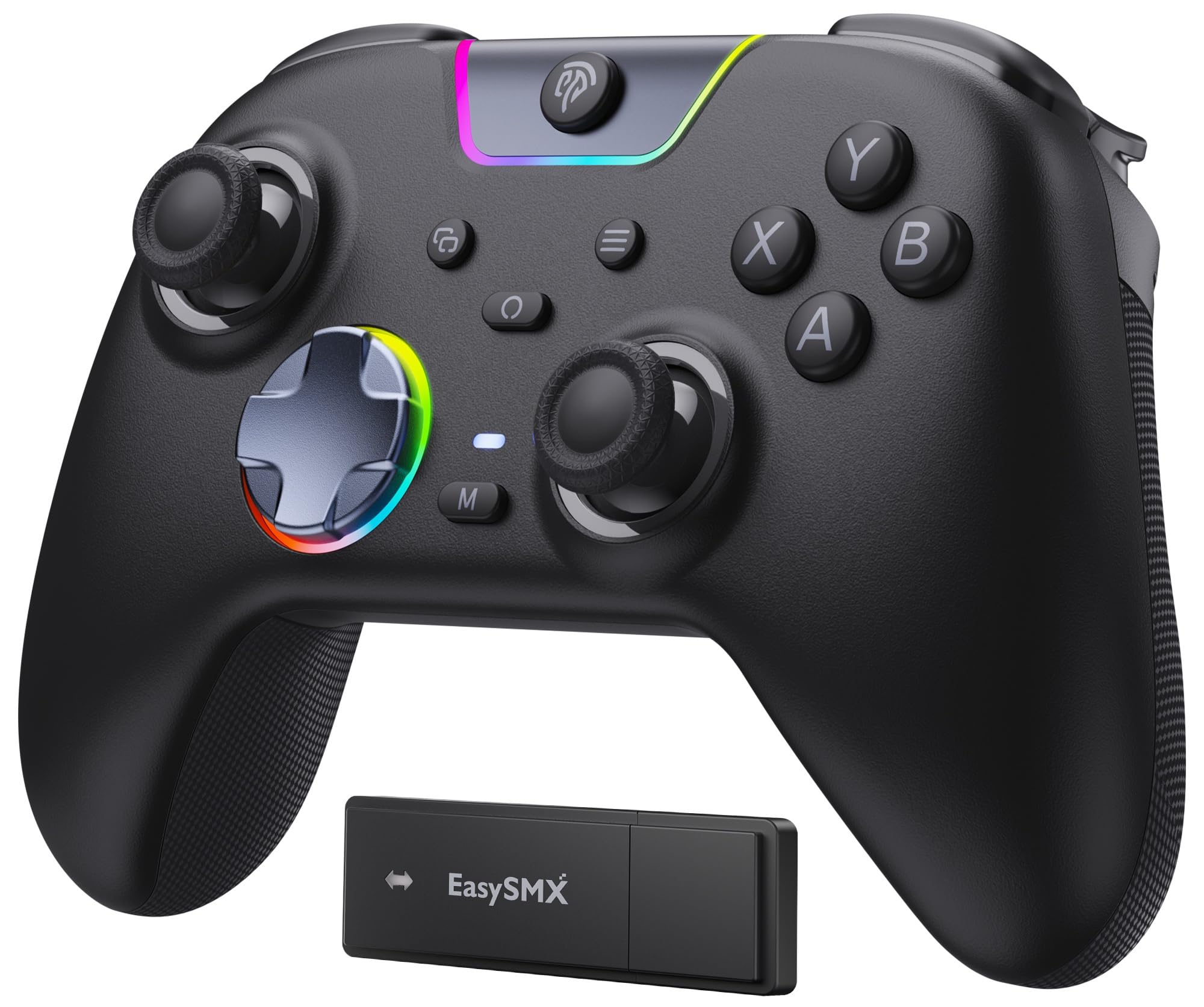
Hall-effect sticks at a budget-friendly price point make this controller appealing for occasional PC gaming. The sticks provide smooth aiming without drift concerns seen in cheaper potentiometer-based models, and the two back buttons add some utility. However, battery life tends to run closer to 4-6 hours rather than the advertised 20, requiring frequent charging. Some units may also experience intermittent disconnects or pairing difficulties over wireless. For these reasons, it slots below competing budget controllers that offer more consistent battery and connectivity performance.

💡 Keep a USB-C cable nearby for longer play sessions – wired mode avoids battery and wireless hiccups.

Pros

  • Hall-effect sticks eliminate drift worries at an entry-level price.
  • Responsive for casual PC games; supports Windows, Steam, Switch, and Android.
  • Two back buttons add remappable inputs for modest extra control.

Cons

  • Battery lasts roughly 4-6 hours instead of the advertised 20
  • Wireless connection can drop or fail to pair, especially in interference-heavy environments.
Our verdict

A decent pick for light-duty use as a second controller or for travel, where the lower price and hall-effect sticks outweigh the need for long battery and flawless wireless.

Check Latest Price
9

Ultra-Budget Wireless

GameSir Nova Lite 2

88 /100
Lab Score Excellent

Key details

Stick Type
Hall Effect
Connectivity
2.4G, BT, Wired
Polling Rate
1000Hz
Extra Buttons
2 back
View on Amazon

The GameSir Nova Lite 2 delivers hall-effect analog sticks and triggers along with a responsive 1000Hz polling rate in a wireless package that costs less than most wired counterparts. The ergonomics are comfortable for extended sessions, and the two back buttons add useful remapping options. However, the battery drains in about 4–6 hours of play, and wireless connectivity can drop unexpectedly or struggle with initial pairing. These limitations mean this controller works best for casual PC gaming or as a spare for co-op sessions, rather than a go-to for competitive play or long unplugged sessions.

Pros

  • Hall-effect sticks and triggers at a budget-friendly price
  • Comfortable shape and smooth joysticks for long play sessions

Cons

  • Battery can drain in 4–6 hours of use, shorter than most competitors
  • Random disconnects and pairing hiccups may interrupt gameplay
Our verdict

A solid backup or secondary controller for light PC gaming when battery life and wireless stability aren't deal-breakers.

Check Latest Price
10

Standard Wireless

Xbox Wireless Std.

87 /100
Lab Score Excellent

Key details

Stick Type
Standard
Connectivity
Xbox Wireless, BT, USB-C
Polling Rate
250Hz
Extra Buttons
None
View on Amazon

The Xbox Wireless Controller delivers straightforward plug-and-play connectivity with Windows PCs via Bluetooth or Xbox Wireless, requiring no additional drivers or configuration. Its ergonomic shape and button layout mirror the standard console controller, making it a natural fit for PC gamers who already own an Xbox or prefer the native feel.

The tradeoff comes in its use of standard potentiometer joysticks that can develop drift after several months, and AA batteries instead of a built-in rechargeable pack. These limitations place it behind modern alternatives with hall-effect sticks, extra programmable buttons, and higher polling rates. For casual PC gaming where latency and extra features aren't critical, this controller remains a low-hassle, budget-friendly choice.

Pros

  • Plug-and-play compatibility with Windows and Xbox consoles, no setup required.
  • Attractive price for a first-party controller, with a USB-C cable included.

Cons

  • Analog stick drift may appear after several months of use, requiring replacement.
  • Powered by AA batteries; no rechargeable battery included, and some units may arrive without them.
Our verdict

For PC gamers who prioritize native Windows compatibility and don't need extra buttons or hall-effect sticks, this is a straightforward, affordable option — but be prepared for eventual stick drift.

Check Latest Price
11

Retro Backup

Logitech G F310

89 /100
Lab Score Excellent

Key details

Stick Type
Standard
Connectivity
Wired USB
Polling Rate
125Hz
Extra Buttons
10 programmable
View on Amazon

The Logitech G F310 is one of the cheapest wired controllers you'll find, and it delivers on the basic promise: plug into any PC and it works with almost any game without driver fuss. However, its digital triggers (on/off only) make racing and flight titles feel imprecise, and the plastic shell is uncomfortable for sessions longer than an hour. The sticks and buttons can develop sticking or drift after months of use. This makes the F310 a fine choice for retro emulation, office tinkering, or as a spare controller – not for modern AAA gaming or competitive play.

Pros

  • Works with nearly any PC game out of the box
  • Durable enough for occasional use; some units hold up for years.

Cons

  • Digital triggers provide only on/off input, limiting control in racing and flight games.
  • Ergonomics are basic: the rough plastic and straight grip can cause hand fatigue over time.
Our verdict

Best suited as a no-frills backup controller or for retro gaming where analog triggers aren't required.

Check Latest Price
12

Premium Customization

Xbox Elite Series 2

88 /100
Lab Score Excellent

Key details

Stick Type
Adjustable tension
Connectivity
Xbox Wireless, BT, USB-C
Polling Rate
250Hz
Extra Buttons
4 paddles
View on Amazon

The Elite Series 2 is the most customizable controller available for Xbox and PC, with adjustable tension sticks, interchangeable components, and four rear paddles for advanced inputs. It connects via Xbox Wireless, Bluetooth, or USB-C, working with Windows PCs. Trigger locks and adjustable thumbsticks give it an edge in shooters when everything is functioning. However, its premium-priced build uses traditional potentiometer sticks that can develop drift, and some units may experience bumper or paddle issues over time. For PC gamers focused on long-term consistency and hall-effect sticks, alternatives like the top pick offer more peace of mind.

💡 Consider an extended warranty or learning basic repairs if this will be your primary controller.

Pros

  • Swappable thumbsticks and paddles enable deep customization for different game genres and grip styles.
  • Long battery life up to 40 hours, plus a premium carrying case for storage and transport.
  • Rubberized grips and metal components provide a comfortable, weighty feel during extended sessions.

Cons

  • Bumper and rear paddle failures can occur, potentially requiring repair or replacement.
  • Uses traditional potentiometer sticks that can develop drift, not the more durable hall-effect type.
Our verdict

Best for gamers who want maximum control customization and are comfortable addressing potential hardware issues.

Check Latest Price

How to Choose

Polling Rate

Polling rate is how often the controller reports its position to the PC, measured in Hz. Higher rates (1000Hz, 8000Hz) reduce input lag, but the benefit is only noticeable in fast-paced competitive games. At 250Hz, the delay is about 4ms; at 1000Hz it's 1ms; at 8000Hz it's 0.125ms.

The catch: a high polling rate demands stable wireless or a good wired connection. If the signal drops or the USB port is overloaded, you'll experience stutter that feels worse than a consistent 250Hz controller. For most players, 1000Hz is more than enough; 8K is for esports athletes who can feel the difference.

Stick Type

Standard potentiometer sticks wear out over time, developing drift as the resistive elements degrade. Hall-effect and TMR (magnet-based) sticks use contactless sensing, which theoretically eliminates drift from wear. However, mechanical parts like springs and pivots can still loosen, and some units ship with misaligned sensors.

Good hall-effect sticks generally last longer, but the brand's build quality and QC matter more than the stick type alone. A cheap hall-effect controller can fail sooner than a well-made potentiometer one.

Connectivity

Wireless controllers typically offer 2.4 GHz (via dongle), Bluetooth, or both. 2.4 GHz is far more reliable than Bluetooth for gaming because it uses a dedicated channel with less interference. Bluetooth is convenient for multiple devices but prone to latency spikes and disconnects in busy wireless environments.

Some controllers have hybrid modes, but switching can be finicky. Wired connections are the most stable and also charge the battery simultaneously. If you play competitively, a 2.4 GHz dongle or wired connection is the safe bet.

Extra Buttons

Back paddles or extra bumpers allow you to keep your thumbs on the sticks while performing actions like jumping or reloading. This is a game-changer for shooters and action RPGs. The number of extra buttons varies from two to six.

Placement matters: paddles that are too high or too flush can be hard to press without accidental clicks. Try to find a controller with adjustable or well-positioned paddles. Some allow button remapping via software, which adds flexibility.

Battery & Charging

Battery life ranges from 12 to 40 hours, depending on features like RGB lighting and haptics. Controllers with charging docks are convenient: you place the controller on the dock after each session, so it's always ready. Replaceable AA batteries can be swapped instantly, but require ongoing cost.

Lithium-ion rechargeables degrade over time; after a year or two, you'll notice shorter runtimes. Docks with strong magnets or pins can wear out, but they're still simpler than plugging in a cable each time.

Frequently Asked Questions