Best Pro Controllers for PS5 of 2026

The controller that comes in the box with your PS5 is fine — right up until the left stick starts wandering on its own halfway through a ranked match. A pro controller is the fix, though rarely for the reason people buy one. It isn't the extra buttons. It's swappable stick modules, adjustable trigger stops, and back paddles that keep your thumbs on the sticks instead of hopping off to hit the face buttons.

What took me a while to appreciate is that these pads live or die on software, not spec sheets. Two controllers can share the same stick caps and paddle layout and feel completely different once you've mapped them to your own hands, and plenty of them bury that remapping in an app that fights you at every step. I've had 10 of them in rotation for the past six months, playing the shooters, fighting games, and racers I'd normally play on a stock pad, and the gaps in stick quality, ergonomics, and how quickly a press registers show up fast. The ones below are the ones that earned their price.

1

Best Overall

DualSense Edge

93 /100
Lab Score Outstanding

Key details

Sticks
Replaceable modules, three cap types
Back Buttons
Two swappable sets, any input
Saved Profiles
Quick-swap on controller
Trigger Travel
Adjustable
View on Amazon

Stick drift is what retires most controllers, and the Edge is the only pad here built to be repaired instead of replaced. Two stick modules lift out and drop back in, three cap shapes change how the top of the stick sits under your thumb, and a fresh module puts the sticks back to factory feel for a fraction of the price of a new controller. That single decision is why this one stays plugged in while the others get rotated around it.

The competitive hardware is all accounted for, and it's the adjustability rather than the count that impresses us. Two swappable sets of back buttons map to any input, trigger travel adjusts so you can shorten the pull for a shooter and lengthen it for a racer, and individual inputs can be deactivated when a stray press keeps costing you. Profiles save to the pad, so switching from a shooter layout to a racing one takes seconds rather than a laptop.

What it doesn't do is throw away the DualSense. Adaptive triggers, haptics, the touchpad and motion sensing behave exactly as they do on the pad in the box, which matters if your library isn't exclusively ranked shooters. If single-player games are part of your week, staying first-party saves you from giving up the trigger tension some of those games are built around.

Battery life is the compromise. It's a charge-often controller, and the USB-C cable ends up living within reach of the console. Two years from now, when the sticks start to wander, this is the one you can fix yourself instead of replacing.

Pros

  • Replaceable stick modules answer drift directly
  • Adjustable trigger travel and remappable back buttons
  • Keeps full DualSense adaptive triggers and haptics
  • Profiles swap on the controller itself

Cons

  • Battery life falls short for long sessions
Our verdict

The best all-round pro pad for PS5: you keep every DualSense feature and gain back buttons, trigger stops and sticks you can replace.
Check Latest Price
2

Best for Extra Inputs

SCUF OMEGA

87 /100
Lab Score Excellent

Key details

Weight
8.82 oz
Switches
Omron mechanical
Thumbsticks
Endurance TMR
Extra Inputs
11 (4 paddles, 2 side, G-keys)
View on Amazon

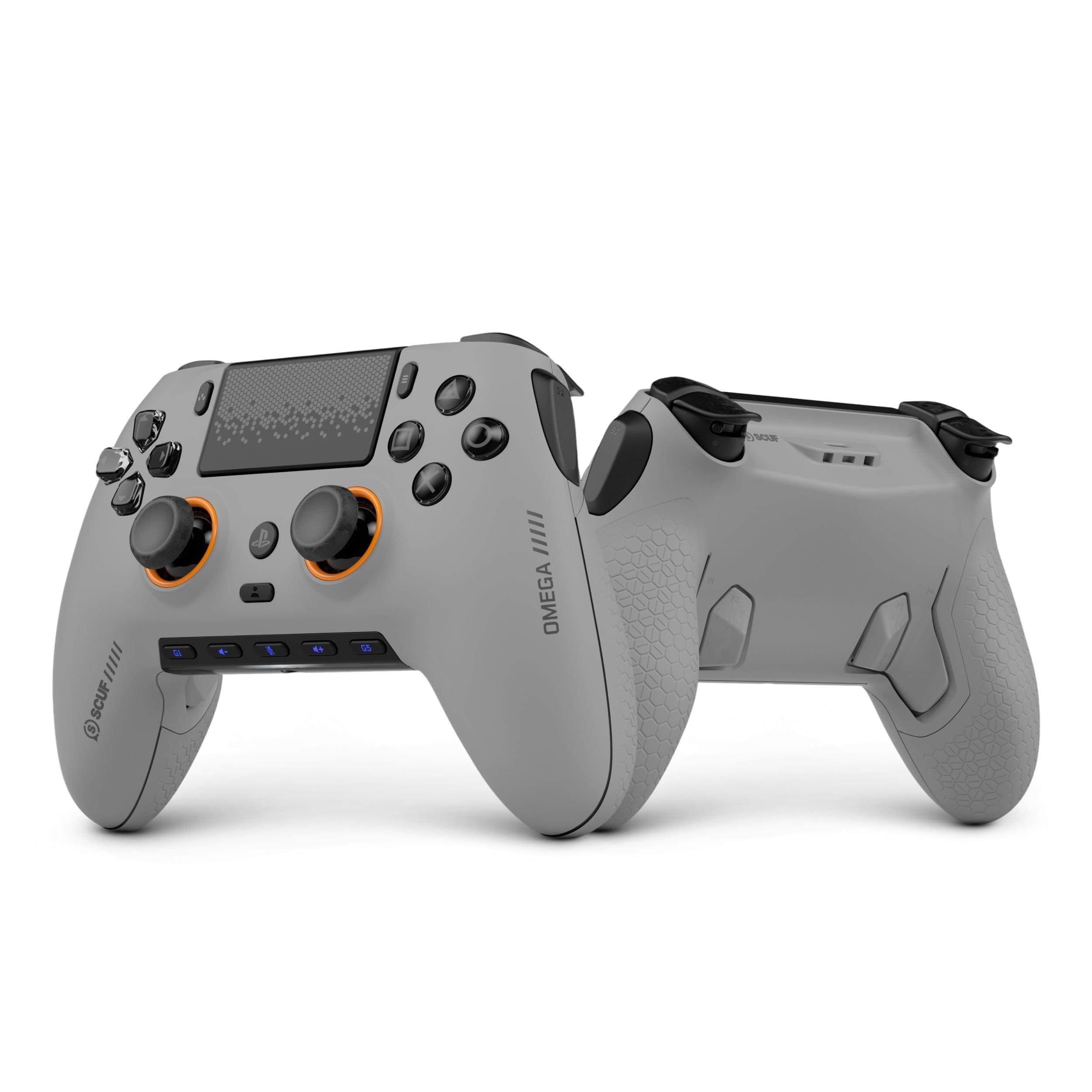
Eleven extra inputs is the pitch, and nothing else here comes close: four rear paddles, two side action buttons and the G-keys, each one remappable on its own. If your thumb never leaves the right stick in a match, that's not a spec-sheet flourish — it's a different way of playing.

The sticks are the part we trust most. They're TMR rather than the carbon-track potentiometers that wear out and start a pad drifting, and the Omron mechanical switches under the instant triggers, d-pad and action buttons give a short, mouse-like click that fires well before a rubber dome bottoms out.

Tuning happens in SCUF's app: response curves for both triggers and the sticks, plus remapping for almost every input, with the layouts stored on the controller. Having the deep settings in one place rather than split between a PC driver and a manual is the difference between experimenting and giving up.

The dongle is the part to baby. Low-latency wireless is the whole point of this pad, but a receiver that fails or drops the connection turns it into a wired controller. Leave it in a rear port instead of moving it between console and PC, and you sidestep most of the trouble.

Pros

  • Eleven remappable extra inputs, the most here
  • TMR thumbsticks built for wear resistance
  • Omron mechanical switches on triggers and buttons
  • Deep response-curve tuning in one app

Cons

  • Dongle dropouts and failures can force wired play
  • Mechanical buttons need a firm press
Our verdict

Eleven extra inputs and mechanical clicks make this the shooter pick, provided you can live with dongle-based wireless.

Check Latest Price
3

Best Modular

Victrix Pro BFG

85 /100
Lab Score Excellent

Key details

Weight
10.5 oz
Modules
Swappable, fightpad included
Warranty
2 years
Back Buttons
Four, mappable
View on Amazon

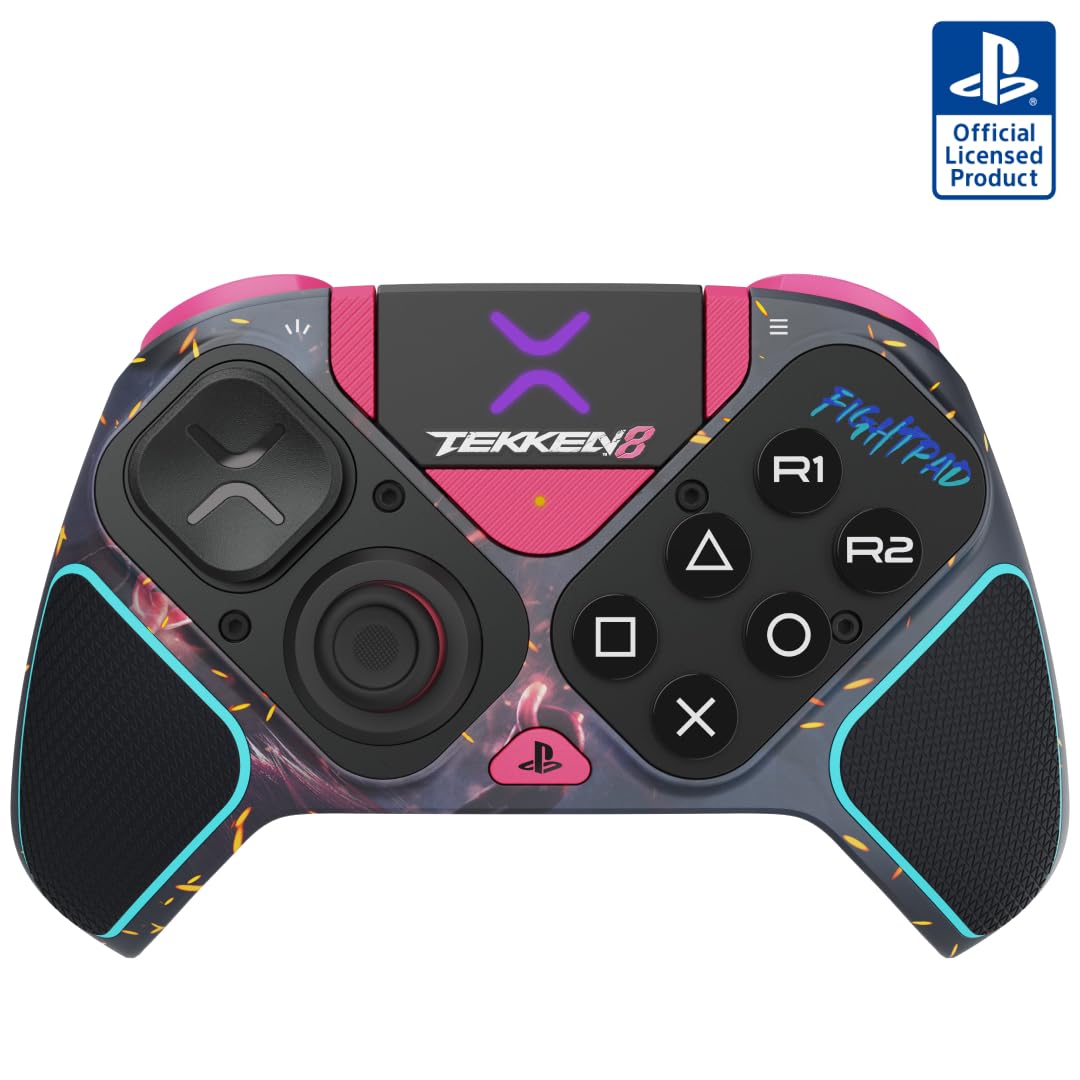
Slide out the left module, drop in the fightpad, and this stops being a PlayStation pad and becomes a fighting-game controller. It's the only one here that changes shape, and for a Tekken or Street Fighter player that modularity is worth more than any paddle count.

Away from the fightpad it behaves like a conventional pro pad: four mappable back buttons, three profiles on a dedicated button, hair triggers for shooters, and a soft-touch rubber grip. At 298 grams it disappears over a long session in a way the heavier pads here don't.

Audio is the feature we didn't expect to care about. Sony's 3D audio runs through the pad on PS5, with low-latency output and switchable EQ profiles, which is the difference between hearing a footstep and hearing where it came from. It's also the only controller in this group with a two-year warranty.

Wireless is the soft spot. The pad talks to the console through its own USB dongle rather than pairing the way a DualSense does, and a controller that won't pair is a wired controller. Keep the receiver in a rear port and set it up well before a session rather than mid-match; swapping modules also takes a screwdriver, so decide your layout before you start.

Pros

  • Swappable modules convert it for fighting games
  • Four mappable back buttons and three profiles
  • Light 298 g body with a soft rubber grip
  • Two-year warranty, longest in this group

Cons

  • Module swaps need a screwdriver
Our verdict

Buy it for the fightpad module — no other pad here converts for fighting games, and four paddles cover everything else.

Check Latest Price
4

Hall Effect Durability

Nacon Revolution 5 Pro

80 /100
Lab Score Excellent

Key details

Sticks
Hall Effect
Battery
Up to 10 hours
Triggers
Hall Effect with blockers
Back Paddles
Four Omron
View on Amazon

Hall Effect sticks and Hall Effect triggers in one pad, for the least money in this group. Magnetic sensors replace the carbon tracks and wipers that wear out and send a stick drifting, so the parts most likely to fail on a normal controller are the parts this one doesn't have.

The cost is DualSense feel. On PS5 there's no rumble and no adaptive trigger resistance, which is a genuine loss if you play a mix of games and like the trigger tension in a story-driven title. Play with a headset and vibration off, the way plenty of competitive players do, and the trade costs you almost nothing.

Four Omron micro-switch paddles sit on the back, a swappable D-pad covers fighting games, and the trigger blockers switch between a long pull and a short one without an app. Nacon quotes up to 10 hours from a charge — the only runtime figure any of these publish — and the 3-meter USB-C cable in the box is longer than we expected, long enough to make desk play genuinely comfortable.

Pros

  • Hall Effect sticks and triggers resist drift
  • Trigger blockers switch pull length instantly
  • Four Omron micro-switch back paddles
  • Up to 10 hours of battery, plus a 3-meter cable

Cons

  • No rumble or adaptive triggers on PS5
  • Wireless link drops out during play
Our verdict

The cheapest Hall Effect pad here, with trigger blockers and four mechanical paddles, if losing PS5 rumble doesn't bother you.

Check Latest Price
5

Budget FPS Upgrade

HEXGAMING RIVAL

80 /100
Lab Score Excellent

Key details

Sticks
Hall Effect, eight caps
Weight
11.6 oz
Triggers
Mouse-click
Back Buttons
Two, remappable
View on Amazon

Open the box and you get a controller and eight thumbsticks. No cable, and the shell won't sit in the DualSense charging dock, so budget for a USB-C cable on day one — a small omission that catches people out.

Hall Effect joysticks and mouse-click triggers are the two features that matter at this price. The sticks take any of the eight caps, in two heights and three shapes, so you can match the grip you already use, and the triggers and bumpers click instead of travel, which shortens the gap between seeing something and shooting at it.

Two back buttons is half what the flagships here give you, and each can mirror any of fifteen inputs. For jump and crouch — the two you'll actually map — that's enough, and there's less to mis-hit in a panic.

At 330 grams it's the heaviest controller in this group, and the weight is the first thing we noticed picking it up. Steady in large hands, tiring in small ones, so hold one before committing if a DualSense has always felt slightly too small for you.

Pros

  • Hall Effect sticks at the lowest price here
  • Eight swappable caps in two heights, three shapes
  • Mouse-click triggers and bumpers

Cons

  • No USB-C cable in the box
  • Only two back buttons, half the flagships' count
Our verdict

The value route into Hall Effect sticks and mouse-click triggers, with two back buttons and no cable in the box.

Check Latest Price

How We Tested 10 Pro Controllers Over Six Months

We started by rounding up every controller sold as a pro-grade pad for PS5 — around 30 models after pulling spec sheets, compatibility notes, and owner reviews. From there we cut anything that couldn't pass through PS5-only features, anything with sticks you couldn't replace, and anything priced so high it would have to be flawless to justify itself. Ten made the cut.

Those 10 spent six months in rotation in our own homes, not on a bench. Each got two-hour weeknight sessions of ranked shooters, weekend couch sessions with fighting games and split-screen, and racing games where your fingers live on the triggers. We passed them around to people with different hand sizes and grip styles, since a paddle that's a stretch for me may sit perfectly under someone else's ring finger.

On the sticks, we watched each pad's input readout for cursor creep after weeks of play, felt the tension against the stock controller, and swapped cap heights where the pad allowed it. For responsiveness we ran the same latency check over the wireless dongle, over Bluetooth, and wired, then played from 15 feet away with a couch between us and the console to see whether inputs dropped. Triggers got tested at each stop setting, firing the same semi-auto weapon until we could feel exactly where the break landed, and we noted whether stick vibration and haptics came through cleanly or turned the shell into a rattle. We remapped a full custom profile on every controller and timed how long it took, because customizability is worthless if the app makes it a chore, and at the six-month mark we went back through for stick wobble, shell creak, and battery health. Value settled itself once we knew what each pad actually delivered.

How to Choose a Ps5 Pro Controller

Decide What You're Trading Away

Pro pads earn their price with extra inputs, and most of them pay for those inputs by dropping something the DualSense does: rumble, adaptive trigger resistance, the controller speaker, sometimes all three. The Nacon, for instance, has no rumble or adaptive triggers on PS5 at all. If your library is shooters and fighters, that's a fair trade and you'll never miss it.

If you also play big single-player games where trigger tension is half the experience, that trade stings. In this group the first-party DualSense Edge is the way to keep the full feature set while adding paddles and trigger stops.

Count the Back Buttons, Then Ignore Half of Them

Two paddles cover the inputs you actually use in a match — jump and crouch, or dodge and reload. Four is where accidental presses start, and a paddle you hit by mistake costs more than a paddle you never use.

The harder question is how they map. A pad that stores layouts on the controller lets you flip between a shooter setup and a racing one in seconds; app-based tuning goes deeper but usually means a phone or PC nearby. Start with two mappings, add a third only after a week of play.

Stick Wear: Hall Effect or Replaceable Modules

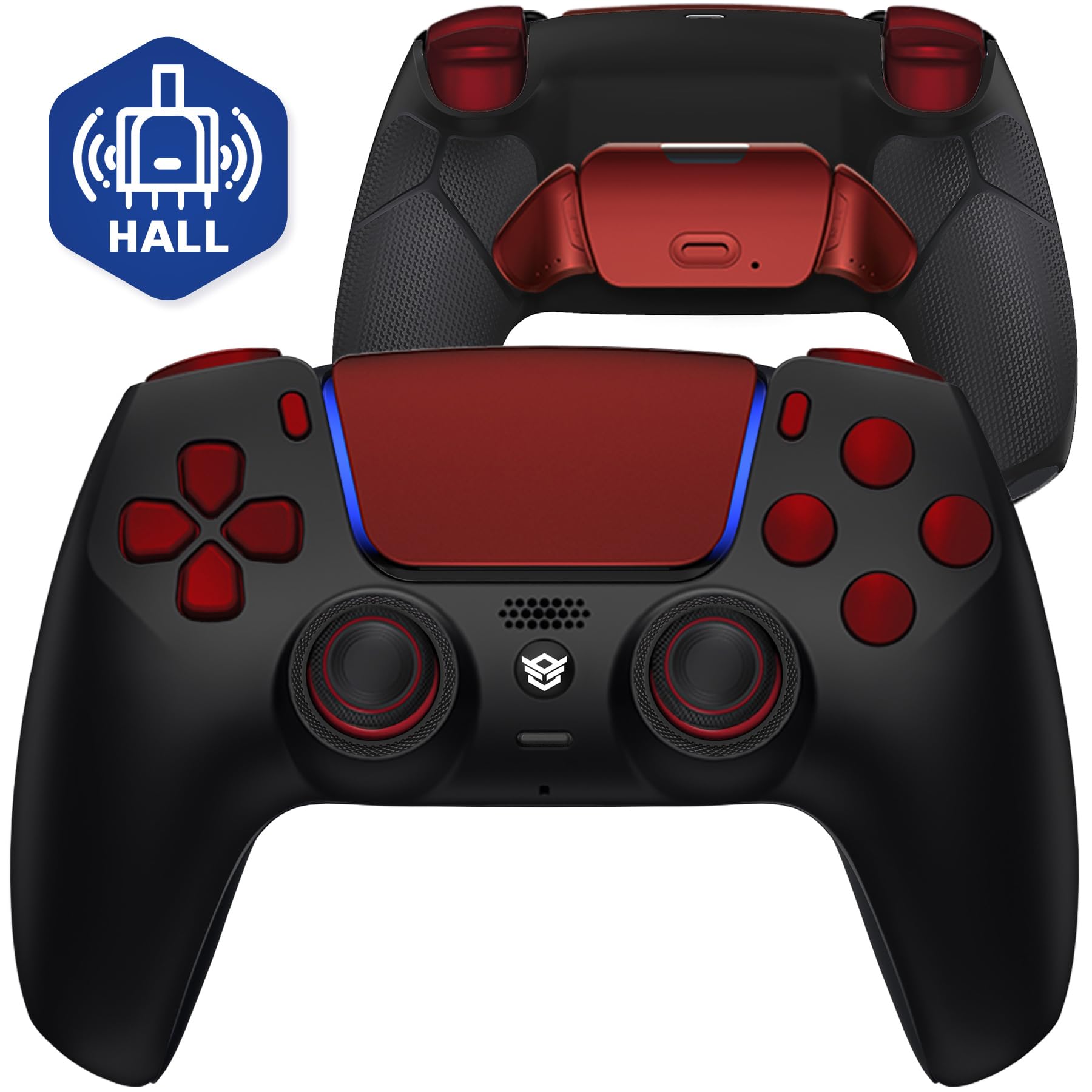
There are two honest answers to drift, which is what kills most controllers. Hall Effect sticks replace the carbon track and wiper with magnetic sensors, so the usual wear point stops existing — the Nacon and the HEXGAMING RIVAL both take this route.

The other answer is repairability: the DualSense Edge keeps conventional sticks but lets you lift the whole module out and drop a new one in. Hall Effect removes the wear; replaceable modules remove the consequence. If drift is why you're shopping, choose one of those two approaches and skip everything else.

Treat Wireless as the Weak Link

Most of the third-party pads here talk to the console through their own dongle rather than pairing the way a DualSense does, and the receiver is where trouble shows up: dropouts, failed pairing, a dongle that stops being recognised after a firmware update.

None of that is fatal, but it should shape your setup. Keep the receiver in a rear PS5 port instead of shuttling it between console and PC, and check the box contents before you order — at least one pad here ships without a cable.

Trigger Stops and What a Short Pull Buys

Shortening trigger travel is the least glamorous upgrade and one of the most useful. A short digital pull shaves real time off the gap between seeing a target and firing, and feels completely wrong the moment you get into a racing game.

The DualSense Edge adjusts travel mechanically, the Nacon uses blockers to switch between a long and a short pull, and the SCUF and Victrix go the mechanical-switch route. If you play shooters and racers in the same week, pick the one you can switch back and forth.

Frequently Asked Questions

Final Verdict

The DualSense Edge is the one we point most people to. It keeps everything the PS5 pad does — adaptive triggers, haptics, the touchpad — and adds the two things competitive play actually needs: back buttons and adjustable trigger travel, with stick modules you replace when drift arrives instead of buying a whole new controller.

Go elsewhere for a reason: the SCUF OMEGA if you want the maximum number of inputs and mechanical clicks, the Victrix Pro BFG if fighting games are the main event, or the Nacon if Hall Effect sticks and the lowest price matter more than rumble.