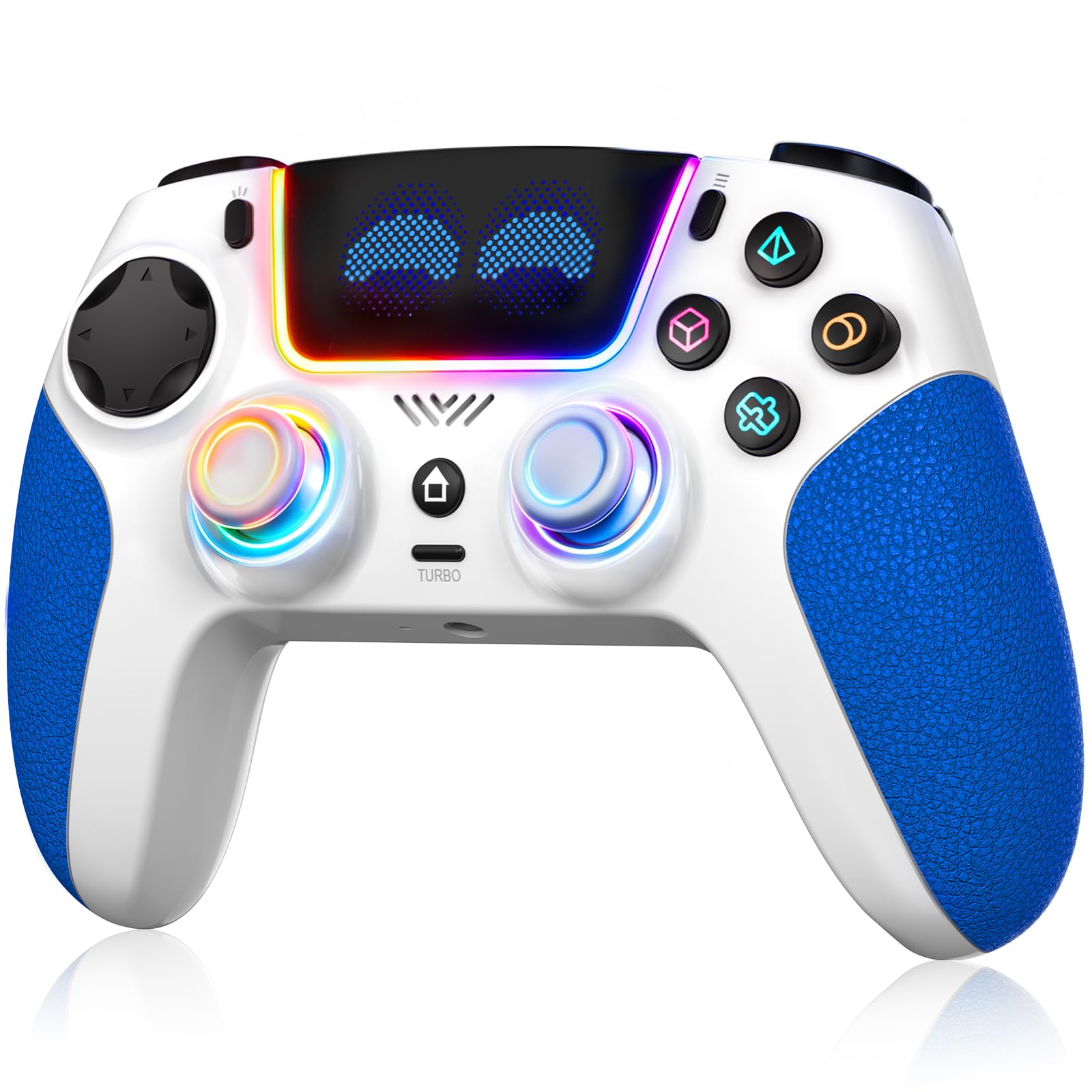
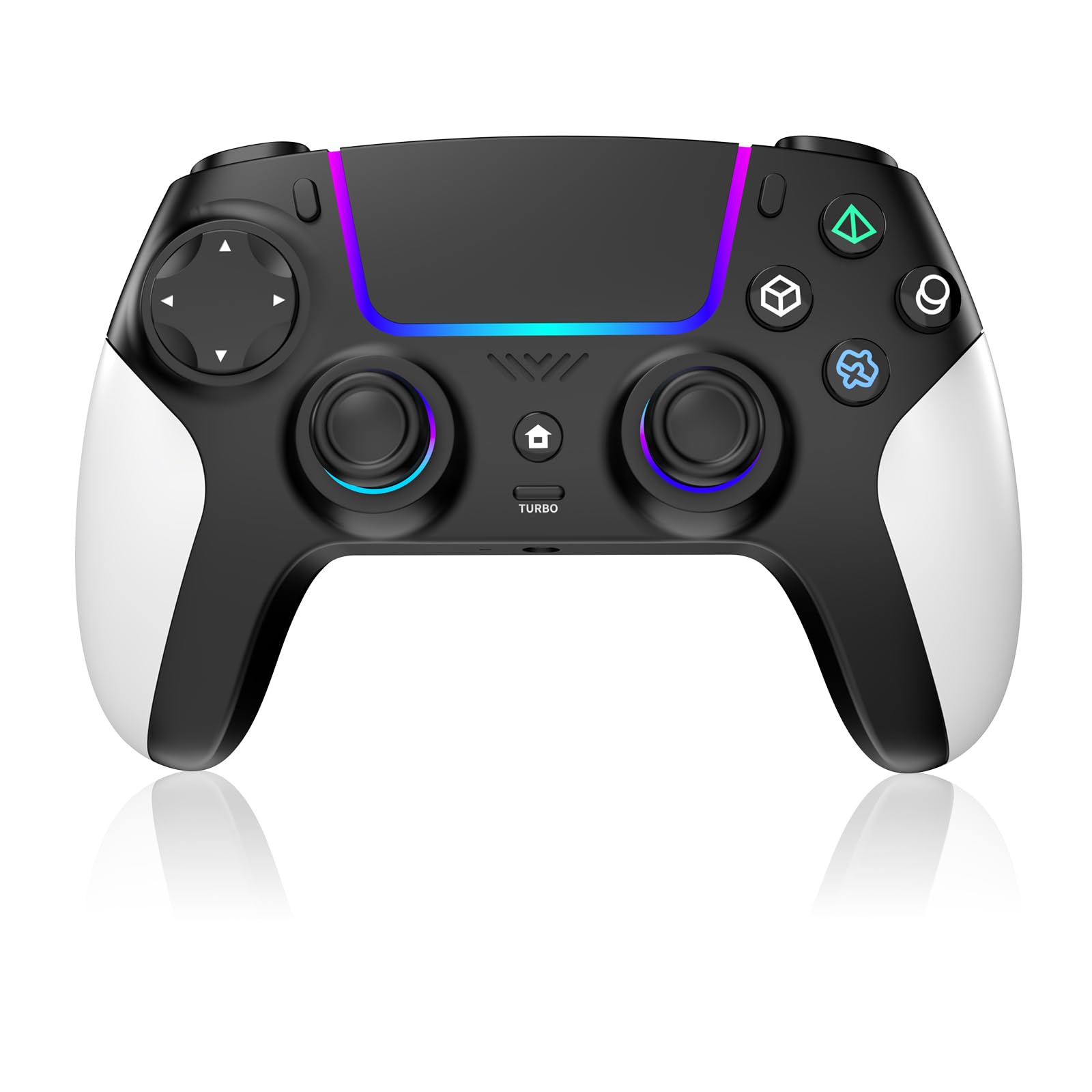
Best PS5 Controllers of 2026

A PS5 controller is the one piece of your setup your hands actually live in, and it's usually the first thing to let you down. The sticks that felt perfect in week one start pulling your aim left by month eight, and every menu scroll turns into a small argument. I've replaced more of these than I care to admit, so I've stopped judging pads by how they feel on day one and started judging them by hour four — headset plugged in, battery warning flashing, hands still comfortable.

What we want is simple: a controller that stays accurate after months of use, fits your grip, and doesn't quit mid-match. Over the past six months, we've played with 12 controllers, from pro-style pads to budget picks, and the differences come down to things photos don't show. One thing worth knowing before you scroll: plenty of third-party pads hit a lower price by dropping the console's adaptive triggers and haptics, so decide early whether you'd trade those for back paddles or drift-resistant sticks. Both camps are below.

1

Best Overall

DualSense Wireless Controller

95 /100
Lab Score Outstanding

Key details

Color
Galactic Purple
Connection
Bluetooth, USB-C
Works With
PS5, PC, Mac, Android, iOS
PS5 Feedback
Haptic feedback, adaptive triggers
View on Amazon

Adaptive triggers are why we start here. Draw a bowstring in a game that uses them and the trigger pushes back with real tension; the haptics in the grips change the texture under your feet from gravel to tarmac. That hardware is built into the console, and the DualSense is the pad that shows it off, which is why it stays our answer for anyone working through Sony's own games.

The shape is the other half of the argument. At 14 ounces it is not the lightest controller on this page, but the mass sits in the grips rather than the tips, and the textured underside keeps your palms planted through a long session. It also pairs over Bluetooth or USB-C with more or less everything — PS5, PC, Mac, Android, iOS — so it is the one pad that works with whatever screen you end up in front of.

Small things earn their keep in daily use. The mute button sits under the touchpad where a thumb finds it without looking, the built-in mic gets you into party chat without hunting for a headset, and the USB-C port takes the same cable as everything else on the shelf. Galactic Purple, meanwhile, is a deep, slightly metallic violet that reads almost black in low light — the best finish in this group, and the reason we stopped defaulting to white.

Where it gives ground is over months rather than minutes: the sticks are standard analogue units, and standard analogue units wear. If you have already retired a controller for drift, go straight to the Edge or one of the Hall-effect pads. Everyone else can buy this one and stop thinking about it.

Pros

  • Full PS5 haptics and adaptive triggers
  • Textured grip stays comfortable over long sessions
  • Pairs with PS5, PC, Mac, phones and tablets
  • Built-in mic with a dedicated mute button

Cons

  • Battery life falls short of marathon sessions
Our verdict

We start every recommendation here: the DualSense delivers the PS5's adaptive triggers and haptics, fits most hands, and works with everything from a PC to a phone.

Check Latest Price
2

Best Pro Controller

DualSense Edge Wireless Controller

93 /100
Lab Score Outstanding

Key details

Sticks
Swappable modules, three caps
Works With
PlayStation 5
Back Buttons
Two swappable sets, remappable
Trigger Travel
Adjustable
View on Amazon

Two small plastic modules are the whole argument for the Edge. Sony's pro pad lets you pull a complete stick assembly out of the body and seat a fresh one, which turns the failure that quietly ends most controllers — drift — into a swap instead of a replacement. Three changeable stick caps come in the box, so you can tune the throw to your thumb as well.

The rest of the package is control. Two swappable sets of back buttons map to any input, the triggers have adjustable travel for a shorter pull in shooters, and whole setups save as profiles you switch from the controller without opening a menu. We mapped the rear buttons for one game and turned them off for everything else, and the trigger stops are what we missed most when we went back to the standard pad.

It earns its premium for a specific player: someone who has already worn a pad out, or who plays one competitive game seriously enough to want trigger stops and rear buttons. For a broad diet of games, the standard DualSense does the same job and you will not miss the paddles. Check the platform too — the compatibility listing names the PS5 only, so a PC-first player is better served by the Victrix or the SCUF.

Pros

  • Swappable stick modules instead of a new pad
  • Two back-button sets and adjustable trigger travel
  • Profiles switch from the controller
  • Three changeable stick caps included

Cons

  • Shorter battery life than the standard DualSense
Our verdict

Our pick for players who have already worn out a pad: swappable stick modules and rear buttons make the premium worth paying.

Check Latest Price
3

Best for Shooters

SCUF OMEGA Wireless Controller

87 /100
Lab Score Excellent

Key details

Sticks
Endurance TMR
Switches
Omron mechanical
Works With
PS5, PC
Extra Inputs
11 additional inputs
View on Amazon

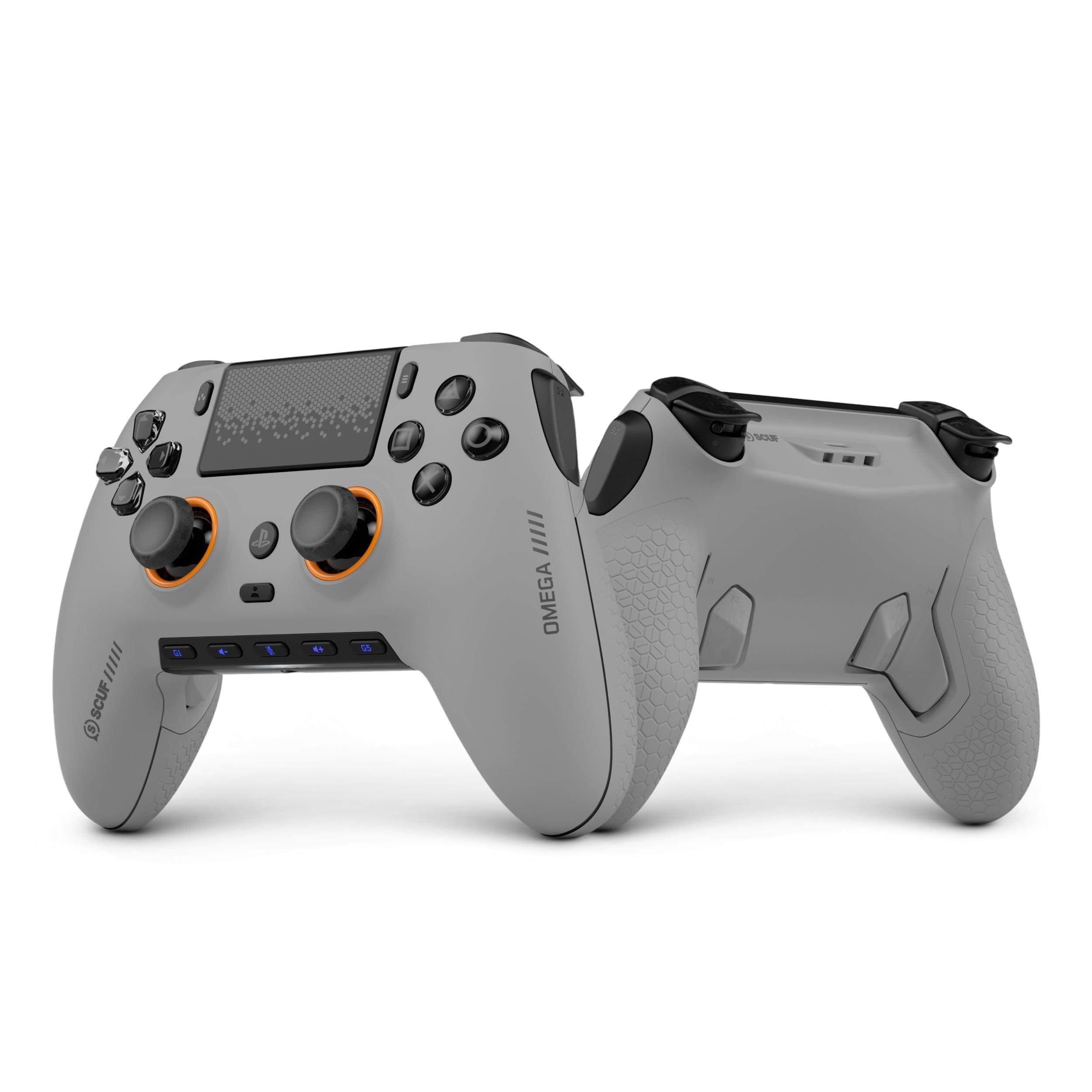
Every input on the OMEGA clicks. Face buttons, d-pad, bumpers and triggers all use Omron mechanical switches, so the soft rubber travel of a DualSense becomes a short, mouse-like snap, and the instant triggers cut the pull down to almost nothing for shooters. Add four rear paddles, two side action buttons and the G-keys — 11 extra inputs in total — and the pitch is clear: nothing your thumbs have to leave the sticks to reach.

For fast multiplayer we think it is the strongest controller here. The Endurance TMR sticks are built to resist the wear that produces drift, the SCUF mobile app lets you change stick and trigger response curves, and the paddles do what paddles should — jump and crouch without the right thumb moving. Set against the Edge, you get more inputs and a firmer, clickier feel.

The trade-off is the press itself. Mechanical switches ask for a firmer push than rubber domes, and over an evening that firmness reads as precision to some hands and fatigue to others. Wireless runs through SCUF's own USB dongle rather than straight Bluetooth, and the compatibility list names PC alongside PS5 — worth confirming against your setup, because this sits in the premium tier.

Pros

  • 11 extra inputs within reach of your thumbs
  • Omron mechanical switches on every input
  • TMR sticks built to resist drift
  • App tuning for stick and trigger curves

Cons

  • Firm, clicky press won't suit every hand
  • Wireless runs through its own USB dongle
Our verdict

When a shooter is the reason you are buying, this is the one we reach for: 11 extra inputs, mechanical clicks and sticks built to resist wear.

Check Latest Price
4

Best Modular Design

Victrix Pro BFG Reloaded

79 /100
Lab Score Very Good

Key details

Modules
Three swappable, Hall-effect
Triggers
Five-stop clutch, hair-trigger
Works With
PS5, PS4, PC
Quick-action Buttons
Four, mappable
View on Amazon

The party trick sits on the left. Pull the analogue module out, drop in the six-button fightpad, and you have something closer to an arcade stick than a gamepad, built on Kailh microswitches. If fighters are your genre, that is a second controller inside the same shell. If they are not, you will swap it back within a week.

The rest of the modularity is just as practical. Three swappable modules use Hall-effect sensing, so the sticks read position by magnetic field rather than a wearing contact, and 11 interchangeable components let you rearrange the layout to suit the game. The triggers have five clutch stops and a hair-trigger mode, and there are four mappable quick-action buttons plus three on-board profiles.

Setup is where it gets sticky. Remapping takes an evening of patience, and the extra buttons sit close enough to the grips that we caught one mid-firefight more than once — the sort of thing you adapt to in a week or never stop noticing. The body is also smaller and flatter than a DualSense, which suits most hands and starts to press on wide palms after a couple of hours.

So the recommendation is narrow but firm: this is the controller for someone who competes in fighters and shooters and wants one pad for both. Buy it for the modules rather than the configuration and it makes sense. If you play a bit of everything, the Edge is the easier premium pad to live with.

Pros

  • Three Hall-effect modules, including a fightpad
  • Five-stop clutch triggers with hair-trigger mode
  • Four mappable buttons and three profiles
  • Works with PS5, PS4 and PC

Cons

  • Extra buttons are easy to catch by accident
Our verdict

We point tournament players here: three swappable modules, a fightpad option and Hall-effect sticks in one shell you configure once.

Check Latest Price
5

Best Budget

SFGSUP Wireless Pro Controller

81 /100
Lab Score Excellent

Key details

Sticks
Hall-effect joysticks and triggers
Battery
1500 mAh, up to 10 hours
Buttons
Programmable, with macros
Lighting
Eight-color RGB
View on Amazon

Hall-effect sticks are the reason to look here. Instead of a physical wiper that wears down and starts registering movement you did not make, the SFGSUP reads stick position with a magnetic field, and it handles the triggers the same way. Around that you get eight-color RGB lighting, programmable buttons with macro recording, and a 1500 mAh battery the listing rates for up to 10 hours.

As a second controller, a travel pad, or the one a kid uses, this is the budget pick we are comfortable handing over. It pairs over Bluetooth without a dongle, the shape follows the DualSense closely enough that switching between them does not scramble your thumbs, and the sticks feel smooth at the edges — which is where cheap pads usually give themselves away.

What you do not get is the PS5 layer. Budget third-party pads do not carry adaptive trigger resistance or haptic detail, and this one's pitch is sticks, lights and macros rather than feedback. For multiplayer, a second player, or anything played for fun rather than immersion, that is a trade most people stop noticing inside a week.

Pros

  • Hall-effect sticks and triggers resist wear
  • Programmable buttons with macro recording
  • 1500 mAh rated for up to 10 hours

Cons

  • Plastics feel a tier below the Sony pad
Our verdict

The budget pick we are comfortable recommending: Hall-effect sticks and programmable buttons at the lowest price tier in this guide.

Check Latest Price
6

Backup Controller

MYSTILUCK Hall-Effect Controller

82 /100
Lab Score Excellent

Key details

Sticks
Hall-effect joysticks and triggers
Battery
2000 mAh, up to 10 hours
Lighting
Seven-color RGB
Works With
PS5, PC, Mac, Steam Deck
View on Amazon

Two thousand milliamp-hours is the number to start with. That is the largest stated battery in the budget group, and the listing claims up to 10 hours of play from it — enough that charging stops being part of the evening's routine.

The sticks and triggers are Hall-effect, so drift resistance comes standard rather than as an upgrade. Around that there is seven-color RGB lighting, dual-motor vibration, a turbo function and a six-axis gyroscope, which is a busy spec sheet for the lowest price tier on this page.

Compatibility is the part to check rather than assume. The listing names PS5, PC, Mac and Steam Deck, and Bluetooth keeps it dongle-free. Test the connection the day it arrives, while a return is still simple — a pad that syncs cleanly on day one is worth more than one with a longer feature list.

As a backup or a second player's pad, the battery and the Hall-effect sticks make this an easy call at the budget tier. It does not attempt the PS5's trigger feedback, but it also is not the pad that quietly gives up when its sticks wear. That is the trade we care about in a spare.

Pros

  • Hall-effect sticks and triggers
  • 2000 mAh rated for up to 10 hours
  • Seven-color RGB plus turbo and vibration

Cons

  • First pairing requires leaving the sticks untouched
Our verdict

Worth a look when runtime matters most: the biggest stated battery in the budget group, with Hall-effect sticks to match.

Check Latest Price
7

Family Second Pad

AFMVV Wireless Controller

84 /100
Lab Score Excellent

Key details

Lighting
Built-in RGB LEDs
Connection
Bluetooth
Works With
PS5, PC, Mac
View on Amazon

The listing warns of it directly: after a recent PS5 system update, vibration and the controller speaker may not work. We appreciate that kind of honesty — it tells you exactly what you are buying, a pad that handles input and pairing well and treats force feedback as a bonus rather than a promise.

What is left is better than the caveat suggests. Bluetooth pairing is quick, the grip is shaped to fill your palms, the weight is balanced enough that it does not feel hollow, and the RGB lighting is the loud, customizable kind a younger player will like more than you do. In the hand it sits closer to a DualSense than the tier would lead you to expect.

Where it makes sense is the second-controller slot: a pad for a guest, for a kid, or for the living room, where a comfortable grip and bright lights matter more than force feedback. The sticks and triggers register cleanly enough for anything short of competitive play, and if a future update restores the vibration, that is a bonus rather than the reason to buy.

Pros

  • Quick Bluetooth pairing with no dongle
  • Comfortable, balanced grip
  • Bright, customizable RGB lighting

Cons

  • Battery falls short of a long session
Our verdict

A solid second pad with a caveat the listing admits to: buy it for the grip and the lights, not for PS5 force feedback.

Check Latest Price
8

Spare PS5 Pad

Gamrombo RGB Wireless Controller

81 /100
Lab Score Excellent

Key details

Audio
Built-in speaker, 3.5mm jack
Turbo
10 presses a second, 16 keys
Lighting
RGB with color memory
Works With
PS5, PS5 Pro, PS5 Slim, PC
View on Amazon

A speaker in a budget pad is the unusual part. The Gamrombo plays game audio through a built-in speaker and takes a headset through its 3.5mm jack, which is more than most controllers at this tier bother with.

The rest is feature-list shopping: RGB lighting with a color memory so it comes back the way you left it, a turbo function rated at 10 presses a second with up to 16 keys programmable, and one-click wake-up from the console. The analogue sticks are tuned for a smaller dead zone, which is the kind of detail a budget pad usually skips. The lighting remembering your settings between sessions is what we appreciate most about it.

Two things to get right before ordering. It is built for PS5, PS5 Pro, PS5 Slim and PC, and the listing is explicit that it does not work with a PS4, so it is not the pad that covers both generations in a mixed household. What you get at this tier is audio, turbo and lights; what you do not get is the PS5's trigger and haptic layer. For a spare pad, that is a fair trade.

Pros

  • Built-in speaker plus a 3.5mm headset jack
  • Turbo at 10 presses a second, 16 keys
  • RGB lighting remembers your settings

Cons

  • Not compatible with PS4 consoles
Our verdict

The spec-sheet pick: a speaker, turbo and RGB for the second-controller slot, provided your console is a PS5 rather than a PS4.

Check Latest Price

How We Tested PS5 Controllers

We started with the pads that keep surfacing in PS5 threads and on store shelves: first-party replacements, pro-style controllers with back buttons and trigger stops, and value options that cost less than a new game. We cut anything that couldn't pair wirelessly with the console, charge over USB-C, or hold up to being passed around a room, which left us with 12.

Testing ran for six months across two households, which meant a lot of ordinary evenings rather than lab sessions: a couple of hours of shooters after dinner, long RPG stretches on weekends, racing games that work the triggers hard, and fighting games that punish mushy face buttons. We checked for stick drift the slow way — leaving the sticks untouched in a game menu and watching for ghost movement, then rotating each one through a full circle on a calibration screen and noting any wobble or dead zone. Battery life got timed from a full charge to the first low-battery warning while looping the same game at the same volume, once with a headset plugged in and once without.

Connectivity was tested the boring way: pairing to a second console, plugging a headset in mid-match, and walking toward the far end of the apartment to see where the signal gave out. Durability meant real couch drops, a backpack commute, and the crumbs that accumulate on any coffee table. And because color and feel matter more than spec sheets admit, we handed every pad to people with different hand sizes and asked which one they reached for unprompted — a few finishes looked great out of the box and turned shiny within weeks.

How to Choose a Ps5 Controller

Start with the feedback layer

Adaptive triggers and haptics are what make a PS5 game feel different from a PS4 game: the trigger resists as a bowstring tightens, and the grips carry texture the screen never shows you. The standard DualSense is the reference point and delivers both in full. Third-party pads put their budget into sticks, buttons and lighting instead, which is a fair trade for multiplayer and a poor one for story-driven games.

So look at your library before your spec sheet. If Sony's big single-player releases are the reason you own the console, buy the pad that supports the hardware. If you play the same shooter every night, the money is better spent on inputs and drift-resistant sticks.

Sticks: Hall effect, replaceable, or standard

Drift — a stick that registers movement when nobody is touching it — is the most common way a controller dies. Standard sticks use a wiper that wears against a track; Hall-effect sticks (the SFGSUP, the MYSTILUCK, the Victrix) read position with a magnetic field instead, and the DualSense Edge lets you lift out a complete module and seat a new one.

Neither design makes a pad immortal — Hall effect removes the wear that causes most drift, not every possible cause — but both take out the failure that retires most controllers. If you have already killed one pad with drift, pay for one of these two designs. If you have not, a standard pad is fine.

Count the extra buttons you'll actually use

Back buttons keep your thumbs on the sticks, and the range here is wide: two on the Edge and the SFGSUP, four mappable quick-action buttons on the Victrix, 11 additional inputs on the SCUF. More is not automatically better. Every input has to be mapped, a paddle under a tight grip can fire by accident, and the busiest pads here ask for an evening of setup before they feel natural.

Start with two buttons in the one game where you notice your thumb leaving the right stick, and only then consider a pad with more. If nothing in your rotation makes you lift a thumb, spend the money on sticks instead.

Battery, weight, and the third hour

Wireless pads all run out eventually. The stated capacities in this group run from 1500 mAh to 2000 mAh with claims of up to 10 hours, and the Edge asks for a cable sooner than the standard pad. Weight matters just as much: the DualSense lists 14 ounces against the Victrix's 9.28, and a difference that size shows up in the third hour of a session.

For marathon sessions, favor capacity and a grip that fills your palms, and keep a USB-C cable within reach of the couch. For short evening sessions, buy on feel.

Frequently Asked Questions

Final Verdict

We recommend the standard DualSense for nearly everyone. It is the pad that shows off the PS5's adaptive triggers and haptics, it fits most hands through a long session, and it works with everything from a desktop to a phone. The exception is the player who has already worn out a controller's sticks: the DualSense Edge's swappable modules are the fix that matters, and they are what the premium tier buys.

For a second pad on a budget, the SFGSUP's Hall-effect sticks are the sensible spend — the same drift-resistant design, without the feedback layer you are not paying for.