10 Best Third-Party PS4 Controller 2026: Which Ones Actually Last

Find a reliable third-party PS4 controller that avoids common button and battery failures, matched to your budget and grip preference.

Shopping for a third-party PS4 controller often means choosing between low upfront cost and long-term reliability. Most cheap options feel fine out of the box but develop unresponsive buttons or drift within weeks. The real trade-off isn't brand vs. brand, but wired vs. wireless and how much you're willing to replace a controller that stops working.

This guide breaks down the few controllers that sidestep the most common failure points — battery death, connectivity drops, and button wear. One uses a wired connection to eliminate two of those problems entirely. Others offer decent value in two-packs if you're okay with higher turnover. The goal is to match your gaming style and budget to the controller that won't leave you mid-session.

If you need something that lasts years, the official DualShock 4 is still the benchmark. But if you're after a cheaper alternative with clear trade-offs you can live with, the options here represent the least risky picks in a category full of disposable gamepads.

1

Best Overall Wired

Nacon Wired Official

82 /100
Lab Score Excellent

Key details

Connection
Wired
Controllers
1
View on Amazon

Nacon's wired controller is officially licensed by Sony, ensuring consistent compatibility and a build quality that sidesteps the battery and Bluetooth issues that plague many budget third-party pads. The 3-meter USB-A cable provides generous reach and eliminates the need to charge or worry about connectivity drops.

The controller includes dual vibration, a headphone jack, and a responsive touchpad - all the standard PS4 features. The matte plastic shell feels solid and not cheap, with a finish that resists fingerprints during long sessions.

This controller suits PS4 gamers who prefer a wired connection and have average or smaller hands. The controller is slightly smaller than a standard DualShock 4, which may feel cramped for larger hands during extended sessions.

While the compact Nacon model is designed for children, this wired version offers a more adult-oriented build with the same reliable wired connection and official licensing - a middle ground for those who want something sturdier than budget options but still smaller than a standard pad.

💡 On PC, configure the controller through Steam Input or DS4Windows to enable PlayStation button mapping and touchpad support.

Pros

  • Full PS4 compatibility guaranteed by official Sony license.
  • Sturdy construction with a matte finish that feels substantial in hand.
  • Long 3-meter cable for comfortable couch gaming without battery anxiety.
  • Includes dual vibration, headphone jack, and touchpad for complete PS4 functionality.

Cons

  • Oversized face buttons and bumpers can feel awkward in games requiring quick inputs.
  • PC compatibility requires extra mapping for non-Steam games; touchpad may not work.
Our verdict

For PS4 owners who want a dependable wired alternative with official licensing and a fair price, this Nacon controller works well - just confirm the smaller size suits your hands.

Check Latest Price
2

Best Budget Wireless

SZYUYU Wireless

86 /100
Lab Score Excellent

Key details

Connection
Wireless
Controllers
1
View on Amazon

The SZYUYU Wireless Controller delivers a premium-feeling build and full feature set at a budget price, making it the most appealing wireless alternative under $25. Unlike the wired Nacon top pick, its wireless convenience comes with a trade-off in long-term consistency.

This controller suits casual single-player gamers who prioritize low upfront cost and don't expect tournament-level durability. Some units have experienced unresponsive R1 and R2 buttons after a few weeks of use, so it's best for those willing to accept that possibility.

The touchpad, motion controls, and headphone jack match the DualShock 4 experience, and the 8-10 hour battery handles a weekend of play. For multiplayer or daily driving, the wired Nacon is a safer bet.

💡 Test the R1 and R2 buttons during the first week; if they feel unresponsive, exchange the unit while still under return policy.

Pros

  • Premium build at a budget-friendly price.
  • Cost-effective wireless alternative for single-player use.
  • Full feature set including touchpad, motion controls, and headphone jack.

Cons

  • Wireless connection may drop intermittently in some environments.
  • Button responsiveness, especially R1, R2, and X, can become unresponsive after weeks of use.
Our verdict

For budget-conscious gamers who play casually and accept the possibility of early button issues, this controller offers the best wireless value under $25. If long-term durability is a priority, the wired Nacon is the safer choice.

Check Latest Price
3

Best Value Two-Pack

AceGamer 2-Pack Wireless

88 /100
Lab Score Excellent

Key details

Connection
Wireless
Controllers
2
View on Amazon

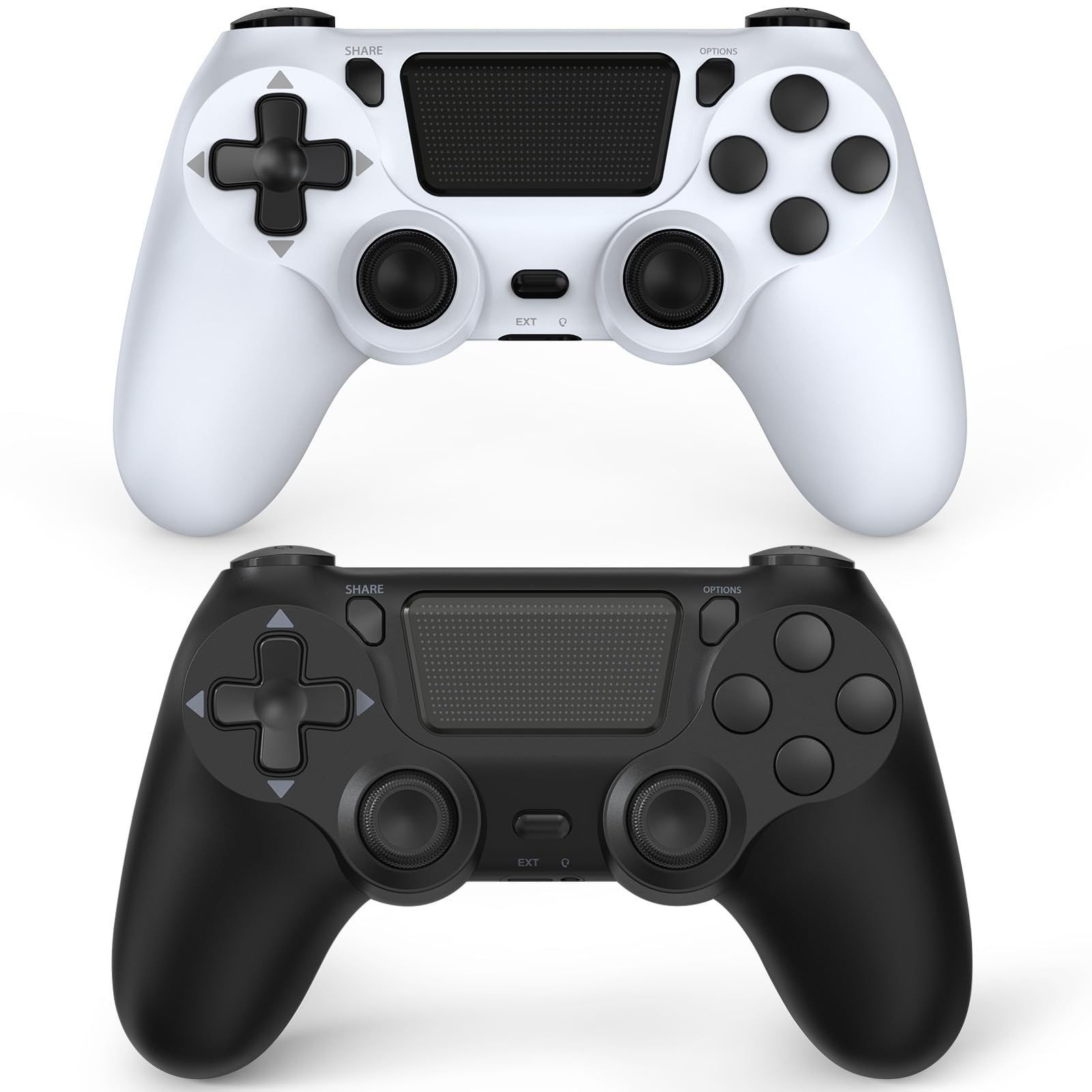
The AceGamer two-pack delivers two wireless controllers at a price that undercuts most single units, making it an easy grab for households that need a spare gamepad. While the wired Nacon top pick offers more consistent long-term performance, this set provides the convenience of wireless play and an extra controller for multiplayer sessions right out of the box. The included USB-C cable is shared, but each controller has a headphone jack for private audio.

This bundle suits families that game occasionally and prefer not to invest heavily in extra controllers. Some units have shown button responsiveness and connectivity problems within weeks, so it is best for settings where a temporary hiccup won't ruin the session — think kids' rooms, sleepovers, or light party games.

The controllers come in several color patterns that stand out from the standard black, and the build feels decent for the price point. They also include motion sensing, a touchpad, and turbo functionality, adding value for the price. Battery life supports several gaming sessions before needing a charge.

Pros

  • Two wireless controllers for the cost of one first-party model
  • Build quality feels comparable to official controllers at initial use
  • Available in unique color patterns that appeal to younger gamers

Cons

  • Wireless connection can drop or require re-pairing during play
  • Face buttons and shoulder triggers may become sticky or unresponsive after a few weeks
  • Plastic housing and internal components may deteriorate with regular use, shortening lifespan
Our verdict

This two-pack offers the lowest entry cost for wireless multiplayer, but the possibility of early degradation makes it a casual-use purchase rather than a primary controller.

Check Latest Price
4

Solid Two-Pack Alternative

Lyyes 2-Pack

83 /100
Lab Score Excellent

Key details

Connection
Wireless
Controllers
2
View on Amazon

The Lyyes two-pack stands apart from the rock-bottom AceGamer pair by focusing on ergonomics and consistency. The controllers have a solid feel and textured grips that fit naturally in hand, and wireless performance on both PS4 and PC is responsive enough for casual and family play. Fewer early complaints about unresponsive buttons or broken joysticks suggest this set is built with a bit more care.

This pack suits households that need two functional wireless controllers for occasional multiplayer sessions without a big upfront cost. The price is modest, and the immediate experience is pleasant. However, long-term durability data is still limited, and some units have developed stick drift or pairing hiccups. For competitive gamers or anyone who cannot tolerate controller drift, the wired top pick remains the safer choice.

💡 If one controller doesn’t pair, try resetting it with a paperclip in the rear pinhole before returning the set.

Pros

  • Grips are well-textured and comfortable for extended play sessions
  • Wireless performance is solid on both PS4 and PC
  • Includes two controllers at a budget-friendly price

Cons

  • Stick drift can appear on some units, moving the cursor without input
  • Connectivity may be inconsistent
Our verdict

Good for families who want two decent wireless controllers without spending much, as long as they accept that occasional drift or pairing issues are possible.

Check Latest Price
5

Best Looking Budget

TIANHOO Graffiti

86 /100
Lab Score Excellent

Key details

Connection
Wireless
Controllers
1
View on Amazon

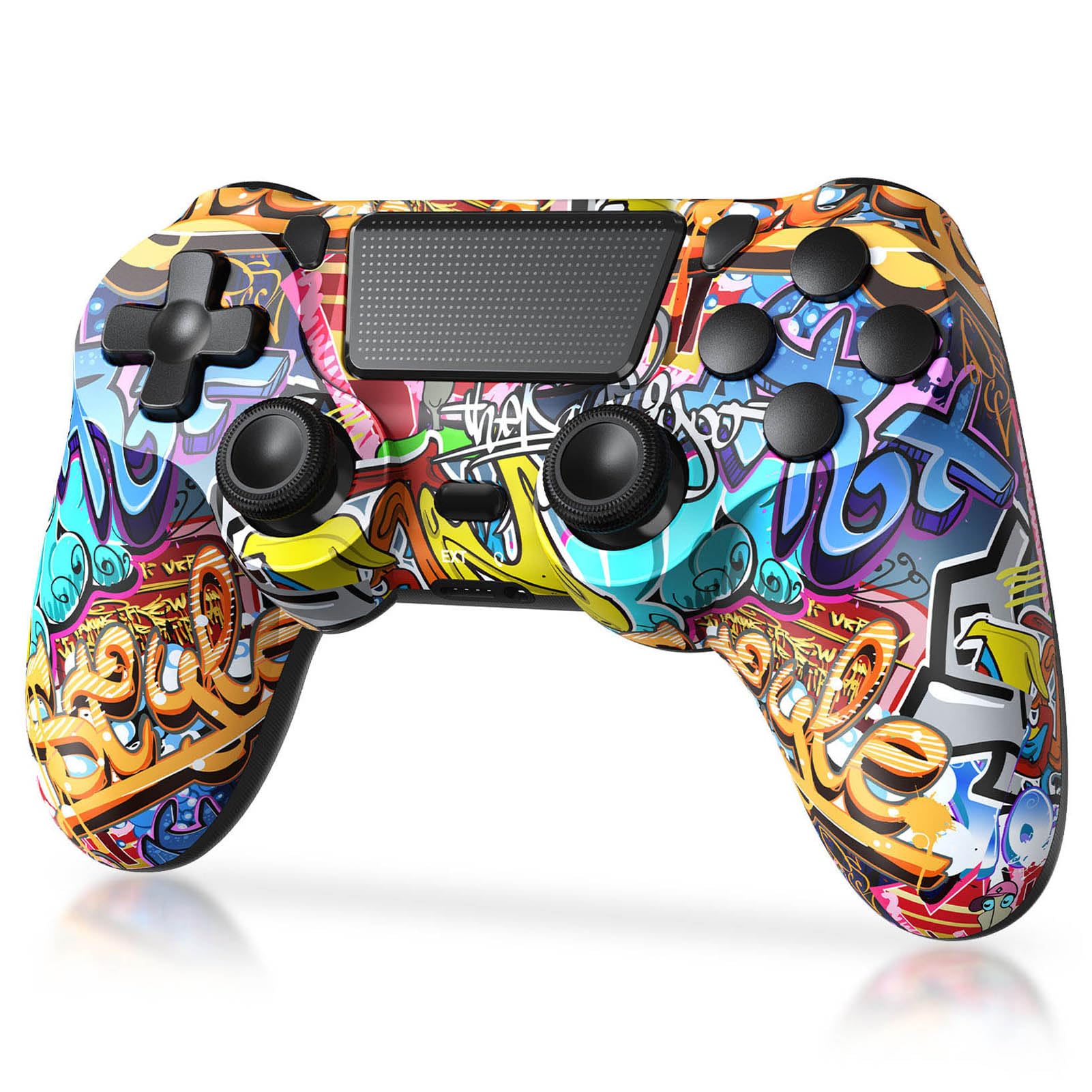
The TIANHOO Graffiti controller is one of the few options under budget-friendly that brings a custom street-art look straight to your hands. Its wireless design adds convenience without the cable, making it a visually distinct alternative to the wired Nacon top pick.

This model suits gamers who prioritize appearance over longevity — those who play casually and can accept that battery life may shorten and buttons can become unresponsive within months. The same reliability concerns apply as with other single-unit budget controllers like the AceGamer galaxy-print version.

Standard PS4 features — vibration, motion sensing, touchpad, share button, and headphone jack — are present, though wireless connectivity and battery behavior can vary between units.

💡 Plug the controller in regularly to keep the battery topped up — it will not hold a charge indefinitely when left unused.

Pros

  • Budget-friendly alternative to official controllers
  • Surprisingly solid build for the price point
  • Unique graffiti design stands out in any setup

Cons

  • Battery may stop charging or lose capacity sooner than expected
  • Durability can be limited under regular use
  • Face buttons can become sticky or unresponsive over time
Our verdict

If you want a budget wireless controller strictly for light, occasional use and the graffiti design appeals to you, this fills that niche — but plan for a short lifespan.

Check Latest Price
6

Best for Small Hands

Nacon Compact Wired

86 /100
Lab Score Excellent

Key details

Connection
Wired
Controllers
1
View on Amazon

This officially licensed wired controller delivers the 'no batteries, no Bluetooth dropouts' reliability that wired purists value, in a frame sized for smaller hands. The soft-touch grip and solid materials give it a premium feel that matches the official Sony controller.

The compact dimensions are deliberate — the controller measures smaller in every direction than a standard DualShock 4. For adults with average or larger hands, this becomes noticeable during long sessions, with fingers feeling cramped or the grip becoming awkward.

Best suited for children, teenagers, or adults with small hands who want a wired connection without the heft of a full-size gamepad. Durability has been noted as variable: some units develop trigger or button issues within months of regular use, so this is best for lighter play or as a secondary controller.

💡 Press triggers and buttons deliberately to extend their service life.

Pros

  • Soft-touch grip and solid construction give a premium feel for a wired controller.
  • Wired connection removes battery charging and wireless interference concerns.
  • Officially licensed by Sony for guaranteed compatibility with PS4 and PC.

Cons

  • Trigger and button responsiveness can vary between units
  • Long-term durability under regular use is uncertain
Our verdict

For those with small hands who prefer wired simplicity, this controller offers a premium feel — but only if you are willing to accept the possibility of early wear.

Check Latest Price
7

Ultra-Budget

MOVONE Wireless

85 /100
Lab Score Excellent

Key details

Connection
Wireless
Controllers
1
View on Amazon

At its rock-bottom price, this MOVONE controller delivers decent quality for the cost, making it an attractive option for emergency backup. However, the battery may stop holding a full charge after a few weeks of use, and some units experience unresponsive face buttons or shoulder buttons. These tradeoffs limit it to very light, infrequent gaming sessions where reliability is not critical. This controller is not suitable for daily driving, long sessions, or multiplayer use.

Pros

  • Exceptional value for money
  • Decent build quality for the low price

Cons

  • Battery may not hold charge after a few weeks
  • Some units develop unresponsive buttons on the D-pad or shoulder buttons
Our verdict

This controller works as a cheap spare for occasional solo play when you need a quick replacement.

Check Latest Price
8

Custom Design

AceGamer Custom V2

86 /100
Lab Score Excellent

Key details

Connection
Wireless
Controllers
1
View on Amazon

The AceGamer Custom V2 offers an eye-catching galaxy print that stands out from the usual matte black controllers, making it a visual win for style-conscious buyers on a tight budget. However, this is the same brand as the two-pack AceGamer set, and like that option, durability is a concern: joysticks and triggers may develop issues after a few months, and some units experience unresponsive buttons. This controller is best suited as a temporary backup or for light, occasional use rather than a daily driver.

Pros

  • Budget-friendly alternative to official Sony controllers
  • Attractive galaxy print that feels more expensive than it is

Cons

  • Joysticks and triggers may develop responsiveness issues over time
  • Some units have buttons that can become stuck or unresponsive
Our verdict

A visually appealing backup controller for style-conscious gamers who need a cheap wireless option for occasional use, but not a reliable daily driver.

Check Latest Price
9

Programmable Budget

Ubsvaky Wireless

82 /100
Lab Score Excellent

Key details

Connection
Wireless
Controllers
1
View on Amazon

The Ubsvaky Wireless controller offers a comfortable grip and responsive controls out of the box, plus two rear M1/M2 buttons that can be remapped for extra inputs — a rare feature at this price point. However, the analog sticks may develop unintended cursor movement after weeks of use, and the placement of the back buttons makes them easy to press accidentally during normal gameplay. These limitations mean the controller fits casual gaming sessions where occasional drift and mis-presses are acceptable, rather than competitive or immersion-heavy play.

Pros

  • Comfortable and solid build feel
  • Easy setup with responsive controls initially
  • Two programmable back buttons for extra inputs at low cost

Cons

  • Analog sticks may develop unintended input after weeks of use
  • Rear M1/M2 buttons can be pressed inadvertently during gameplay
Our verdict

This controller works for budget-conscious gamers who want programmable back buttons and can accept the risk of drift and accidental presses as part of the tradeoff.

Check Latest Price
10

Camo Two-Pack

KDYGPDCT 2-Pack

83 /100
Lab Score Excellent

Key details

Connection
Wireless
Controllers
2
View on Amazon

This two-pack offers decent value for households needing a spare set or for very casual play. The camo design is a visual plus. However, longevity is limited: joysticks and buttons may become unresponsive with regular use, and the battery can stop holding a charge over time. These are similar tradeoffs seen in other inexpensive two-packs, making this a reasonable option for those who expect to replace controllers periodically rather than rely on them for daily gaming.

Pros

  • Two controllers at a budget-friendly price
  • Camo pattern adds aesthetic variety

Cons

  • Joysticks and buttons may become unresponsive with regular use
  • Battery can stop holding a charge, requiring frequent charging or replacement
Our verdict

Best for households that go through controllers quickly and need a low-cost spare set for occasional multiplayer.

Check Latest Price

How to Choose

Wired vs Wireless

Wired controllers eliminate two common failure points: battery degradation and Bluetooth dropout. A 3-meter cable is enough for most setups, and you never have to recharge. The trade-off is less freedom of movement and potential cable drag.

Wireless controllers offer convenience but rely on a battery that will eventually lose capacity and a wireless module that can lose sync. Budget wireless units often use cheaper components that fail after a few months. If you play near the console, wired is the safer bet for longevity.

Battery Life and Charging

Battery life varies wildly among third-party controllers. Many advertise 8-20 hours, but real-world performance is often shorter, and the battery may stop holding a charge after several weeks. Look for controllers with a USB-C port and replaceable battery if possible.

If you regularly game for more than three hours, a wired controller avoids the anxiety of a dying battery mid-session. For wireless, check reviews for reports of charging failures — a common complaint that makes the controller useless over time.

Build Quality and Button Durability

The most frequent failure points are the L1/R1 bumpers, L2/R2 triggers, and face buttons (especially X and square). Cheap plastic housings and weak spring mechanisms cause buttons to stick or become unresponsive within weeks.

Controllers with solid reviews for build quality often use stiffer shells and better internal gaskets. Licensed products like Nacon tend to have more consistent quality control. Avoid any controller where multiple reviews mention button failure in the first month.

Ergonomics and Hand Size

Hand size is a deal-breaker that many overlook. Some third-party controllers are noticeably smaller than the DualShock 4, causing cramping during long sessions. The Nacon wired models are compact — fine for children or small hands, but uncomfortable for most adults.

If you have large hands, look for controllers with a fuller grip and textured sides. Reviews often mention comfort, so read a few to see if the controller feels 'too small' or 'awkward'. A comfortable controller you'll actually use beats a cheap one that hurts after 30 minutes.

Number of Controllers

Two-packs offer unbeatable value per controller, but the savings come with higher risk. Both units share the same build quality and failure probability. If one develops a fault, the other likely will too. For casual multiplayer, a two-pack can be cost-effective even if you replace them every few months.

For a family that only occasionally plays together, buying a single higher-quality wired controller plus a budget wireless as a backup may be smarter. The total cost is similar, but you get one reliable controller for solo play.

Frequently Asked Questions