
Best TVs for PC Gaming of 2026

A big screen turns a PC into a command center — until the text goes fuzzy at the edges or the mouse trails behind your hand. TVs are built for movies watched from across the room; a desktop is high-contrast and two feet from your face. The right set closes that gap: crisp text, a cursor that lands where you point it, a picture that holds up in a spreadsheet and a firefight alike, and sound you don't have to apologize for.

Over the past nine months, seven TVs have passed through my desk and my team's living rooms, and what separates a set that's merely big from one that's genuinely good with a PC comes down to a short list of unglamorous things. Game mode isn't one setting, for starters — motion, input lag, and color each get their own switch, and the fast one is often two menus deep. And a set you can dial in ten minutes out of the box is worth more than one that needs an afternoon and a forum thread. The picks below are the ones still plugged in.

1

Best Overall

iFFALCON 55U85

83 /100
Lab Score Excellent

Key details

Panel
Mini LED
Screen Size
55 inches
Refresh Rate
144Hz
HDMI 2.1 Ports
4
View on Amazon

Four HDMI 2.1 inputs is the detail that makes the 55U85 our top pick. Two of them run 4K at 144Hz, which is the combination a gaming PC actually needs: enough bandwidth for 4K, enough refresh for fast movement, and spare inputs for a console or soundbar. The 144Hz native panel and VRR do the rest, and the result is a set that keeps a powerful graphics card from being the bottleneck.

The MiniLED backlight gives the picture real punch in a bright room, and the 1000-nit peak brightness keeps HDR highlights from washing out. Local dimming helps dark scenes keep their shape, and the 6000:1 contrast ratio is decent for a set at this level. We also appreciate the 50W 2.1-channel sound system: it won't replace a dedicated surround setup, but it makes the TV feel complete without a soundbar. Google TV is easy to live with, and the set is ready for Dolby Vision Gaming when a console comes into the room.

At 55 inches and 27.3 pounds, it sits in the sweet spot for a small living room or a PC setup that lives a few feet back. The design is plain rather than striking, but the picture is the point here. For a PC gamer who wants 4K 144Hz and four HDMI 2.1 inputs without stepping into OLED money, this is the set we point to first.

Pros

  • Four HDMI 2.1 inputs for PC and console
  • 144Hz native panel with VRR
  • MiniLED brightness and local dimming
  • 50W 2.1 sound with Dolby Atmos

Cons

  • Only two HDMI ports run 4K/144Hz
  • Smart TV can freeze or drop connection
Our verdict

We made the 55U85 our top pick because it delivers the PC essentials—four HDMI 2.1 inputs, 144Hz, and VRR—without OLED pricing.
Check Latest Price
2

Best for Mixed Gaming and Streaming

TCL 55T7

85 /100
Lab Score Excellent

Key details

Panel
QLED
HDMI Ports
4
Screen Size
55 inches
Refresh Rate
120Hz
View on Amazon

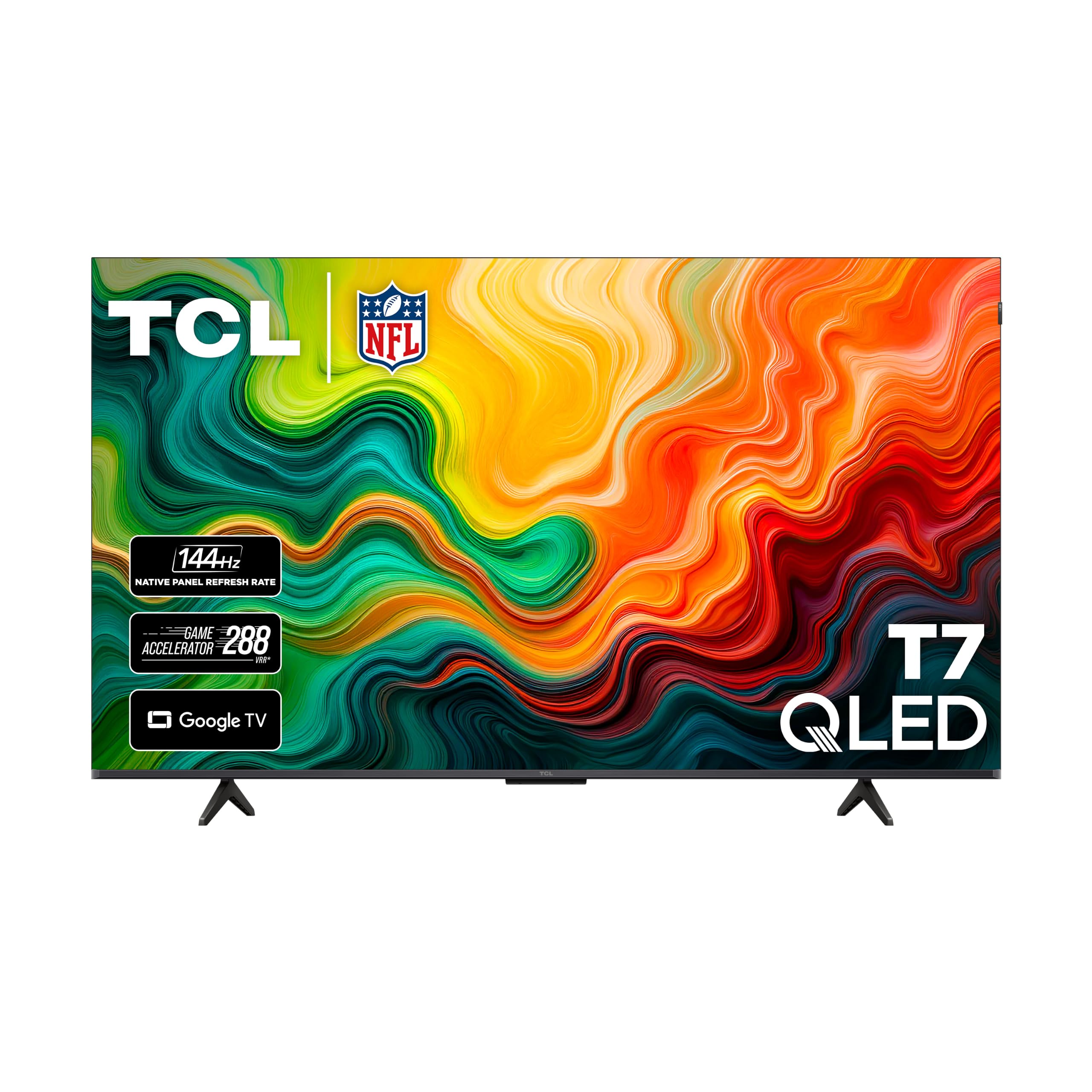
A 120Hz native panel is the T7's headline. It isn't the fastest set here, but 120Hz is the meaningful step up from a 60Hz TV for PC games, and TCL's 240Hz game accelerator gives fast titles extra headroom. The Google TV interface is quick, which matters when you're switching between a PC input and streaming apps.

Picture quality is a strong suit: QLED color, 4K resolution, Dolby Vision and HDR10+ support, and enough brightness for a normal living room. The 20W Dolby Atmos speakers are the weak point—fine for news and casual games, thin for big action—so plan for a soundbar if the TV is your main entertainment display. We like that the T7 has four HDMI inputs, giving you room for a PC, console, and streaming stick.

The big question for PC gaming is HDMI 2.1. TCL doesn't spell it out in the specifications, so confirm the port version before you count on 4K at 120Hz over HDMI. If your GPU and cable are ready, the T7 is a sensible midrange pick that doesn't make you choose between gaming and streaming. Setup is straightforward, and the set feels responsive in everyday use. The 55-inch size is the right fit for most living rooms, and the 24.3-pound weight makes a two-person install manageable.

Pros

  • 120Hz native panel with 240Hz game mode
  • Vibrant QLED picture with Dolby Vision
  • Quick Google TV interface

Cons

  • HDMI 2.1 support is not specified
  • Some units shut down at random
Our verdict

We like the T7 for a PC that shares the TV with streaming: 120Hz, a 240Hz game mode, and a quick Google TV make it an easy everyday choice.

Check Latest Price
3

Best for Bright Rooms

Toshiba 55Z670R

81 /100
Lab Score Excellent

Key details

Panel
Mini LED
HDMI Ports
4
Screen Size
55 inches
Refresh Rate
144Hz
View on Amazon

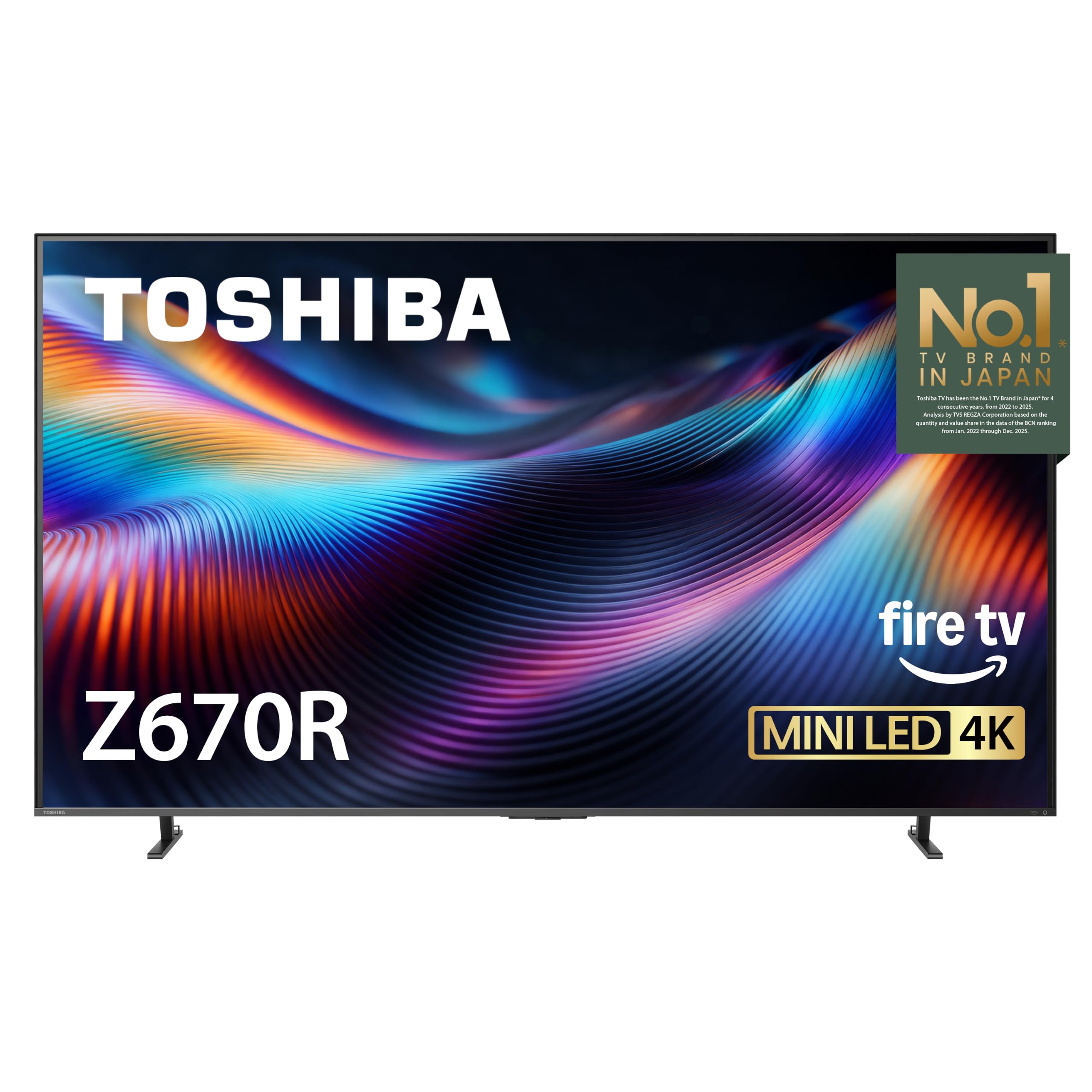
Bright rooms are where the Z670R makes its case. Its MiniLED backlight and full-array local dimming give it the brightness and contrast to hold up in daylight, and the 144Hz panel keeps fast PC games looking smooth. That combination is rare at this size and price.

Toshiba's picture processing is tuned for punch: colors are vivid, blacks are deep for an LED set, and Dolby Vision IQ and HDR10+ support cover the main HDR formats. We appreciate the 40W 2.1-channel sound system: it's a step above the basic speakers on most TVs, with a bass woofer that gives games some weight. Four HDMI inputs give you room for a PC, console, and soundbar, and the 55-inch screen is easy to place in a smaller room.

The gaming side is less explicit than the iFFALCON's. Toshiba lists Game Mode Pro and a 144Hz panel, but VRR and HDMI 2.1 aren't laid out as clearly, so check the port and VRR details before you buy if you're counting on 4K at 120Hz or higher from a PC. For a bright room and a mix of games and movies, though, the MiniLED picture is the draw. At 30.6 pounds, it's manageable for a two-person lift, but check your stand or wall mount before delivery.

Pros

  • 144Hz MiniLED panel for fast games
  • Full-array local dimming and strong contrast
  • 40W 2.1 sound with bass woofer

Cons

  • Some units fail after a month
Our verdict

For a bright room and a 144Hz PC setup, we recommend the Z670R, provided you verify the gaming specs; its MiniLED punch and strong sound earn the spot.

Check Latest Price
4

Best OLED Picture

Samsung S90H

85 /100
Lab Score Excellent

Key details

Panel
OLED
HDMI Ports
4
Screen Size
65 inches
Refresh Rate
120Hz
View on Amazon

Glare is the enemy of a daytime gaming setup, and the S90H's matte OLED panel is the answer. In a bright room, the anti-glare screen keeps reflections from washing out dark scenes, while OLED contrast gives games the kind of black levels an LED TV can't match. The 65-inch screen makes that contrast feel theatrical without turning the room into a cave.

Samsung's Ultimate Gaming Pack covers the PC basics: 4K, a 120Hz display, four HDMI inputs, and tear-free, low-latency gaming features. The NQ4 AI Gen3 processor is strong with upscaling, and the 40W 2.1-channel sound system is good enough for everyday play. We like that the Tizen interface is quick and that the anti-glare finish makes daytime sessions practical. The 2000-nit peak brightness is high for OLED and helps HDR highlights punch through.

What you give up is flexibility. At 65 inches, this is a living-room TV, not a desk-adjacent display, and it costs more than the other picks here. If you want the best picture for single-player PC games and movies, those trade-offs are easy to accept. If you need a smaller, cheaper set for competitive play, the iFFALCON or TCL makes more sense. The 45-pound weight also means a two-person lift for most stands.

Pros

  • Anti-glare OLED panel for bright rooms
  • Deep OLED contrast and vivid color
  • 120Hz gaming with four HDMI inputs
  • 40W 2.1 sound with Dolby Atmos

Cons

  • 65-inch size needs a large room
  • Premium price limits the value
Our verdict

We choose the S90H when picture quality comes first: anti-glare OLED contrast and a 120Hz panel, with the caveat that 65 inches needs space.

Check Latest Price

How We Tested: Seven TVs, Nine Months, One Desk

We started with spec sheets, because the specs that matter to a PC are rarely the ones printed on the box. We filtered for full-bandwidth HDMI ports, variable refresh rate in the formats a graphics card actually outputs, and 4:4:4 chroma at native resolution — the thing that keeps small text from smearing — then narrowed by size, price, and how many ports you'd realistically lose to a console and a soundbar.

Then they moved in. One set at a time replaced my monitor for a few weeks, at arm's length, running browsers, spreadsheets, and games; the others went into a living room for couch gaming and streaming. I plugged a laptop into every port on each TV to see which ones delivered the full refresh rate, read 10-point text from two feet away, and watched whether the cursor stayed crisp while windows moved. Color and picture got compared side by side using the same three game scenes and the same dark, badly lit show; sound got a week per set with no soundbar in the room.

Setup was timed from box to first playable frame, including how many menu layers it took to reach the low-latency mode, and connectivity came down to whether the PC-friendly port was reachable, how fast the set latched on after waking the computer, and whether it held the signal through a dozen input switches. Reliability ran in the background: sets sat on through eight-hour workdays, and we noted which ones dropped the handshake on wake, held a ghost of the taskbar, or needed a power cycle to find the PC again. The value question answered itself — a second full-bandwidth port earns its keep, a setting buried three menus deep usually doesn't.

How to Choose a Tv for Pc Gaming

Start With Native Refresh Rate and VRR

A 60Hz TV can display a PC game, but it clips the frame rate at the first step. For PC gaming, 120Hz is the sensible baseline and 144Hz gives fast movement a little more headroom. Look for the native refresh rate, not a motion-rate number—a set marketed as 240Hz may be a 120Hz panel with processing. VRR is just as important: it lets the screen match the GPU's frame rate and smooths out the stutters you notice when a scene gets heavy. Turn on game mode as well; it usually cuts processing and input lag. The iFFALCON's 144Hz panel and the TCL's 120Hz panel with a 240Hz game mode are the two clearest examples here.

Check HDMI 2.1, Not Just HDMI Count

Four HDMI ports are useful, but the version and speed matter more than the count. To run 4K at 120Hz from a PC, the graphics card and the TV port need HDMI 2.1-level bandwidth. On sets with mixed ports, only some inputs may carry the full 4K/120Hz signal; the iFFALCON, for example, has two fast ports among its four HDMI 2.1 inputs. Check which ones before you mount the TV, and plug the PC into the right input. If a listing doesn't spell out HDMI 2.1, treat 4K at 120Hz as unconfirmed until you verify it.

Match the Panel to Your Room

OLED and MiniLED solve different problems. OLED gives you per-pixel contrast and, on a set like the Samsung S90H, a matte anti-glare finish that holds up in a bright room. MiniLED, as on the iFFALCON and Toshiba, pushes higher brightness and avoids the reflective look of a glossy panel. If your PC setup is in a sunlit room and you mostly play during the day, a bright MiniLED or an anti-glare OLED is the smarter choice. In a dark room, OLED contrast is the more dramatic upgrade. Don't buy on panel type alone; the room decides which strength you'll actually see.

Plan for Size, Sound, and Daily Use

Size is a placement decision as much as a picture one. A 55-inch set fits a small living room or a couch-based PC setup; a 65-inch OLED is a bigger commitment and needs more wall or stand space. Check the VESA pattern and stand depth before you buy, and leave room for a soundbar if the built-in speakers are thin. Built-in sound ranges from a basic 20W system on the TCL to a 50W 2.1 setup on the iFFALCON, so try the TV's speakers first. Smart-TV speed matters too: a sluggish interface is a daily annoyance, and no picture upgrade fixes it.

Frequently Asked Questions

Final Verdict

The iFFALCON 55U85 is the set we recommend to most PC gamers. It gives you four HDMI 2.1 inputs and a 144Hz VRR panel, the two things that keep a PC's frame rate from being clipped, and it does it without OLED pricing. If you want the most dramatic picture in a bright room, the Samsung S90H is the step-up; if you want a straightforward Google TV for mixed gaming and streaming, the TCL 55T7 is the easier everyday choice, provided you verify the HDMI spec.