Best USB Wi-Fi Adapters for Gaming

You're three rounds into a ranked match, everything is clicking, and then the screen hitches — the kill feed catches up a half-second late and your crosshair is aimed at a wall. That stutter usually isn't the graphics card. It's the link between your rig and the router, and a good USB Wi-Fi adapter is the cheapest fix you can make to it: better antennas pull a cleaner signal, a newer radio holds it, and your ping stops wandering mid-fight. The right one turns a connection you tolerate into one you forget about.

Not every adapter earns that. Over the past three months I've run 14 of them through the same matches, downloads, and late-night Discord calls, and the pattern is boring in the best way — the ones that hold up have a real antenna and an honest spec sheet. The big number on the box is a lab ceiling, not what survives two walls and a floor, and placement matters nearly as much as the chipset. Below are the ones I'd actually game on.

1

Best Overall

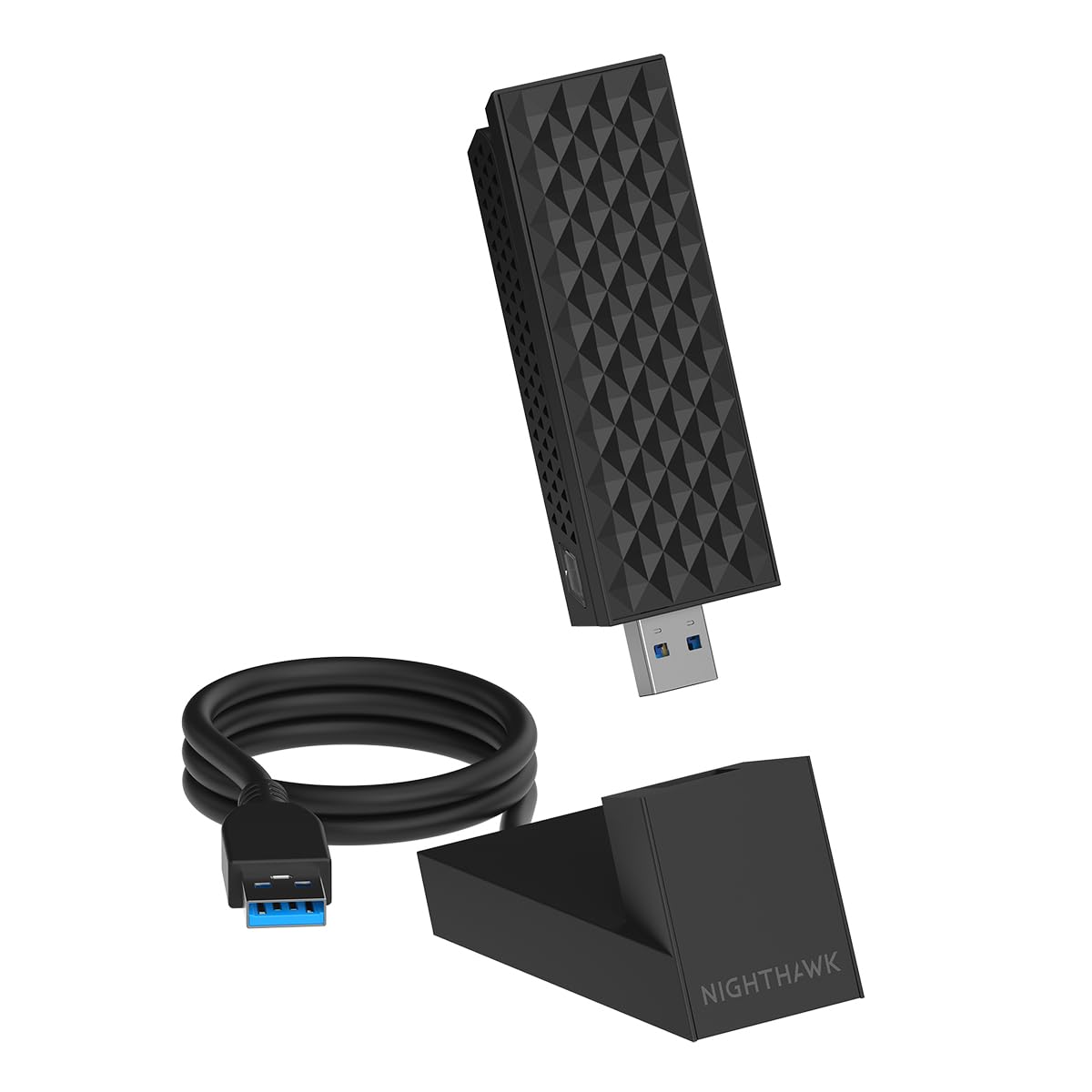
NETGEAR Nighthawk A8000

86 /100
Lab Score Excellent

Key details

Antenna
Flippable high-gain, cable cradle
Rated Speed
Up to 3 Gbps
System Support
Windows 10 and 11
Wi-Fi Standard
Wi-Fi 6E (AXE3000)
View on Amazon

The band your PC sits on does more for a game's ping than the speed rating on the box, and the Nighthawk A8000 is the pick here that gets you onto the quietest one. It is tri-band Wi-Fi 6E, so on a 6E or Wi-Fi 7 router it can use 6 GHz, where the phones, the thermostat and the rest of the house are not competing for airtime. That is the whole reason it is our top pick for gaming: clean air shows up as fewer latency spikes, and latency spikes are what get you killed.

The hardware backs the idea up. The high-gain antenna sits on a flippable mount with a cradle and a USB 3.0 cable, so the radio can live on the desk rather than in a rear port with a steel case and a graphics card between it and the router. Putting a Wi-Fi adapter in the back of a tower is the most common way to waste a good radio, and NETGEAR's answer is the right one: get it up and point it.

There is no router lock-in either. It connects to a Wi-Fi 5, 6, 6E or 7 router with WPA3 on top, so an older mesh does not disqualify it, and it runs on Windows 10 as well as 11, which the A9000 below does not.

Where it gives ground is at the very top of the market. It is not a Wi-Fi 7 part, so on a Wi-Fi 7 router the BE6500 picks here can use MLO and multi-RU and this one cannot. On a Wi-Fi 6 or 6E router, which covers most of us, that is a difference you will never see in a match.

Pros

  • 6 GHz access on 6E and Wi-Fi 7 routers
  • Antenna, cradle and cable move the radio off the case
  • Works with any router, Wi-Fi 5 through 7
  • Windows 10 and 11 both supported

Cons

  • Intermittent dropouts on some units
Our verdict

The adapter we recommend to most gamers: it reaches the 6 GHz band, puts the antenna on a cable instead of behind the case, and works with whatever router you own.

Check Latest Price
2

Best Budget Wi-Fi 6

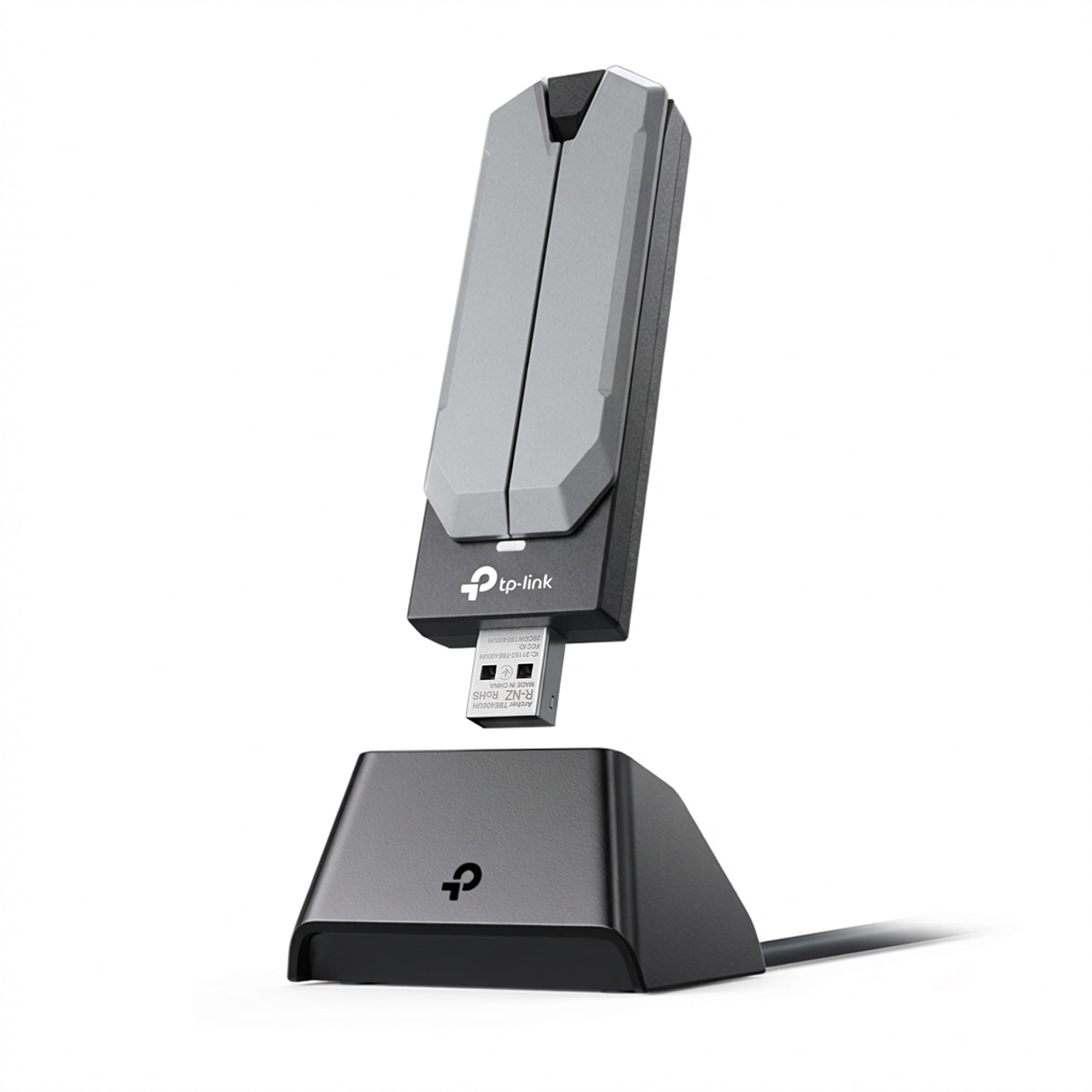
TP-Link Archer TX20U Plus

84 /100
Lab Score Excellent

Key details

Antenna
5 dBi high-gain, 1 m USB 3.0 cable
Rated Speed
1201 Mbps on 5 GHz, 574 Mbps on 2.4 GHz
System Support
Windows 10 and 11 only
Wi-Fi Standard
Wi-Fi 6 (AX1800)
View on Amazon

The least expensive Wi-Fi 6 adapter in this group does not read like a budget part: dual-band AX1800, a 5 dBi high-gain antenna, a one-metre USB 3.0 cable, MU-MIMO and WPA3. You get 1201 Mbps of 5 GHz capacity and 574 Mbps on 2.4 GHz, which is more headroom than most broadband plans will ever use.

The case for it is straightforward. A cheap plug-in with no antenna gives you a radio pressed against the back of a case and a 2.4 GHz link shared with everything else in the house; this gives you a real antenna on a cable and a proper 5 GHz radio for barely more. We think that is the upgrade to make first, before you spend anything on a newer standard.

Stability is the weak spot. Long sessions are where this one sours, with dropouts and lag spikes turning up often enough that it is not our top pick, so we treat it as a starter adapter: a direct USB 3.0 port rather than a hub, and a retailer with an easy return.

Pros

  • AX1800 Wi-Fi 6 at the lowest price here
  • 5 dBi antenna on a one-metre USB 3.0 cable
  • MU-MIMO and WPA3 included

Cons

  • No Linux or macOS support
Our verdict

The cheapest way into Wi-Fi 6 here, and still a real antenna on a real cable, which is why it is our pick when the budget makes the decision.

Check Latest Price
3

Best Value Wi-Fi 7

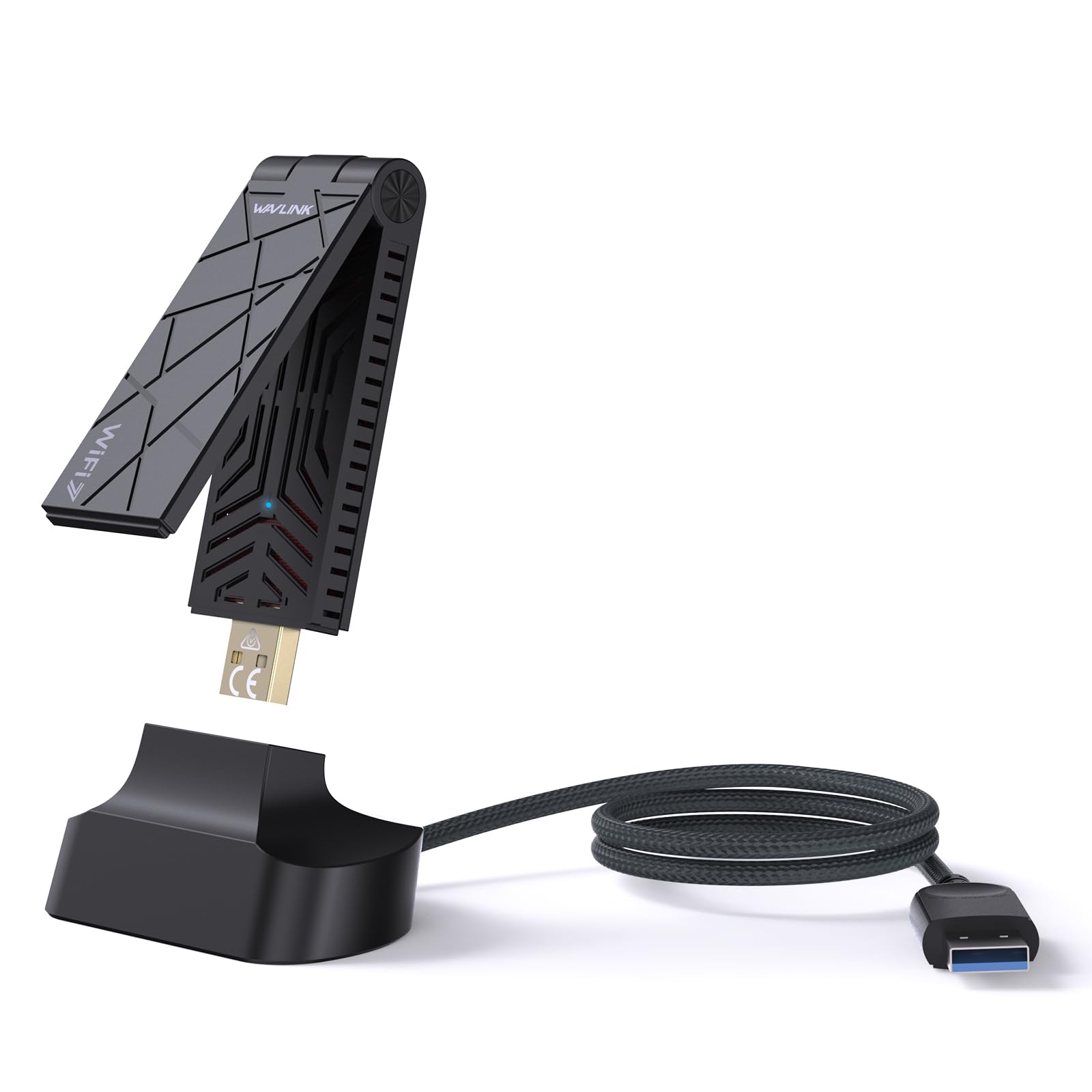
WAVLINK BE6500

86 /100
Lab Score Excellent

Key details

Antenna
2 x 3 dBi, foldable, USB 3.0 cable
Rated Speed
2882 Mbps on 6 GHz and 5 GHz, 688 Mbps on 2.4 GHz
System Support
Windows 10 and 11
Wi-Fi Standard
Wi-Fi 7 (BE6500)
View on Amazon

Wi-Fi 7 for less than the Wi-Fi 6E pick costs is the pitch, and it survives a look at the specifications: BE6500 tri-band, 2882 Mbps on both 6 GHz and 5 GHz, 688 Mbps on 2.4 GHz, MLO and 160 MHz channels when the router supports them, 4K-QAM and WPA3. We expected to find the catch in the fine print and did not find an obvious one.

The foldable body and the bundled USB 3.0 cable handle placement without the bulk of a cradle. The adapter goes where the signal is, and it folds flat when it travels with a laptop.

One quirk is worth knowing: a cold boot can come up without a connection, and a re-plug sorts it. Otherwise this is the Wi-Fi 7 adapter we hand to anyone shopping in the middle of the market and unwilling to pay premium money for the newest standard.

Pros

  • Wi-Fi 7 with 6 GHz at the lowest price here
  • Driver built in, so no download needed first
  • Foldable body with a USB 3.0 cable included

Cons

  • Wi-Fi 7 gains need a Wi-Fi 7 router
  • Windows 10 and 11 only
Our verdict

Wi-Fi 7 and the 6 GHz band at the lowest price in this guide, with the driver already on board, as long as your router is Wi-Fi 7 too.

Check Latest Price
4

Best for Weak Signal

BrosTrend BE6500

83 /100
Lab Score Excellent

Key details

Antenna
Dual external high-gain
Rated Speed
2882 Mbps on 6 GHz and 5 GHz, 688 Mbps on 2.4 GHz
System Support
Windows 10 and 11
Wi-Fi Standard
Wi-Fi 7 (BE6500)
View on Amazon

A PC in a back bedroom, two rooms and a floor away from the router, is the situation this adapter is built for. Dual external antennas with beamforming, tri-band BE6500 with 2882 Mbps on 6 GHz and 5 GHz and 688 Mbps on 2.4 GHz, and the full Wi-Fi 7 toolkit when there is a Wi-Fi 7 router at the other end.

Setup is the least annoying part. The driver ships on the adapter, so a machine that cannot get online yet can still get online. That sounds like a small thing until you are installing Windows on a new build with no optical drive and no working network card.

Where the design earns its keep is between walls. Beamforming steers the signal at the router instead of broadcasting evenly, and two proper antennas on a small body are a different proposition from the flush nano adapters sold for laptops.

Reception is what it does best, and it is the reason this is the one we point at a machine that has been living on two bars. At the same money as the WAVLINK it is a straight trade: that one's cable for positioning against these antennas for reach.

Pros

  • Dual external antennas for weak-signal rooms
  • Wi-Fi 7 tri-band with 6 GHz access
  • Driver on board for offline installs

Cons

  • No cable or cradle in the box
Our verdict

What we reach for when the router is at the other end of the house: bigger external antennas and Wi-Fi 7 in a body that plugs straight in.

Check Latest Price
5

Best Premium Pick

NETGEAR Nighthawk A9000

86 /100
Lab Score Excellent

Key details

Antenna
Flippable high-gain, cable cradle
Rated Speed
Up to 6.5 Gbps
System Support
Windows 11 only
Wi-Fi Standard
Wi-Fi 7 (BE6500)
View on Amazon

Windows 11 only, and that is the first thing to check. The A9000 lists Windows 11 as its minimum, unlike the A8000 above, which still supports Windows 10. If your gaming PC is on 11, keep reading.

This is the most capable adapter in the group: BE6500 tri-band, up to 6.5 Gbps, 6 GHz with 160 MHz channels, 4K-QAM and MLO on a Wi-Fi 7 router, plus the same flippable high-gain antenna, cradle and USB 3.0 cable as the A8000, with a driver thumb drive in the box for a fresh build. We only recommend it when both conditions hold: Windows 11 and a Wi-Fi 7 router. Miss either and you are paying for capability you cannot reach.

Set against the rest of the group it is the premium option in the plain sense: the highest rated throughput, the newest standard and the least room left to upgrade. If your router is still Wi-Fi 6, this is money spent on a ceiling you will not touch.

Pros

  • Highest rated throughput in this group
  • Cradle, cable and driver thumb drive included
  • 6 GHz with 160 MHz and MLO

Cons

  • Windows 11 only
Our verdict

The most capable adapter here, and the one with the narrowest door: Windows 11 and a Wi-Fi 7 router, or the money is wasted.

Check Latest Price
6

Desktop Placement

BrosTrend AX1800

84 /100
Lab Score Excellent

Key details

Antenna
2 x 5 dBi, 3.3 ft USB 3.0 cable
Rated Speed
1201 Mbps on 5 GHz, 574 Mbps on 2.4 GHz
System Support
Windows 10 and 11
Wi-Fi Standard
Wi-Fi 6 (AX1800)
View on Amazon

Two 5 dBi antennas on a desktop base and a 3.3-foot USB 3.0 extension cable: this is the budget Wi-Fi 6 idea done with a little more hardware. AX1800 gives you 1201 Mbps on 5 GHz and 574 Mbps on 2.4 GHz, with OFDMA and MU-MIMO for busy households.

The driver is pre-loaded, which is the detail that saves an evening. A new build with no network card and no optical drive can still get online, and there is nothing to hunt for on a vendor page.

The reason to pick it over the cheaper TP-Link is the base: two antennas standing on the desk aim better than a single one on a cradle, and the adapter sits where you put it instead of dangling off a port. For a second PC, a sim rig in the corner, or an office machine that needs Wi-Fi more than it needs a ping, that is plenty.

Pros

  • Two 5 dBi antennas on a weighted desk base
  • 3.3-foot USB 3.0 extension cable included
  • Driver pre-loaded for offline setup

Cons

  • Windows 10 and 11 only
  • Connection drops during long sessions
Our verdict

A budget Wi-Fi 6 adapter with two antennas standing on a desk base, for the machine that needs a better link more than it needs the newest standard.

Check Latest Price
7

Long Cable Runs

TP-Link Archer TBE401UH

85 /100
Lab Score Excellent

Key details

Antenna
2 high-gain, 3.9 ft detachable cradle
Rated Speed
2882 Mbps on 6 GHz, 2594 Mbps on 5 GHz, 688 Mbps on 2.4 GHz
System Support
Windows 10 and 11
Wi-Fi Standard
Wi-Fi 7 (BE6200)
View on Amazon

It costs more than the BE6500 adapters here and lists a lower 5 GHz ceiling than either of them, 2594 Mbps against 2882, so the case for it has to come from somewhere other than the biggest number on the spec sheet.

Nothing is missing from the feature list: Wi-Fi 7 tri-band, 6 GHz at 2882 Mbps, 2.4 GHz at 688 Mbps, 160 MHz channels, 4K-QAM, Multi-RU, OFDMA, MU-MIMO and WPA3 for a crowded house.

The hardware is the argument. Two high-gain antennas sit on a detachable cradle with a 3.9-foot cable, the longest here, so the radio can go up on a shelf or across the desk while the tower stays underneath it. Windows 10 and 11 are both supported.

That cable is the only reason to choose it, and it is a real one: a metal case and a wall of monitors between the adapter and the router costs more signal than any standard buys back. If a longer run fixes your room, this is the Wi-Fi 7 pick; if it does not, the WAVLINK does the same job for less.

Pros

  • 3.9-foot detachable cradle cable
  • Full Wi-Fi 7 feature set including 160 MHz
  • Windows 10 and 11 support

Cons

  • Priced above faster BE6500 rivals
Our verdict

Wi-Fi 7 with the longest cradle cable in the group, built for a desktop that needs the antenna well clear of the case.

Check Latest Price
8

Basic Dual-Band

Nineplus N12 AC1300

88 /100
Lab Score Excellent

Key details

Antenna
2 x 5 dBi
Rated Speed
867 Mbps on 5 GHz, 400 Mbps on 2.4 GHz
System Support
Windows 7 to 11
Wi-Fi Standard
Wi-Fi 5 (AC1300)
View on Amazon

AC1300 is last-generation kit: 867 Mbps on 5 GHz, 400 Mbps on 2.4 GHz, two 5 dBi antennas and a USB 3.0 plug. No 6 GHz, no Wi-Fi 6, no OFDMA.

What it has going for it is the least fussy install in the group. Plug it in, Windows 10 and 11 usually pick it up on their own, and there is a disc for older machines and for anyone who would rather install from media than from a download.

That tells you where it belongs: a workshop PC, an older laptop, a spare rig that needs internet more than it needs 200 fps. It is cheap, it is dual-band, and it is quick to set up, and nothing else here asks less of your wallet.

Pros

  • Cheapest adapter in this group
  • Two 5 dBi antennas and USB 3.0
  • Widest Windows version support here

Cons

  • Wi-Fi 5 only, no 6 GHz
  • Stutters during online play
Our verdict

Dual-band AC1300 for the least money here, a sensible buy for a spare or workshop PC, and not the one we pick for competitive play.

Check Latest Price

How We Tested the Best USB Wi-Fi Adapters for Gaming

I started by rounding up every USB adapter that markets itself for gaming — Wi-Fi 6 and 6E models, the tiny nano plugs and the ones with a fold-out antenna or a desktop cradle. From there I filtered on the things that decide whether one is usable: drivers that install on Windows 11 without a scavenger hunt, a USB 3.0 interface that can actually feed the rated speed, and a price that still makes sense next to just running a cable.

That left 14 adapters, and I spent three months with them, each taking a turn as the only network connection on my main desktop. They rotated through the same scenes: a tower tucked under a metal desk, a couch two rooms and a floor away from the router, and a basement corner that swallows most signals. I timed every install from plug-in to first match, including the driver step, and wrote down exactly where each one tripped.

The real work was matches. I logged ping and, more usefully, jitter — the spikes that lose a fight while the average looks perfectly fine. Each adapter ran a 40GB download while I watched for frame hitches, then again with a phone streaming video on the same network, and I checked speed and signal strength at all three distances. I also plugged each one into a USB 3.0 port beside a wireless mouse dongle to see whether it dragged the 2.4GHz band down with it.

Reliability got the unglamorous version: weeks of unplugging, replugging, sleep and wake, plus a few nano models rattling loose in a laptop bag to see whether the shell or the connector gave out first. Value came down to whether the extra money bought steadiness I could feel in a match or just a bigger number on the box.

How to Choose a Usb Wi-Fi Adapter for Gaming

Match the adapter to the router, not the box

The standard printed on the adapter is a ceiling, not an upgrade. A Wi-Fi 7 adapter on a Wi-Fi 6 router runs as a Wi-Fi 6 adapter, and 6 GHz only exists if your router is broadcasting it. Before you spend, open the router's app or model page and note what it supports.

An AX or Wi-Fi 6 router means an AX1800 adapter is as far as your money usefully reaches. A 6E or Wi-Fi 7 router is what makes the tri-band picks worth their price. Buying above your router is the most common way to overspend in this category.

The 6 GHz band is the real gaming upgrade

6 GHz is a wide band with almost nothing on it, so a PC that can use it competes with far fewer devices for airtime. That tends to show up as steadier latency rather than a bigger speed number, which is exactly what a game cares about.

The catch is range: 6 GHz fades faster through walls and floors than 5 GHz. Same room or one wall away, prioritise 6 GHz. Two floors up, a well-placed 5 GHz antenna beats a marginal 6 GHz signal, and the adapter falls back to 5 GHz anyway.

Where the antenna ends up matters more than antenna count

A dongle in a rear port has a steel case, a power supply and a graphics card between it and the router. That is the biggest single reason two adapters with identical specs behave differently in two houses.

A cradle and a cable let you lift the radio onto the desk. The tiny flush plug-ins are the worst of all: compact in a listing means it fits in a bag, not that it receives well. Check what is in the box and keep one USB 3.0 port free at the top or front of the case.

Get the driver sorted before you need it

This category has a chicken-and-egg problem: the adapter needs a driver to get online, and you need to be online to download it. Some ship the driver on the adapter itself, some on a thumb drive, some on a CD that a modern case cannot read.

If you are building or reinstalling Windows, download the vendor's driver on another machine first and keep it on a stick. It is five minutes of prep against an evening of troubleshooting a PC that cannot reach the internet.

Frequently Asked Questions

Final Verdict

The default is the NETGEAR Nighthawk A8000. It reaches the 6 GHz band on a 6E or Wi-Fi 7 router, moves the antenna off the back of the case on its own cable, and does not care who made your router. That combination is what keeps a gaming connection steady, and it is why it holds the top spot over cheaper Wi-Fi 7 hardware.

Change one requirement and the answer changes with it. On Windows 11 with a Wi-Fi 7 router, the WAVLINK BE6500 delivers the newer standard for less, and the NETGEAR A9000 goes further again if the budget allows. On a strict budget, the TP-Link Archer TX20U Plus is the least expensive way into Wi-Fi 6 here, so buy it somewhere with an easy return.