9 Best Wired Controller for PC 2026: Drift-Free Sticks Under $60

Which wired PC controllers actually resist stick drift and last? Find the best hall effect options for your budget and grip style.

Hall effect analog sticks have become the standard upgrade for PC gamers tired of stick drift. But the promise of a drift-free controller doesn't guarantee it will last a year without issues. Many wired controllers, even those with hall effect sensors, show consistent reports of early failures across brands.

This guide focuses on controllers where the community has logged thousands of hours of use, highlighting which trade-offs matter most. The choice often comes down to a specific feature preference: mechanical face buttons and a softer grip versus a larger sample size confirming overall value.

Knowing which durability risks are common helps you pick the right tool for your gaming habits and budget.

1

Best Overall

GameSir G7 SE

89 /100
Lab Score Excellent

Key details

Cable
USB-C detachable
Compatibility
Xbox/PC
Stick Technology
Hall Effect
Remappable Buttons
2 rear
View on Amazon

Hall effect joysticks and triggers eliminate the stick drift common in standard potentiometer-based controllers, giving the G7 SE a clear edge in long-term accuracy. The textured grip feels secure during extended sessions, and the detachable USB-C cable adds convenience for storage or replacement. At this price point, the combination of hall effect sensors plus programmable rear buttons is a strong value proposition.

The two rear buttons are easy to map and work reliably for extra inputs in shooters or RPGs without interfering with grip. The 3.5mm audio jack provides clear sound for in-game chat. Some units can develop issues with triggers registering unintended clicks or the left stick exhibiting deadzone creep after a period of use. Bumper durability has also been noted as inconsistent on certain batches. These occurrences are not universal, and many owners report smooth operation over extended use.

The G7 SE suits PC gamers upgrading from standard controllers who want drift-free sticks and extra buttons without spending over $60. It works well for players mixing shooters, RPGs, and racing games, where the hall effect triggers help with precise input. However, if you need a controller for daily competitive use where guaranteed long-term durability is critical, the occasional reliability variance mentioned above may be a concern. The face buttons use a standard membrane feel rather than the crisper microswitch found on the pricier G7 HE variant.

Among wired hall effect controllers in the budget-to-mid-range category, the G7 SE benefits from a broad sample of buyer experiences, giving it a level of validation that newer or less popular models lack. The two programmable back buttons are genuinely useful for mapping extra actions without lifting thumbs off the sticks, a feature often missing at this price.

💡 If you experience erratic trigger behavior, check the trigger deadzone settings in the GameSir software – this can resolve unintended clicks in some cases.

Pros

  • Solid build quality and premium feel for the price
  • Excellent value for money
  • Hall effect sticks and triggers eliminate stick drift
  • Comfortable grip with a nice textured surface
  • Two programmable rear buttons add extra controls without clutter

Cons

  • Trigger and button responsiveness can be inconsistent on some units
  • Bumper and left stick durability may wear out sooner than expected
  • Sample-to-sample reliability varies
Our verdict

The GameSir G7 SE delivers the hall effect advantage and back buttons at a price that makes it the default recommendation for PC gamers who want a feature-rich wired controller without gambling on unproven designs – provided they can accept the occasional unit variance.

Check Latest Price
2

Best for Tactile Feel

GameSir G7 HE

88 /100
Lab Score Excellent

Key details

Cable
Compatibility
Xbox/PC
Stick Technology
Hall Effect
Remappable Buttons
2 rear
View on Amazon

The GameSir G7 HE differentiates itself from the widely available G7 SE by introducing crisp microswitch face buttons that deliver a precise tactile click with each press, along with a non-slip silicone coating that enhances grip and reduces hand fatigue during long gaming sessions. The hall effect sticks and triggers continue to offer drift-free precision, a feature that has become standard at this price point.

This controller is best suited for PC gamers who prioritize improved button feel and softer texture over the absolute lowest price, and who are comfortable with some unit variance. The silicone grip also helps manage sweaty hands during intense gameplay. As with the G7 SE, occasional units may arrive non-functional or develop responsiveness issues with face buttons, and the fixed cable and bumpers may show signs of wear sooner than expected under heavy daily use. The higher price compared to the G7 SE means the decision hinges on whether tactile feel is worth a smaller safety net of user feedback.

The magnetic paintable faceplate allows for easy customization, and the hair trigger mode provides faster actuation for competitive shooters. The two rear programmable buttons offer convenient extra inputs without adding bulk. The G7 HE delivers a more premium feel than the G7 SE, but its value depends on receiving a fully functional unit.

💡 Test all face buttons immediately after unboxing while still within the return window to catch any responsiveness issues early.

Pros

  • Crisp microswitch face buttons with a satisfying click
  • Non-slip silicone grip reduces hand fatigue during long sessions
  • Hall effect sticks and triggers eliminate drift concerns

Cons

  • Some controllers may arrive non-functional or lose function within the first few weeks of use
  • Face buttons may occasionally not register a press, requiring an extra tap
  • The fixed cable and bumpers may show signs of wear or lose responsiveness after prolonged heavy use
Our verdict

The G7 HE is the right choice for PC gamers who prioritize tactile feedback and grip comfort over the lowest price and longest track record.

Check Latest Price
3

Best Budget Pick

Logitech F310

89 /100
Lab Score Excellent

Key details

Cable
6ft fixed
Compatibility
PC/Android
Stick Technology
Traditional
Remappable Buttons
10 software
View on Amazon

The Logitech F310 is one of the most widely recognized budget controllers for PC, thanks to its simple plug-and-play design that works with Windows, Chrome OS, and Android TV. The 6-foot fixed cable gives enough reach for most setups, and the four-switch D-pad handles retro games and fighting titles with decent precision. It offers programmable buttons through Logitech’s profiler software, adding flexibility for games that benefit from remapped controls.

This controller suits casual PC gamers and emulation enthusiasts who want a low-cost, dependable input device without seeking hall-effect sticks or back buttons. However, the face buttons may develop stickiness over time, particularly with heavy use, and the smaller, less curved grip shape isn’t comfortable for everyone — those with larger hands may find it cramped. It uses traditional potentiometer sticks, so drift protection isn’t built in, but for non-competitive play this is rarely an issue.

Build quality is solid for the price point, with a few reports of bumper or trigger wear after months of use. The controller remains functional through thousands of hours of light-to-moderate gaming, making it a reasonable choice for a secondary controller or a first controller on a tight budget.

💡 If face buttons start feeling sticky, a quick clean with isopropyl alcohol often restores them.

Pros

  • Plug-and-play compatibility with most PC games, emulators, and Android devices.
  • Solid build that feels substantial despite the low price.
  • Cost-effective option for a secondary or entry-level controller.

Cons

  • The smaller, less curved grip shape doesn’t suit all hand sizes
  • Face buttons may become sticky or less responsive with sustained use.
  • Bumper and trigger components can wear out sooner than expected in some cases.
Our verdict

A budget-friendly controller that gets the job done across a wide range of games — ideal if you don't need hall-effect sticks or extra programmable buttons.

Check Latest Price
4

Best Retro Design

Hyperkin DuchesS

87 /100
Lab Score Excellent

Key details

Cable
10ft detachable
Compatibility
Xbox/PC
Stick Technology
Hall Effect
Remappable Buttons
None
View on Amazon

The DuchesS brings back the distinctively curved grips and recessed thumbsticks of the Xbox Controller S while pairing them with hall-effect sensors that eliminate the traditional analog stick wear. This is not a universal improvement — it's a specific design for those who miss that original shape on PC.

This controller is best suited for PC gamers who grew up with the original Xbox and want that exact hand feel with modern durability. The standard button layout (no extra paddles) and wired-only connection fit the classic console experience. However, the lack of programmable back buttons means competitive players who rely on extra inputs will need to look elsewhere.

Performance is generally solid for casual to moderate gaming. The impulse triggers provide textured vibration, and the detachable 10-foot USB-C cable offers flexibility. Some units have exhibited joystick registration sensitivity where subtle movements aren't picked up — a possible concern for precision titles.

💡 If you notice imprecise stick response, test in calibration software and request an exchange if needed.

Pros

  • Authentic retro shape with modern hall-effect sticks
  • Comfortable and familiar ergonomics reminiscent of original Xbox
  • Works well on both Xbox and PC with plug-and-play setup

Cons

  • No programmable buttons
  • Occasional joystick dead zone variation can affect precision aiming
Our verdict

For PC gamers who value the original Xbox Controller S feel and drift protection over modern features like back paddles, the DuchesS delivers on its core promise.

Check Latest Price
5

Best Budget Hall Effect

GameSir Tegenaria Lite

86 /100
Lab Score Excellent

Key details

Cable
fixed
Compatibility
Switch/PC/Android
Stick Technology
Hall Effect
Remappable Buttons
2 rear
View on Amazon

The GameSir Tegenaria Lite brings hall effect stick technology and 1000 Hz polling to a sub-$20 price point, undercutting most competitors while adding two rear mappable buttons and a retro gray finish. That combination — drift-free sticks, fast response, and programmable inputs — is usually reserved for controllers costing two or three times as much.

This controller is best for PC and Switch gamers on a tight budget who prioritize drift-free sticks over overall polish. The fixed cable and occasional button inconsistencies may be acceptable given the cost, but those wanting Xbox compatibility or detachable cable should look elsewhere. The matte finish and PS4-style layout suit medium hands well, making it a comfortable option for casual to semi-competitive play.

💡 The cable is permanently attached, so plan your setup accordingly.

Pros

  • Hall effect sticks and 1000 Hz polling at a budget price
  • Exceptional value for money under $20
  • Comfortable ergonomics with a matte finish for medium hands

Cons

  • Cable is fixed in place, limiting replacement flexibility
  • Extra buttons can malfunction or cause unintended presses in some units
Our verdict

For PC gamers who want hall effect sticks without spending more than $20, the Tegenaria Lite delivers the key specs — just be prepared for possible button quirks and a permanent cable.

Check Latest Price
6

Best Symmetrical Layout

Hyperkin Competitor

84 /100
Lab Score Excellent

Key details

Cable
10ft detachable
Compatibility
Xbox/PC
Stick Technology
Hall Effect
Remappable Buttons
2 rear
View on Amazon

The Hyperkin Competitor sets itself apart with a symmetrical analog layout that mirrors the PlayStation DualShock design — a rare find for Xbox and PC gamers who prefer that stick placement. The Hall Effect joysticks eliminate drift concerns entirely, and the 10-foot USB-C cable gives plenty of reach for a desktop setup. Build quality feels solid for the mid-range price, with a precision translucent D-pad that handles fighting games and platformers well.

This controller suits PC gamers who grew up on PlayStation and want the same thumb placement without sacrificing Xbox compatibility or drift protection. The back buttons are programmable but sit flush with the grips, making them hard to reach in a standard claw hold — fine for casual mapping like sprint or jump, but less ideal for competitive play where rapid paddle access matters. The lightweight body (around 230g) can feel insubstantial compared to heavier controllers, though that’s a preference rather than a flaw.

💡 Keep the controller plugged into a powered USB port — occasional disconnects may occur on lower-power hubs.

Pros

  • Symmetrical stick layout identical to PlayStation controllers
  • Hall Effect joysticks eliminate stick drift for the controller’s lifespan
  • Affordable entry into Hall Effect tech with official Xbox license
  • Translucent precision D-pad works well for retro and fighting games

Cons

  • Back buttons are positioned flush against the shell and may be hard to press in a standard grip
  • Lightweight construction can feel cheap to those who prefer a heavier controller
  • Occasional disconnects or failure to power on have been noted in some units
Our verdict

If you want PlayStation stick placement on Xbox or PC without drift, the Competitor delivers that at a fair price — just know the back buttons and lightweight feel aren’t for everyone.

Check Latest Price
7

Competitive Edge

Razer Wolverine V3 TE

82 /100
Lab Score Excellent

Key details

Cable
2m detachable
Compatibility
PC only
Stick Technology
TMR magnetic
Remappable Buttons
6 remappable
View on Amazon

The Razer Wolverine V3 TE delivers the fastest polling rate of any wired PC controller, with responsive TMR sticks and six remappable buttons in a lightweight package. However, it is limited to PC use only, and the compact design works best for smaller hands — larger-handed players may find the grip cramped. Additionally, shipping times can stretch 2-5 weeks, and some units may arrive with functionality issues, making it a choice for competitive players who prioritize speed over convenience.

Pros

  • Incredibly responsive with ultra-low latency from 8000 Hz polling
  • Lightweight and ergonomic design reduces hand fatigue
  • Solid build quality with premium materials

Cons

  • Button placement can feel awkward for certain grip styles, especially for larger hands
  • Some units may not function on arrival or develop problems shortly after initial use
Our verdict

Choose this controller if you are a PC competitive gamer with smaller-to-average hands who values the fastest response time over console flexibility and can accept potential shipping delays.

Check Latest Price
8

Adjustable Tension

FLYDIGI Vader 5S

82 /100
Lab Score Excellent

Key details

Cable
Compatibility
Xbox/PC
Stick Technology
Hall Effect
Remappable Buttons
6 remappable
View on Amazon

The FLYDIGI Vader 5S packs two features you won’t find on most wired controllers: adjustable stick tension (40–100gf) and switchable triggers between micro-click and linear pull. Six remappable buttons sit on the back and shoulders, and Hall Effect sticks deliver drift-free aiming. The ergonomics hold up for long sessions, and the build feels solid. But the package comes with conditions: intermittent disconnects can interrupt play, and headphone jack failures or a complete stop in function have been noted in some units. Software remapping also has limits — not every button can be reassigned. This controller suits tinkerers who value customization over rock-solid predictability; if durability tops your list, the GameSir G7 SE is a safer bet.

Pros

  • Adjustable stick tension from 40 to 100gf for personalized resistance.
  • Switchable triggers let you toggle between hair-trigger click and smooth linear pull.
  • Six remappable buttons (four back, two shoulder) are easy to reach and assign.

Cons

  • Random disconnects during gameplay may require re-plugging or troubleshooting.
  • Headphone jack may stop working or the controller itself can cease function in some cases.
Our verdict

Pick this if you want hands-on stick tension tuning and extra buttons and are willing to work around possible connectivity or hardware hiccups.

Check Latest Price
9

Simple Wired

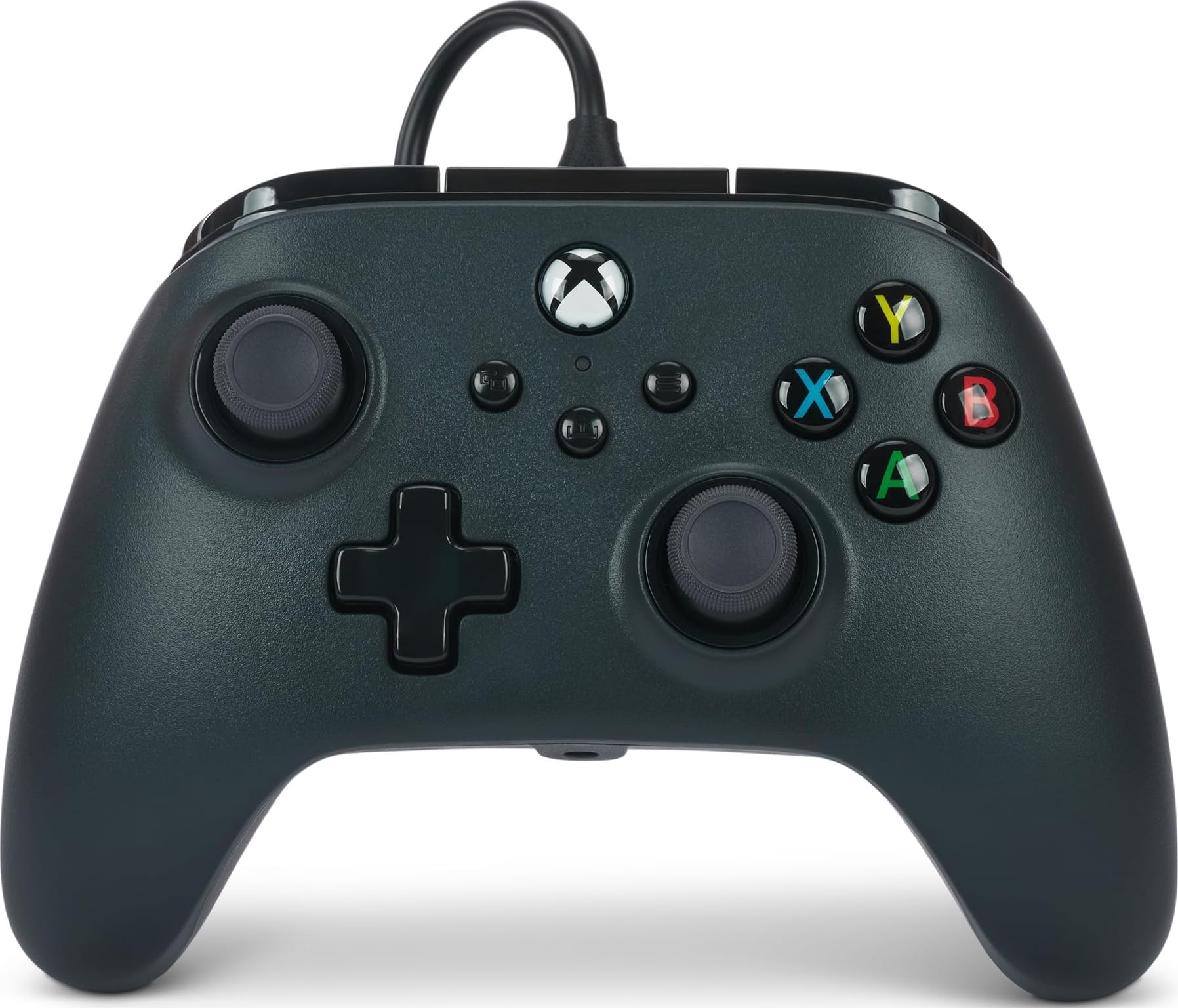
PowerA Wired Xbox

86 /100
Lab Score Excellent

Key details

Cable
10ft detachable
Compatibility
Xbox/PC
Stick Technology
Traditional
Remappable Buttons
None
View on Amazon

This wired controller delivers exactly what its price promises: an official Xbox license, a generous 10ft cable, and plug-and-play compatibility with Windows. The analog sticks use traditional potentiometers, which can develop drift over time, so this suits casual gaming sessions where precise aiming isn't critical. There are no extra buttons or adjustable features — it's a bare-bones option for players who just need a functional gamepad without spending more. Dual rumble motors and a 3.5mm headset jack round out the basics.

Pros

  • Officially licensed for Xbox and Windows
  • 10ft braided USB-C cable gives plenty of reach from your desk or couch.
  • Dual rumble motors with Impulse Triggers provide immersive vibration feedback.

Cons

  • No extra programmable buttons
  • Traditional analog sticks can develop drift over time, affecting accuracy in games that require fine control.
Our verdict

It fits the scenario of a no-frills, budget-friendly controller for non-competitive PC gaming where occasional drift is an acceptable tradeoff.

Check Latest Price

How to Choose

Stick Technology

Hall effect sticks use magnets to sense position, eliminating physical contact wear that causes drift. Traditional potentiometer sticks are cheaper but gradually develop jitter over hundreds of hours.

For competitive shooters or RPGs with precise aiming, hall effect is a clear upgrade. But note that drift-free doesn't mean failure-free: early controller death still happens if other components give out.

Polling Rate

Polling rate determines how often the controller reports input to the PC. Standard is 250-500 Hz, while 1000 Hz or 8000 Hz reduces latency noticeably in fast-twitch games.

The catch is diminishing returns: beyond 1000 Hz, only high-refresh-rate monitors and low-latency games benefit. 8000 Hz can also tax USB bandwidth if you have multiple peripherals.

Remappable Buttons

Extra buttons on the back or bumpers let you map actions like jump or reload without moving thumbs off the sticks. Two rear buttons are common; four paddles offer more flexibility but can feel crowded for smaller hands.

Software remapping varies widely: some allow full customization, others limit which buttons can be reassigned. Check whether the mapping is stored on the controller or requires software running in the background.

Compatibility

Most wired PC controllers use Xinput for native Windows support. Xbox-licensed controllers work out of the box, while PC-only models may need a driver for older games. Some controllers also support Switch or Android via Dinput mode.

If you play across platforms, a controller with multi-mode compatibility saves dongles and configuration time. But Xbox licensing often costs a premium without adding performance.

Cable Quality and Detachability

A detachable USB-C cable is more convenient for storage and replacement. Fixed cables are a single point of failure — if the wire frays near the controller, the whole unit is compromised.

Braided cables resist kinking better than rubber ones. Length matters: 10 feet gives freedom to lean back, while shorter cables (6 feet) can feel restrictive with a desktop setup.

Frequently Asked Questions