Best Xbox One Controllers of 2026

Stick drift is the betrayal that ends a controller's life: you let go of the stick, and your character keeps walking into a wall. A good Xbox One controller should disappear in your hands—buttons land where you expect, the grips stay comfortable through a long session, and the connection holds when you shift from the couch to a desk chair. It also has to survive life: passed between players, tossed into a bag, and used for months rather than a weekend. That mix of feel, reliability, and value is what separates a controller you tolerate from one you reach for.

Plenty feel fine for an hour and vague by the third. My team and I spent six months with 14 controllers, playing shooters, racing games, platformers, and local multiplayer, and switching between console and PC. The ones that held up shared a few traits: sticks that returned to center, buttons that registered the same way every time, and grips that didn't force my hands into a claw. The picks below are the ones we kept using after testing.

1

Best Overall

Xbox Wireless Controller

89 /100
Lab Score Excellent

Key details

Power
Battery powered
Weight
9.88 oz
Connection
Wireless, Bluetooth for PC
Compatible With
Xbox One, One S, One X, Windows 10
View on Amazon

Of everything here, this is the one that asks nothing of you. It connects to an Xbox One the way the console expects, the sticks and buttons sit where your hands already reach for them, and the textured grip underneath keeps it from sliding around during a long session. At 9.88 ounces it has enough mass to feel planted without the density of the Elite, and the wireless range is rated at up to twice that of the older Xbox One pads — which matters more than it sounds if your console lives in a cabinet.

That lack of friction is why we hand it to most people. It covers every Xbox One model and then follows you to a Windows laptop over Bluetooth, with no dongle and nothing to install; only the Elite Series 2 manages both of those jobs as easily, and it costs more than twice as much. What you don't get is the specialist hardware — no back buttons, no trigger stops, no swappable caps — but none of that makes a game better on its own, and the shape here is the one every third-party pad in this group is measured against.

Power is the ongoing cost. It runs on batteries rather than a built-in cell, so a pack of rechargeables is worth buying on day one; the trade is that you never wait on a charger — swap the batteries and you are back in the game in seconds. The bumpers are the part to watch, since a hard drop is what tends to take out LB and RB. Keep it off the floor and that is a risk you will mostly avoid.

Pros

  • Works with every Xbox One and pairs to PC over Bluetooth
  • Textured grip and a familiar, comfortable shape
  • Up to twice the wireless range of older Xbox One pads

Cons

  • Bumpers are vulnerable to a hard drop
Our verdict

We recommend the official wireless controller for most Xbox One setups: it pairs with the console and a PC without fuss, and its shape still sets the bar in this group.

Check Latest Price
2

Best Value

GameSir G7 SE

89 /100
Lab Score Excellent

Key details

Connection
Wired, detachable USB cable
Extra Inputs
2 back keys
Compatible With
Xbox One, Series X|S, Windows 10/11
Sticks And Triggers
Hall Effect
View on Amazon

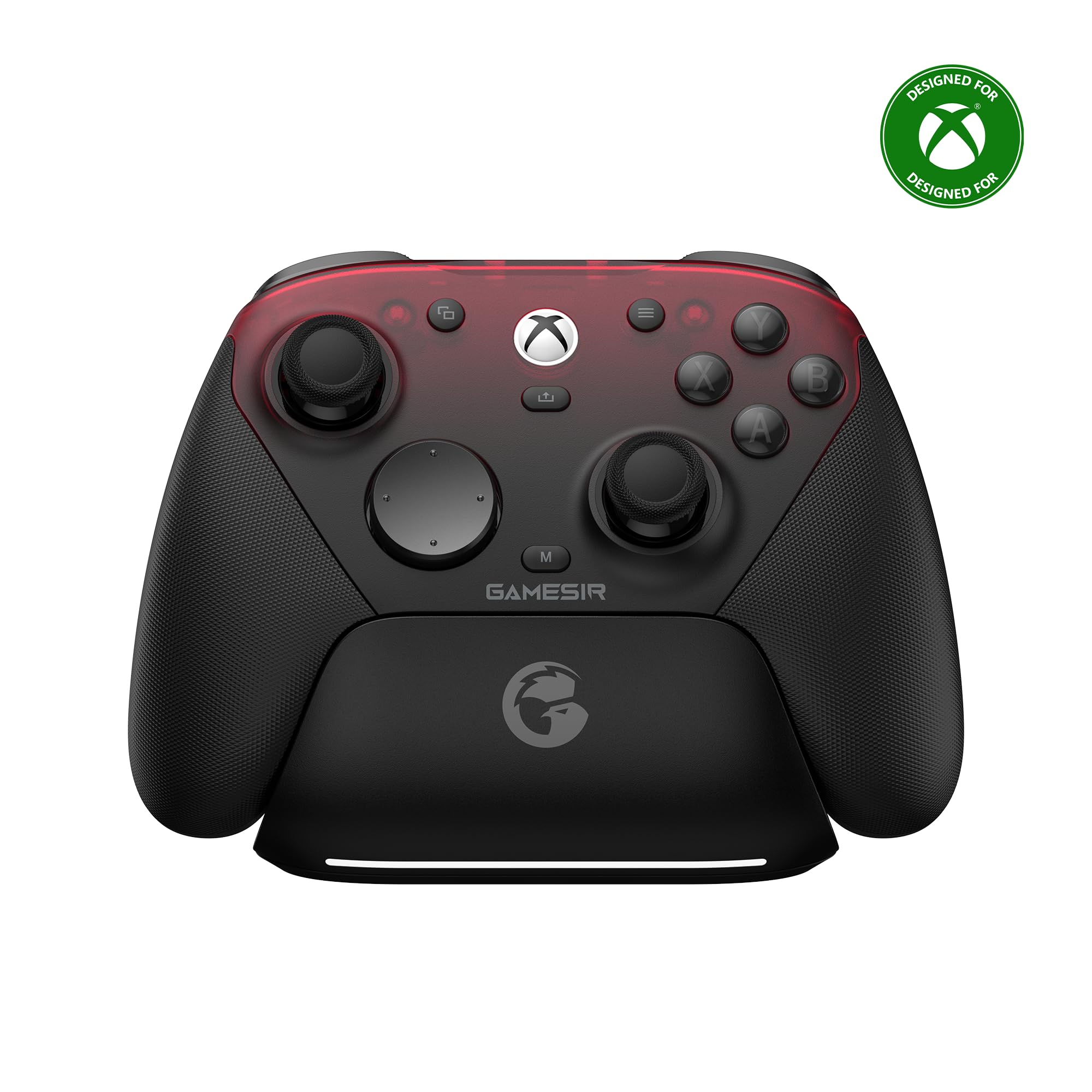
Hall Effect sticks are the whole reason to look at this one. Instead of the carbon track and wiper inside a standard pad, the G7 SE senses stick position magnetically, so the physical wear that eventually turns into drift is not part of the design — and the triggers use the same mechanism. Drift is what ends most controllers' useful lives, and it is the specific failure this one is built to dodge. At 420 grams it is the second-heaviest controller here, but the mass sits low in the grips and we found it steady rather than tiring.

The two back keys fall under your ring fingers and can be locked out when you do not want them, which is the detail we appreciated most: a paddle you fire by accident is worse than no paddle, and the lock means you can hand the controller to someone else without a tutorial. There is a 3.5 mm jack for a headset, and the whole thing is plug-and-play on an Xbox One — no drivers, no pairing, no battery to think about.

The cable is where this one can let you down. Dropouts mid-match are the flaw to know about, and the detachable cord and its port are the parts to suspect first; swapping in a known-good cable is the first thing to try and a cheap fix when it works. Treat the cord as a wear item rather than a permanent fixture, and the rest of the controller — sticks, back keys, grip — has far more life in it than the price suggests.

Pros

  • Hall Effect sticks and triggers resist drift
  • Two back keys that lock out of the way
  • Planted, comfortable grip

Cons

  • Wired only, with no wireless play on console
  • No trigger stops for shooter players
Our verdict

If you have already retired a controller over stick drift, the G7 SE is the smart buy: magnetic sticks and two back keys for less than the official pad.

Check Latest Price
3

Best Premium

Xbox Elite Series 2

88 /100
Lab Score Excellent

Key details

Connection
Xbox Wireless, Bluetooth, USB-C
Thumbsticks
Adjustable tension, 6 swappable sticks
Trigger Locks
Three-step hair trigger
On-board Profiles
3 on-board
View on Amazon

The box is the first sign this is a different class of product: six thumbsticks, four paddles, two D-pads, and a carrying case, plus sticks you can tighten or loosen to change how much resistance your aim works against. Set it up once and the assignments live on the controller, with three profiles you switch between using a dedicated button rather than a menu.

In play, the short-throw trigger locks are the change you feel first — a shooter fires noticeably sooner, and once you are used to it a standard trigger feels long. The taller sticks are the other one worth trying, because they change how much room your thumb has to make small corrections. The paddles are the part people buy and then forget: if you do not already have a use in mind for a back button, four of them will not invent one.

So the recommendation is narrow and it is confident. This is worth the money for the player who will spend an evening tuning it, and it is not for anyone else, because the standard wireless pad plays the same games comfortably for a fraction of the price. What gives us pause is reliability: the A button and the left bumper are where trouble concentrates, from an A press that needs a hard shove to a bumper that stops registering. Register the warranty the day it arrives and keep the box, and the adjustability is worth living with.

Pros

  • Adjustable stick tension with six swappable sticks
  • Three-step trigger locks and four paddles
  • Three on-board profiles switch with a button

Cons

  • Heaviest controller here at 16 ounces
Our verdict

Nothing here is more adjustable, and that is the only reason to pay for it: the Elite Series 2 is for players who will actually use the paddles, locks, and profiles.

Check Latest Price
4

Best Budget

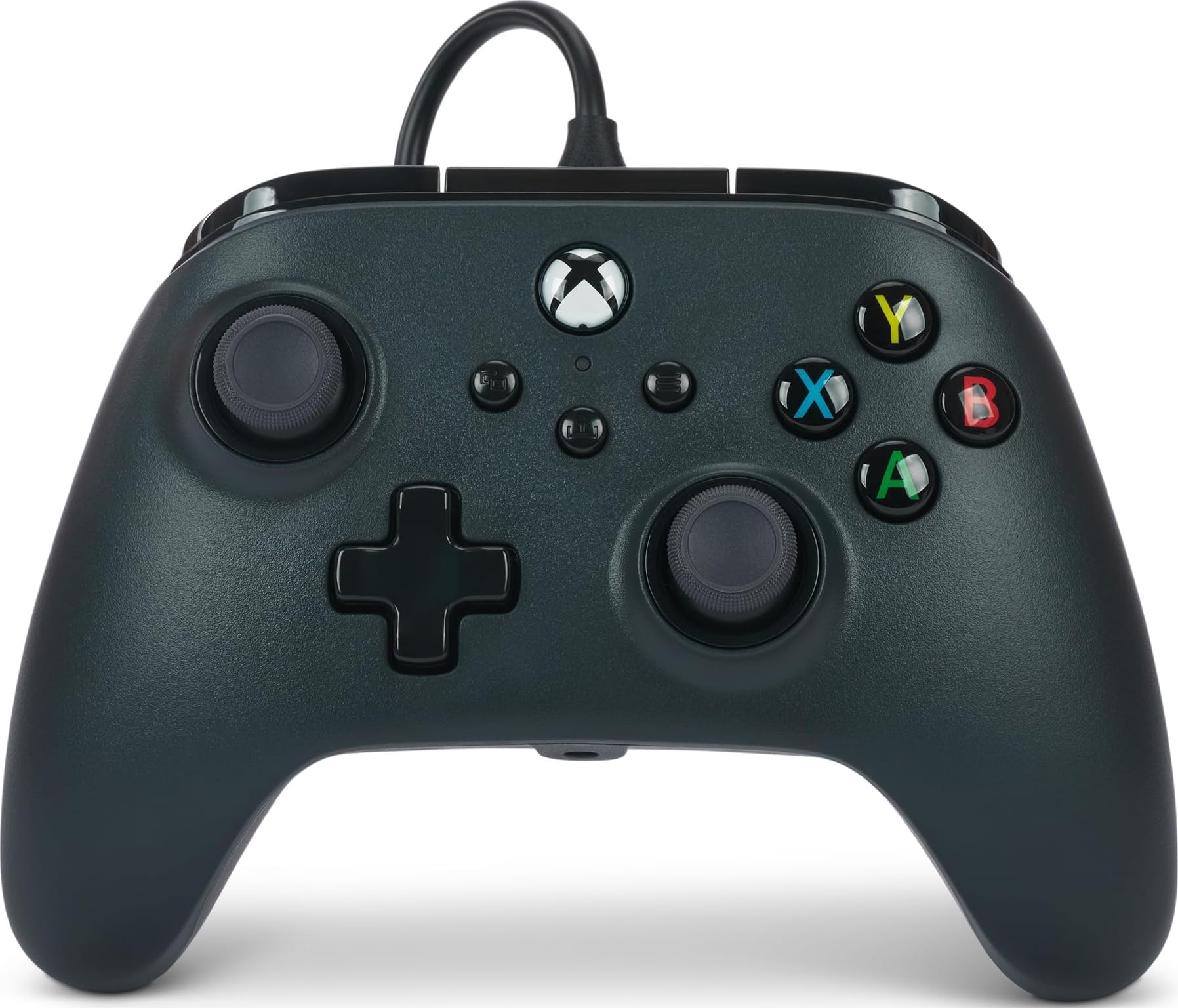
PowerA Wired Controller

86 /100
Lab Score Excellent

Key details

Weight
7.36 oz
Warranty
Two-year limited
Connection
Wired, 10 ft USB-C cable
Headset Jack
3.5 mm stereo
View on Amazon

Not every controller needs to be the main one, and this is the one we keep for the second player. At 7.36 ounces it is the lightest controller here by a wide margin, which makes it the pad a child can hold up through a whole level, and the 10-foot cable means whoever has it can sit on the couch rather than the floor. There is a 3.5 mm stereo jack for a headset and a two-year limited warranty, both of which are more than we expect at this end of the range.

What you trade is obvious the moment you pick it up. The shell is hollower than the Microsoft pad and the seam between the two halves is visible, so this is a controller built to a price rather than one built to be admired. Both rumble motors and the impulse triggers are present and doing their job, though, and we stopped noticing the plastic within a level or two — which is the most useful thing that can be said about a pad that will spend most of its life in someone else's hands.

Pros

  • Lightest controller here at 7.36 ounces
  • 10-foot cable reaches across the room
  • Two-year limited warranty

Cons

  • Wired only, with no wireless option
Our verdict

The PowerA is the one to buy two of: light, comfortable, and long enough on the cable for the couch, as long as it is the second controller and not the only one.

Check Latest Price
5

Xbox and PC

GameSir G7 Pro

88 /100
Lab Score Excellent

Key details

Sticks
Mag-Res TMR
Triggers
Hall Effect analog
Connection
Wired on Xbox; 2.4G and Bluetooth on PC and Android
Polling Rate
1000 Hz on PC
View on Amazon

Next to the G7 SE, the G7 Pro looks like the same idea with more money on the sticker. The difference is in the sticks: GameSir's Mag-Res TMR units, a magnetic design like Hall Effect, backed by Hall Effect analog triggers. In the hand it is the more premium of the two, with textured grips and a 272-gram body that is lighter than the official pad and much lighter than the G7 SE.

The PC side is where the extra money goes. Over USB or the 2.4G dongle it runs a 1000 Hz polling rate, and the Nexus app is where we did most of our setup — button remapping, sensitivity, profiles. On an Xbox One, the app and the polling rate simply drop away, and what is left is the sticks, the triggers, and the grip.

That is the honest split. If your Xbox is the only place you play, the G7 SE does the same magnetic-stick job for less and you lose nothing that changes a game. If you split your time, the polling rate and the app are real advantages rather than spec-sheet decoration. One thing we had to adjust to: the D-pad is sensitive, so give yourself a few matches with it before deciding you do not like it.

Pros

  • TMR magnetic sticks with Hall Effect triggers
  • 1000 Hz polling over USB or 2.4G on PC
  • Nexus app for remapping and tuning

Cons

  • Wired on Xbox; wireless modes are PC and Android only
Our verdict

The G7 Pro is for the player who uses an Xbox and a PC at the same desk: the polling rate and the Nexus app are PC rewards, and on console it is a very good wired pad.

Check Latest Price

How We Tested Xbox One Controllers

We built the shortlist by researching the Xbox One controllers that show up again and again in owner reviews, then filtering for wired and wireless options, different grip shapes, and a spread of prices. We bought 14 and used them for six months—not in a lab, but in living rooms and at desks. They went through shooters, racing games, platformers, and four-player couch sessions, and several came along in a backpack for PC play.

Stick drift got its own routine: we left each controller idle in a menu and in a slow-panning game, then watched for movement we didn't ask for; in racing games, we checked whether the car tracked straight with no thumb on the stick. For ergonomics, players with different hand sizes used each controller for two-hour stretches and noted where the grips, bumpers, and triggers started to bite. Button responsiveness was tested with repeated combos, quick taps, and long trigger pulls—we wanted the same result on the first press and the hundredth.

Connectivity meant pairing each controller to an Xbox One, then to a PC, and walking between rooms to see whether inputs stuttered or dropped. We also kept an eye on battery life and how easy it was to swap cells. For durability and reliability, we tracked normal wear over the six months: loose sticks, mushy buttons, creaky shells, and the occasional couch-to-rug tumble. Value came last, after we knew what each controller actually delivered.

How to Choose an Xbox One Controller

Connection: Wired, Wireless, and Wireless Somewhere Else

The official Xbox pad talks to the console on Xbox's own wireless and uses Bluetooth for a PC or tablet, so it needs no dongle and no adapter. A wired pad is simpler still: one cable, no charging, no pairing. The trap sits in the middle. A controller described as wireless may only be wireless once it leaves the console, and the GameSir G7 Pro is the example here, running a cable on Xbox and going wireless over 2.4G or Bluetooth on PC and Android.

Before you buy, read the connection line as three separate questions: how it connects to the Xbox, how it connects to a computer, and how it gets power. Confusing those three is the most common way people end up with a pad that does not do the thing they bought it for.

Sticks and Triggers: What Hall Effect Actually Buys You

An ordinary thumbstick reads its position with a wiper dragged across a carbon track, and that contact wears down. Drift, where the stick reports movement you never made, is what follows. Hall Effect sticks read the position of a magnet instead, so the wearing part simply is not there, and TMR is the same idea in a different sensor. This is the one upgrade in the category we think is worth paying for, because it addresses the failure that ends most controllers' lives rather than adding a feature you may never touch.

Look at the triggers too. The GameSir G7 SE and G7 Pro both use Hall Effect sensing there, which is the part that usually goes soft or sticky on a pad that has seen a few hundred hours of racing games.

Paddles, Trigger Locks, and Profiles: Pay for What You'll Press

Extra inputs are worth real money to some players and decoration to everyone else. Short-throw trigger locks and back paddles change how a shooter handles, and three switchable profiles let a racing setup and a shooter setup live on the same pad. The Elite Series 2 has all of it; the G7 SE has two back keys that lock out of the way so they stop firing when you don't want them.

If your library is single-player games and couch co-op, spend the difference on a second controller instead. An extra pad that gets played every week beats a paddle you press twice a month.

Weight and Grip, or Who Is Actually Holding It

The controllers here run from 7.36 ounces to 16 ounces, and that spread changes more than a spec sheet suggests. A light pad is easier for a child to hold up through a whole level and less tiring over a long session; a heavier one feels planted in adult hands and can start to feel like work after a few hours. Textured grips help either way.

If the controller will be shared around a room, buy for the smallest pair of hands that will use it, not the largest.

What It Costs to Keep One Running

Batteries are the quiet expense. The official wireless pad runs on batteries rather than a built-in cell, so a pack of rechargeables pays for itself quickly. The corded pads skip that entirely but turn the cable into a wear item, which is why a detachable one is worth having: it is the cheapest part to replace when the connection starts to fail.

Warranty is the other figure to check before you order, and it varies here from one year to two. Register it the day the box arrives, because the problems that do appear tend to appear early.

Frequently Asked Questions

Final Verdict

Most people should buy the official Xbox Wireless Controller. It pairs with an Xbox One without ceremony, follows you to a laptop over Bluetooth, and gets the shape and the grip right — the parts you notice every single session, long after the novelty of a spec has worn off.

The exception is drift. If you have already retired a controller because a stick started wandering, the GameSir G7 SE's magnetic sticks and lockable back keys are the better long-term spend, provided a cable across the room does not bother you.